Manage separate data environments for development and production using the Hostinger AI Builder integrated backend in agentic mode. The integrated backend manages data storage for your web application automatically, removing the need for external databases, and supports two separate environments: Test data and Live data. This separation lets you develop and test features safely without affecting your actual website visitors.
The integrated backend activates automatically when your project includes features requiring data storage, such as contact forms or user accounts. Access your data directly from the editor using the Data toggle once active.
Understanding data environments
Hostinger AI Builder keeps development and production data completely separate:
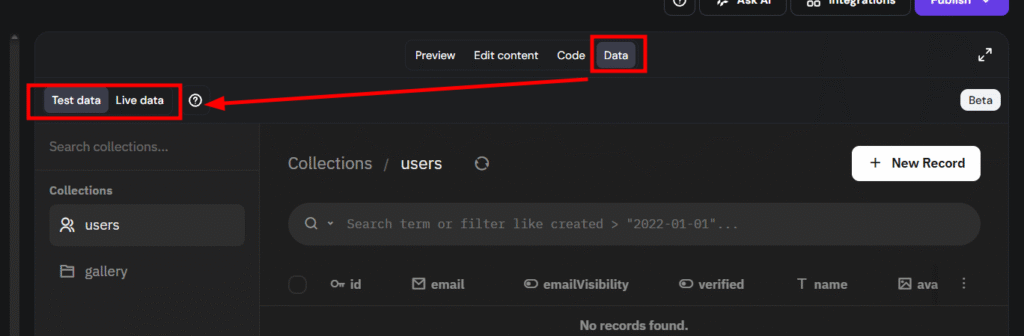
Test data: This is generated when you interact with the application in Preview mode. Submissions made during testing are stored here and never affect your live website.
Live data: This is generated by real visitors on your published website. For example, a form submission from a live user is stored in the Live environment.
The system automatically assigns data to the correct environment based on whether the action occurs in the editor or on the published site.
How to switch between environments
- Open your project in Hostinger AI Builder.
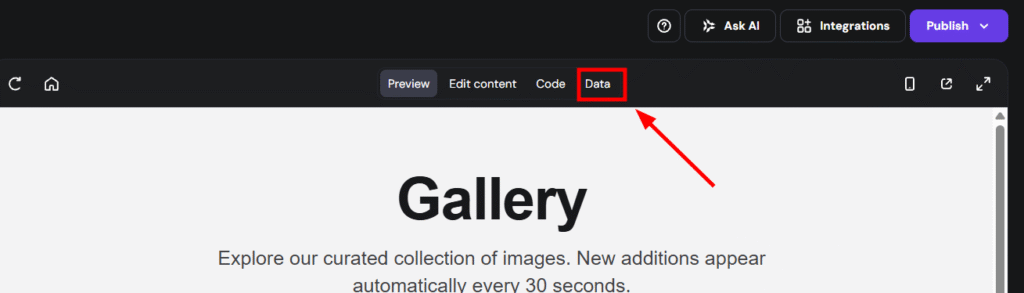
- Click the Data toggle at the top of the preview screen.

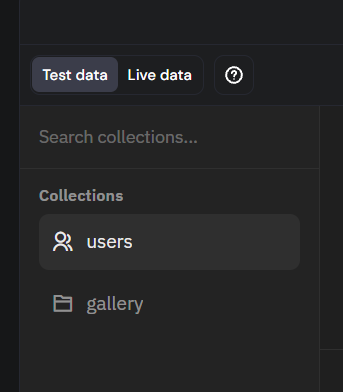
- Locate the Data section in the left panel.
- Select either Test data or Live data at the top to switch between the environments.

How to manage records
Once you have selected an environment, follow these steps to manage your information:
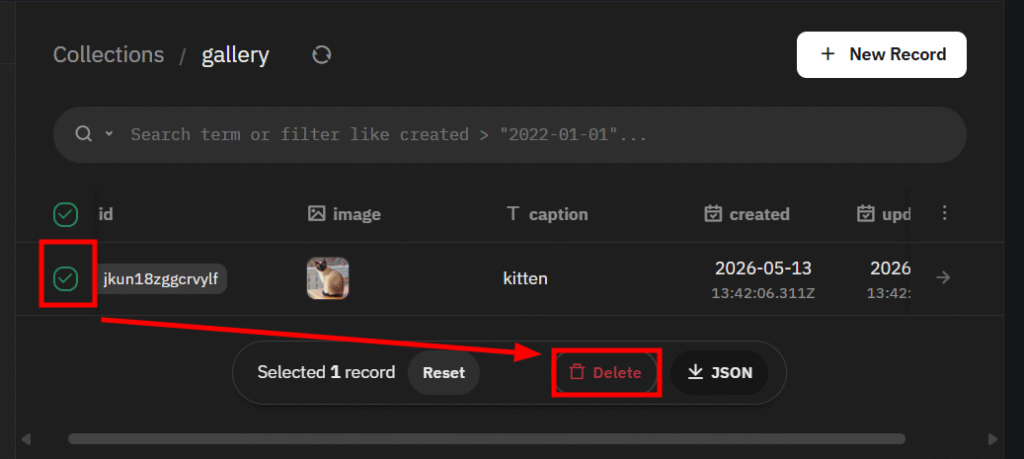
- Click a Collection (e.g., Contacts or Users) from the left panel to view its records.

- Click on a specific record to view or edit the details.
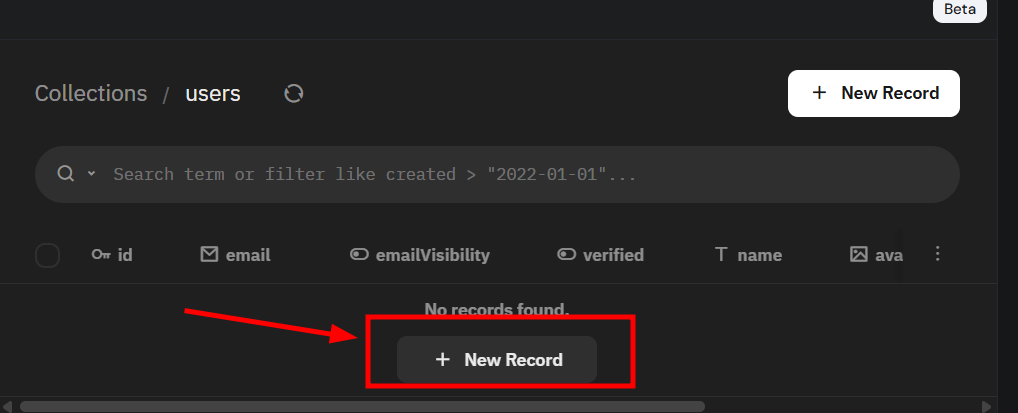
- Click Add record to manually create a new entry.

- To remove data, select the record and select Delete.

How to modify data structure
You do not need to manually create fields or collections. To update your data model, type a prompt in the AI chat to request structural changes:
- “Add an email field to the contacts collection.”
- “Create a products collection with name, price, and description fields.”
- “Add a date field to blog posts.”
Structural changes do not affect your live site until you click Publish.
The integrated backend simplifies data management by automatically separating your testing and production environments. By using Test data, you can safely experiment with new features, while Live data remains reserved for your actual site visitors. Always confirm your active environment label before editing records to ensure your live data remains accurate. If records aren’t appearing where you expect between environments, see how to troubleshoot data synchronization in Hostinger databases.