Your store currency and Printful currency are managed separately in Hostinger AI Builder manual mode. Your store currency determines how customers see prices and pay you, while Printful’s currency settings affect how you see product and pricing information inside your Printful account.
Managing currency in your store
Your online store’s currency is what your visitors will see and use to complete purchases. This is controlled directly in your Store Manager, not in Printful.
To change your store’s currency, follow this guide: How to change the currency in the online store.
Managing currency in printful
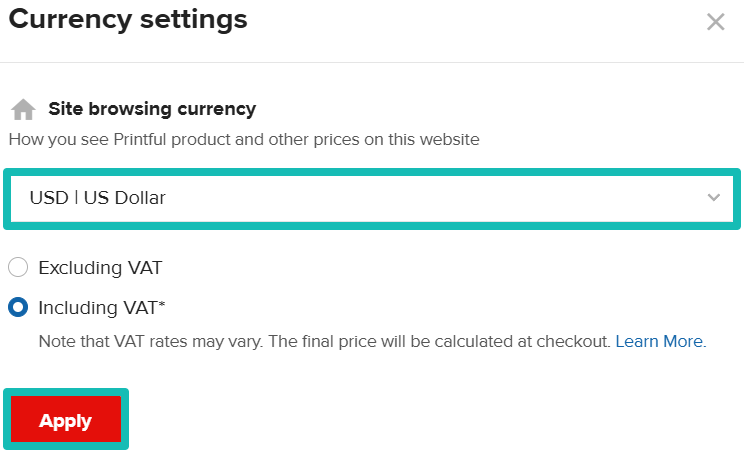
Your Printful account currency settings are for your own display preferences (not what customers see). You can adjust them to make browsing easier, especially for personal orders or when checking product costs.
To update your display currency in Printful:
- Log in to your Printful Dashboard.
- Go to the Preferences block.
- Click Edit next to Currency.
- Select whether to include or exclude VAT (relevant for European selling preferences).
- Choose your preferred currency and click Apply.
For more details, see Printful’s guide: How do I change my currency on Printful?.