Get your email account configuration details for Titan Email to set it up on any client or device.
Configuration details
If you use Titan Email, the email account configuration is the following:
|
Protocol |
Port (encryption) |
Host |
|
IMAP (incoming emails) |
993 SSL/TLS |
imap.titan.email |
|
POP (incoming emails) |
995 SSL/TLS |
pop.titan.email |
|
SMTP (outgoing emails) |
465 SSL or 587 STARTTLS |
smtp.titan.email |
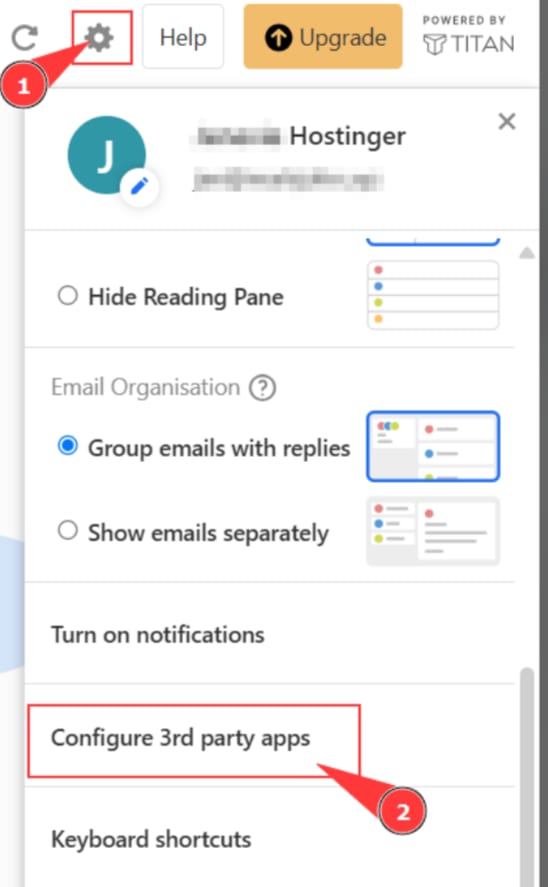
You can always find these values in your Titan Webmail → Settings → Configure 3rd party apps section.
You can find a detailed explanation of each protocol in this tutorial: POP3 vs IMAP