The WordPress administrator email is used for critical site notifications, password resets, and core updates. You may need to change this email if you no longer have access to the original address or are transferring site ownership. You can do this easily via the Hostinger dashboard or manually through the database.
Pre-requisites
-
Access to your Hostinger dashboard.
-
An active WordPress installation.
Change email via WordPress dashboard
This is the fastest and most recommended method as it does not require editing database tables directly.
-
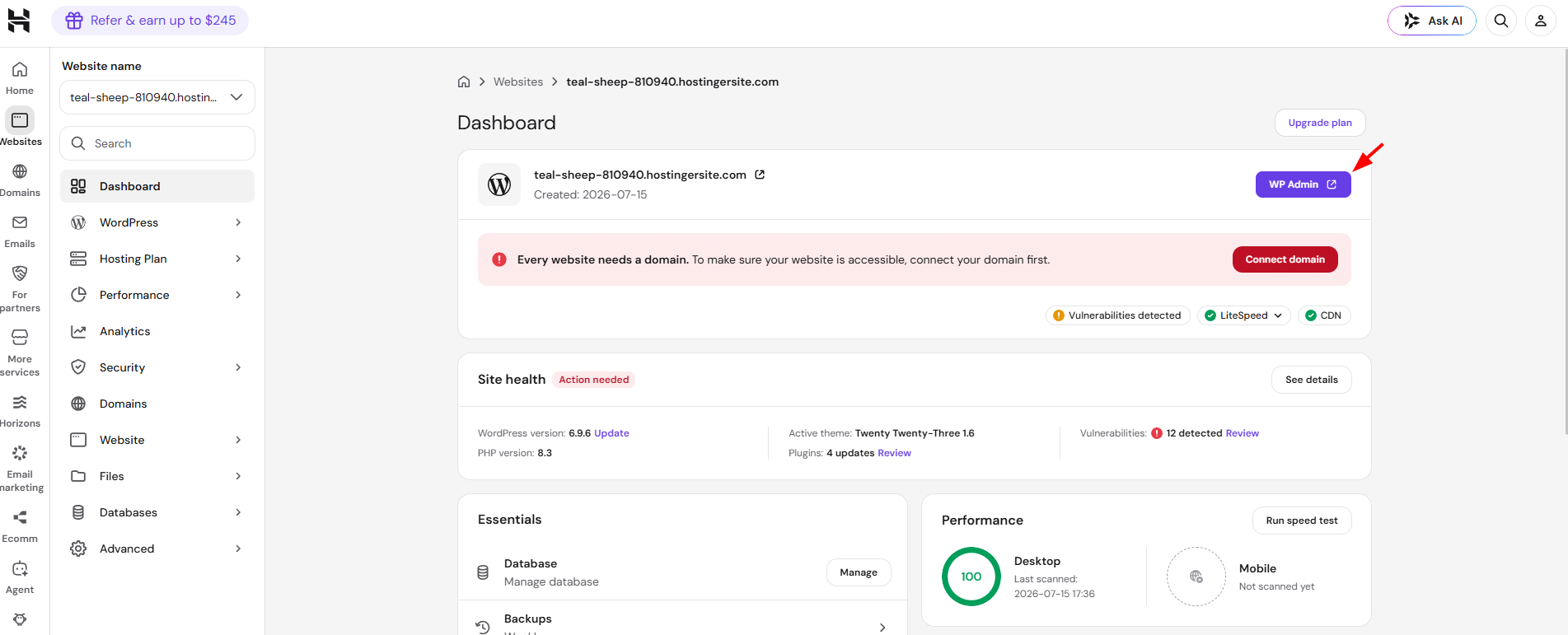
Log in to your Hostinger dashboard and go to the Websites section.
-
Click Dashboard next to the website you want to manage.
-
On the left sidebar, search for WordPress and click WP admin.

-
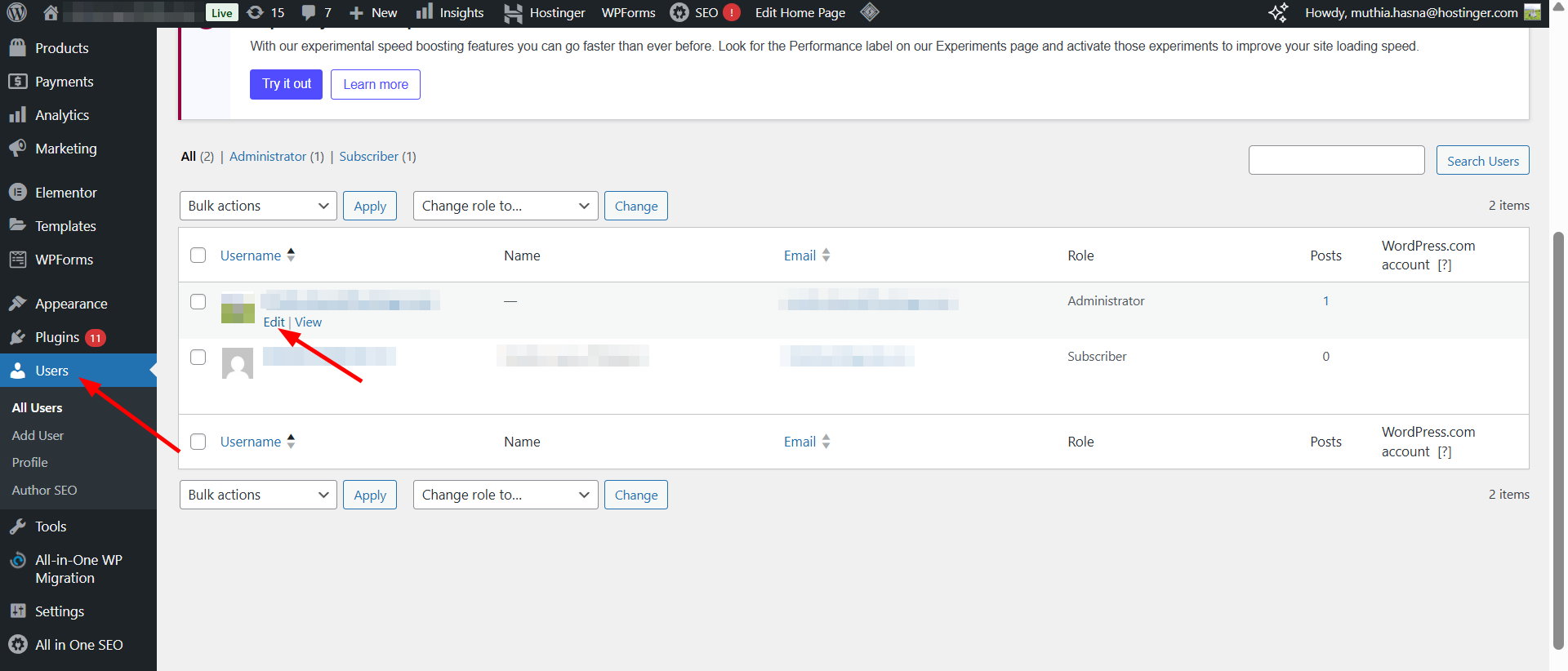
Look for Users.
-
Click the Edit (pencil).

-
Enter the new email address and click Save.
Change email manually via phpMyAdmin
If you cannot access the WordPress dashboard or the Hostinger dashboard overview tool, you can update the email directly in the website’s database.
See troubleshooting issues accessing the WordPress admin login page at Hostinger if this is why you’re using this method.
Step 1 – Identify the correct database
Before entering phpMyAdmin, confirm which database your website is using:
-
Open the File Manager in your Hostinger dashboard.
-
Navigate to the public_html folder.
-
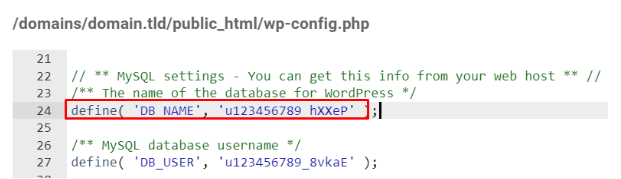
Open the wp-config.php file and look for the line:
define('DB_NAME', 'database_name');. Note this name.

Step 2 – Update the user_email value
-
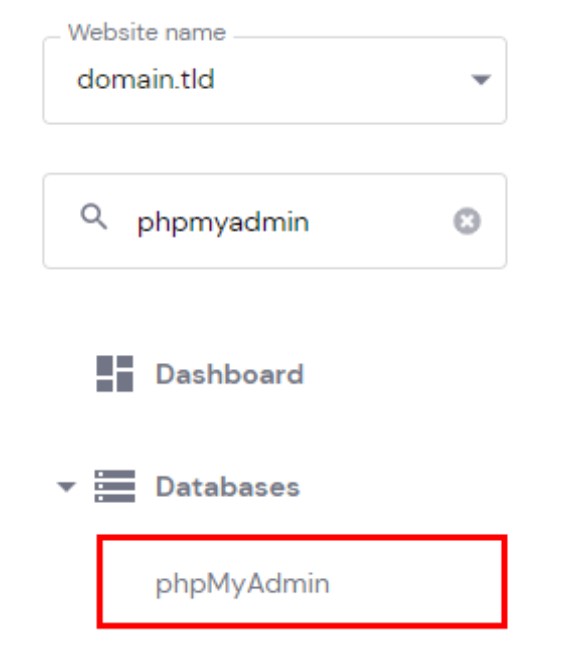
Go back to your Hostinger dashboard and navigate to Databases → phpMyAdmin.

-
Click Enter phpMyAdmin next to the database you identified in Step 1.
-
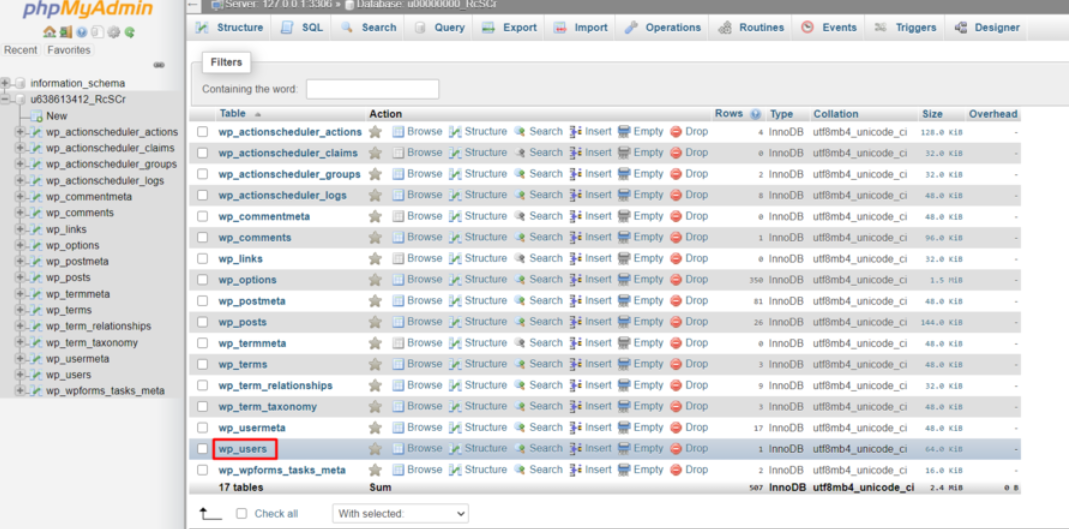
On the left-hand sidebar, click on the wp_users table (note: your prefix might be different than
wp_, e.g.,wp123_users).

-
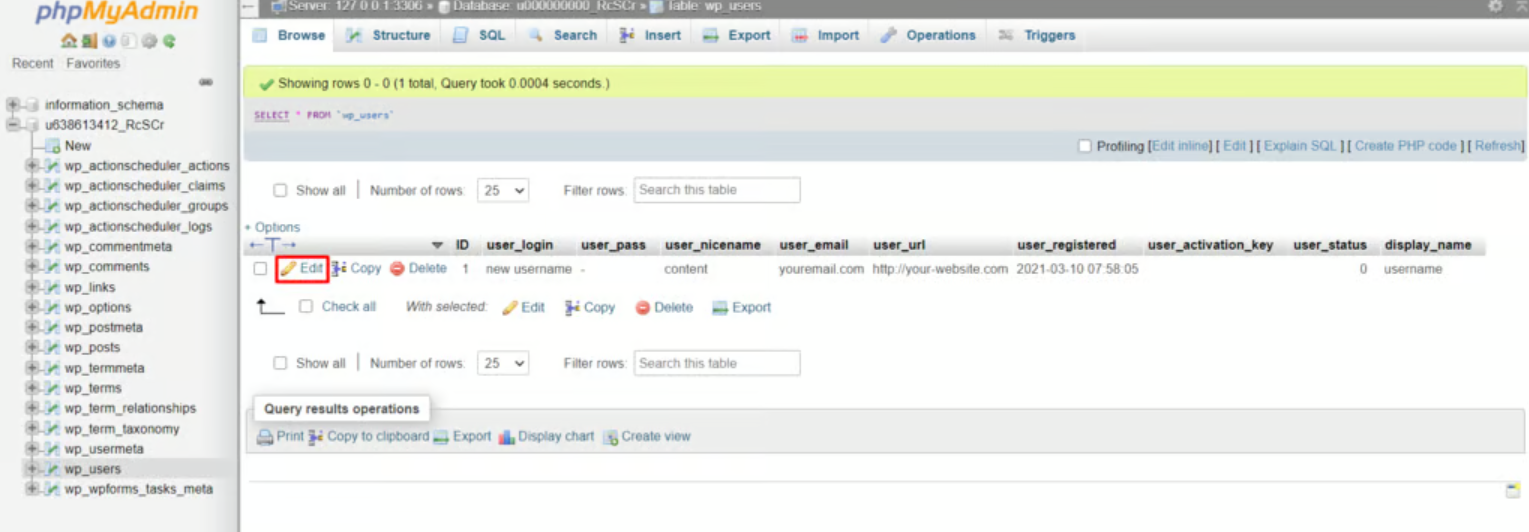
Locate the administrator user you wish to change and click Edit.

-
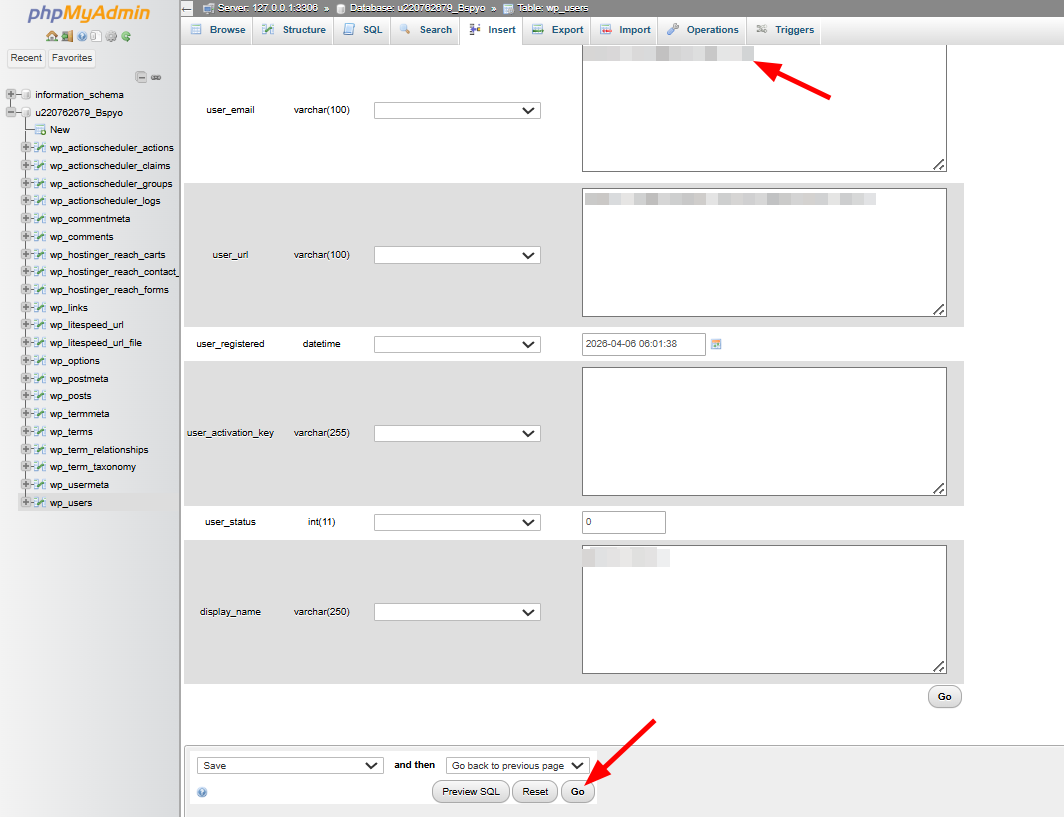
Find the user_email row and enter your new email address in the Value column.
-
Click Go at the bottom of the page to save the changes.

Updating your WordPress admin email ensures you stay informed about your site’s status. While the WordPress dashboard method is the most straightforward, the phpMyAdmin method provides a reliable fallback for manual adjustments.