Abandoned cart emails help you recover lost sales by automatically sending follow-ups to customers who start the checkout process but don’t complete their purchase. With Hostinger Reach and Hostinger AI Builder, this process works through a built-in integration — no extra steps required.
Requirements for abandoned cart automation
The Abandoned Cart flow becomes available when:
- A Hostinger AI Builder site is connected to Hostinger Reach
- The connected site has an active online store
Once the Hostinger AI Builder site is connected, Reach automatically tracks:
- Abandoned carts (if site has a store)
- Purchases (if site has a store)
- Checkout newsletter sign-ups (if enabled in your store settings) and all Subscriber/Contact forms
No manual configuration is needed to setup tracking events — everything works automatically after site connection.
How abandoned cart detection works
The automation starts when a customer leaves items in their cart without completing the purchase:
- A customer begins the checkout process in your Hostinger AI Builder store
- They don’t complete the payment
- Abandoned cart events are being checked every hour
- If you have abandoned cart automation Active, the contact receives abandoned cart email
NOTES
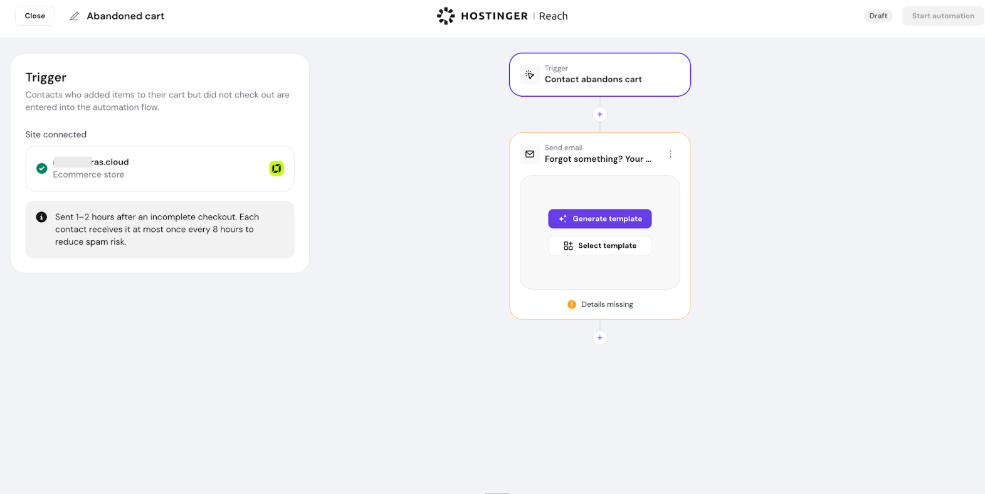
- Because abandoned carts are checked hourly, customers may receive the abandoned cart email within 1–2 hours after leaving the checkout.
- There is an automatic 8-hour cooldown period. This means a contact will not receive more than one abandoned cart automation email within 8 hours to reduce spam risk and improve email deliverability.
Automation is handled automatically — no timing adjustments are needed.
Enabling the abandoned cart automation flow
You can enable the automation by following these steps:
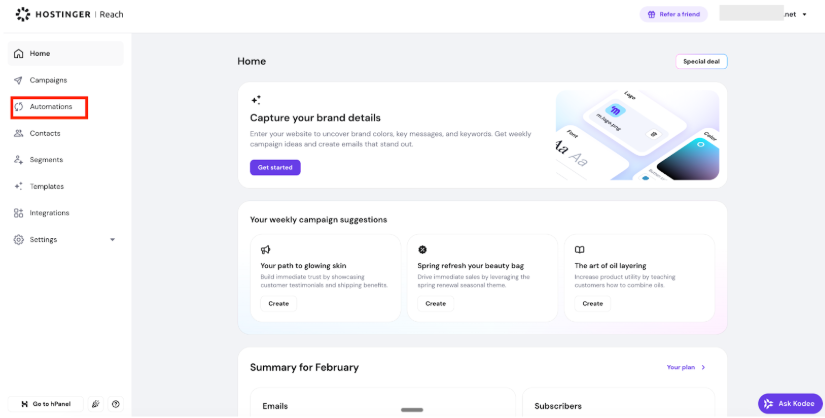
- Go to your Hostinger Reach dashboard
- Open the Automations page
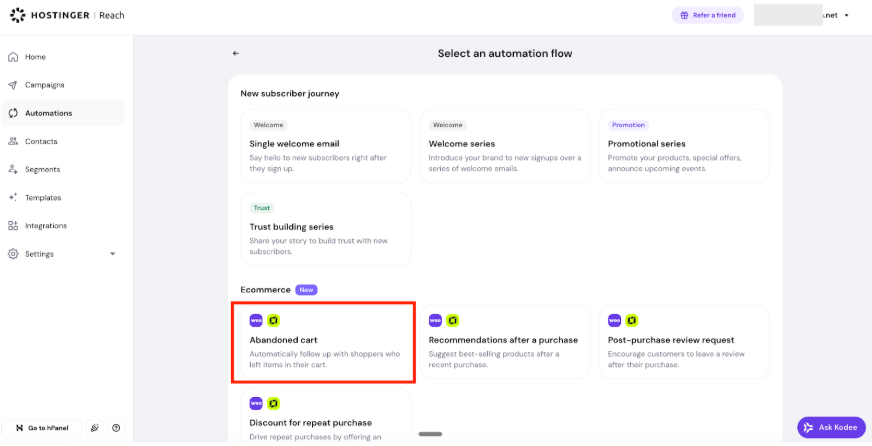
- Go to the E-commerce section
- Select the Abandoned Cart automation flow
- The trigger is preconfigured — no adjustments needed. If you don’t have a site connected or it does not contain a eCommerce, you will be guided to set it up.
- Add the email action you want customers to receive
- Publish or activate the automation
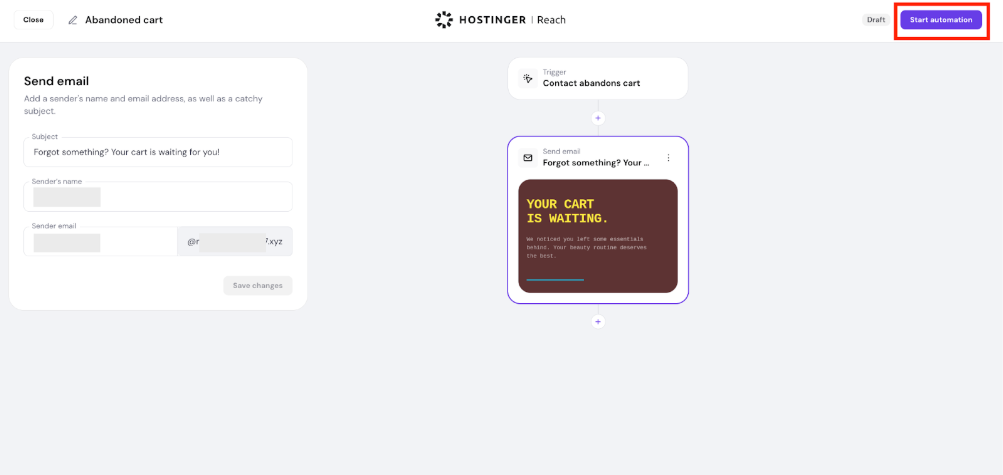
Once enabled, subscribers who abandon their cart will automatically start receiving recovery emails.
Choosing or creating your abandoned cart email
After selecting the Abandoned Cart flow, you can:
- Choose an existing email template, or
- Generate a new template
Make sure to include a clear call-to-action button linking back to your website or store page so customers can easily return and finish checking out.
Troubleshooting integration issues
Depending on your setup, you may see prompts in the automation builder. Here’s how to resolve them.
You don’t have a Hostinger AI Builder site connected
If no site is connected, Reach will prompt you to connect one.
You can:
- Click Connect
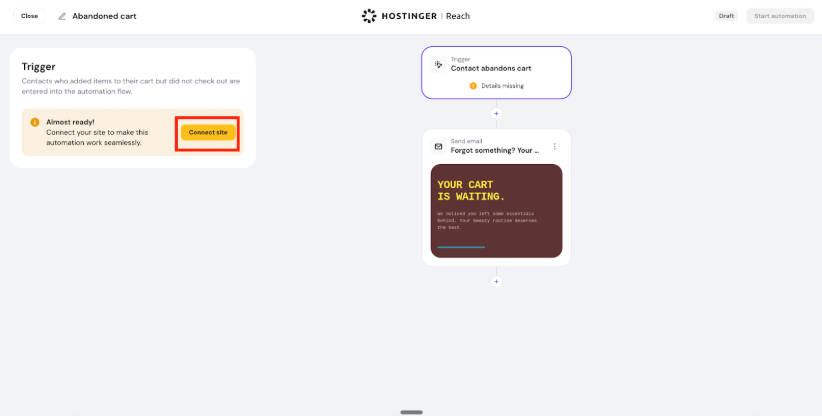
- Select your Hostinger AI Builder site
- Connect your site in one click
Your Hostinger AI Builder site doesn’t have an active store
If your site is connected but e-commerce is not enabled, you’ll see a message that a store is required.
To activate it:
- Open your Hostinger AI Builder editor
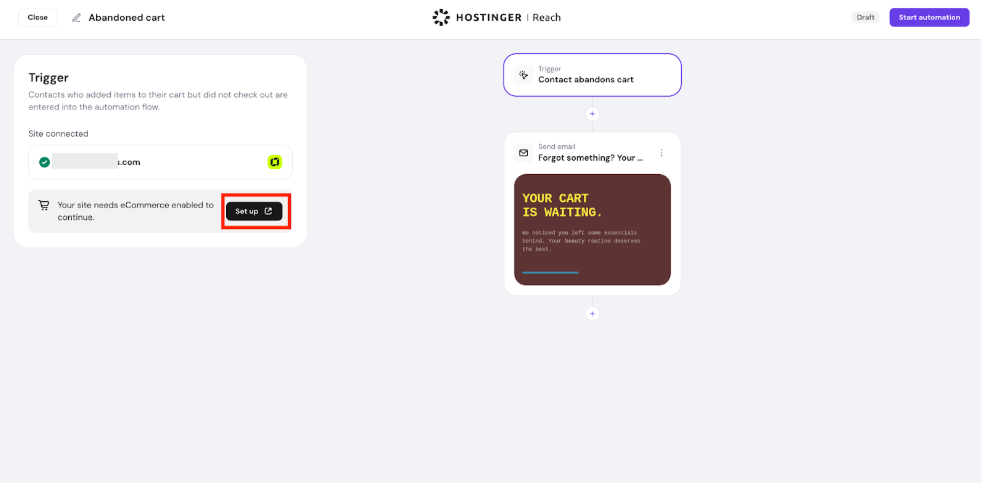
- Create or enable your online store
- Publish the updated site
Once your store is active, the e-commerce automation features will become available in Reach.
What happens after integration is active
When your Hostinger AI Builder store is connected to Reach, e-commerce tracking is automatically enabled.
Here’s what becomes available:
- A newsletter opt-in option at checkout (if enabled in store settings)
- Automatic abandoned cart tracking
- An 8-hour abandoned cart email cooldown per contact
- Purchase tracking for use in other email automations
No additional configuration is required.
With Hostinger Reach and Hostinger Hostinger AI Builder working together, recovering abandoned carts becomes a fully automated process — helping you increase sales with minimal effort.