Bancontact is the most popular online payment method in Belgium. Customers use a Bancontact card or mobile app linked to a Belgian bank account to make online payments that are secure, guaranteed, and confirmed immediately.
In order to pay with Bancontact, customers are redirected to the Bancontact website or mobile app to authorize the payment and then return to your website where they are immediately notified about the success or failure of the payment. Learn more: Bancontact payments
Availability
-
Available for merchants in Australia, Austria, Belgium, Bulgaria, Canada, Croatia, Cyprus, the Czech Republic, Denmark, Estonia, Finland, France, Germany, Gibraltar, Greece, Hong Kong, Hungary, Ireland, Italy, Japan, Latvia, Liechtenstein, Lithuania, Luxembourg, Malta, Mexico, the Netherlands, New Zealand, Norway, Poland, Portugal, Romania, Singapore, Slovakia, Slovenia, Spain, Sweden, Switzerland, the UK, the USA
-
Supported currency: EUR
-
Available for clients in Belgium
Set up Bancontact
To offer the Bancontact payment method, you first need to enable Stripe payments in your e-store. Once you do that, follow the steps below:
- Within the AI builder, open your store management area. Go to Settings → Payments → Manage Stripe and open your Stripe account.
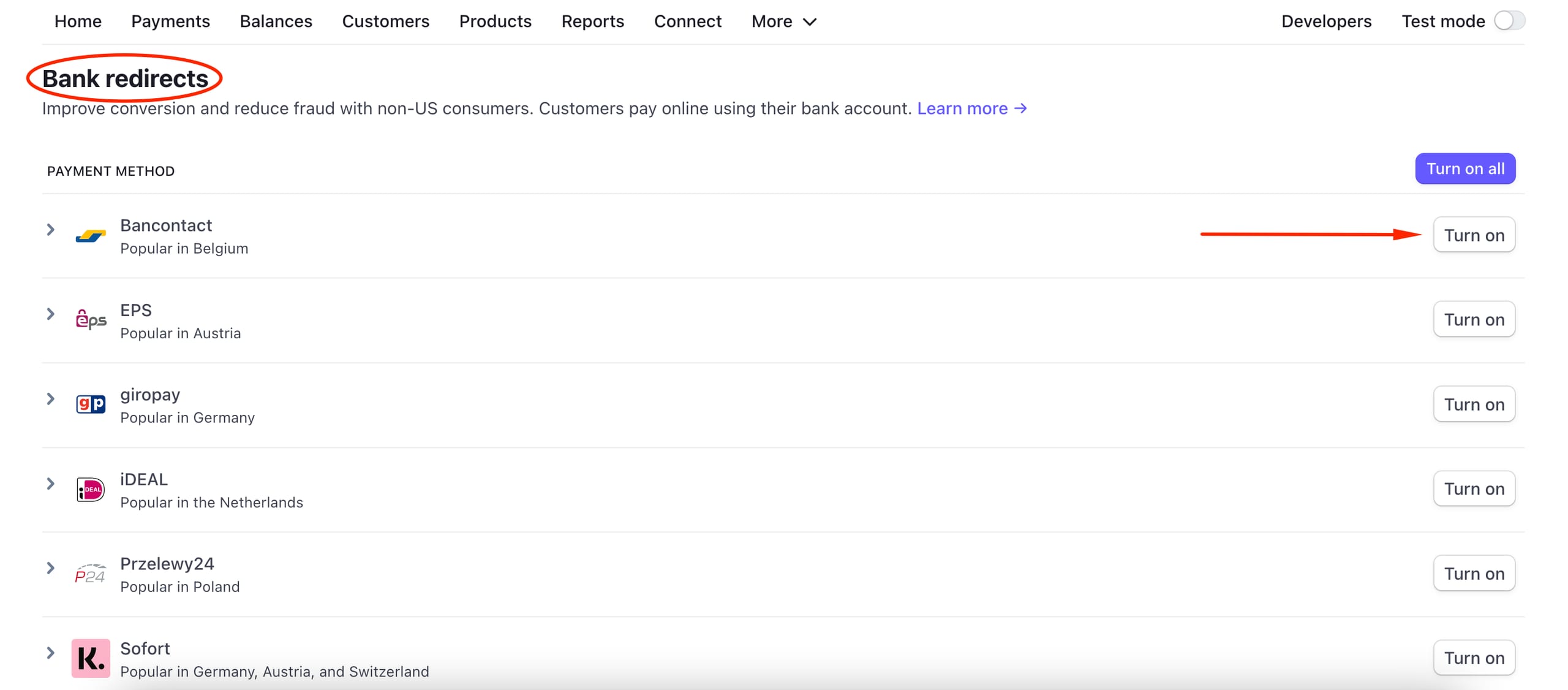
- In your Stripe account, go to the payment methods settings.
- Scroll down to the Bank redirects section, and click Turn on next to Bancontact:
This payment method will be automatically suggested for your clients in Belgium.