Hostinger AI Builder manual mode lets you connect any domain, regardless of where it’s registered, or use a free temporary preview domain until you’re ready to connect one.
These options are available while adding a website to your hosting plan. Access your Websites tab, click Create website, then select AI Builder.
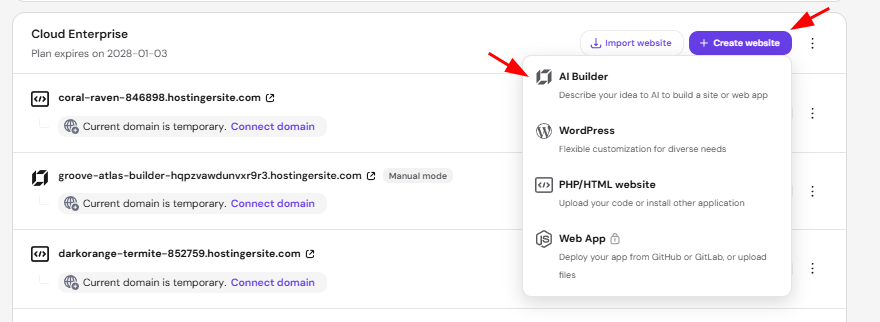
You will be redirected to create your website using our AI Template Generator or selecting a pre-made template.
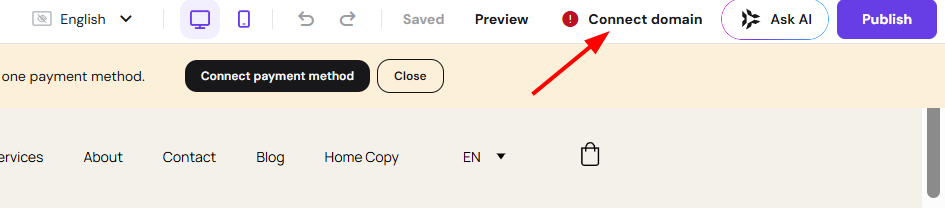
Select the website template you want, then find the option in the top right corner, hover over Connect domain, and click it.
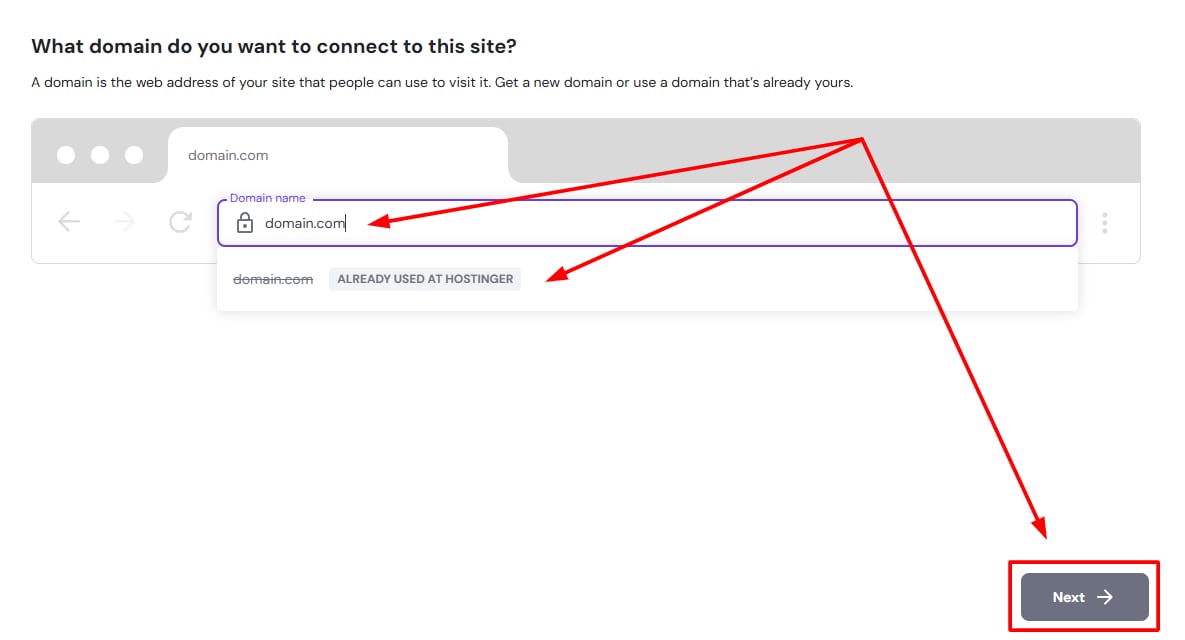
On the new page, enter the domain you want to connect, confirm it in the banner message that appears below it, then click Next.
Connecting a custom domain in Hostinger AI Builder manual mode
When building with Hostinger AI Builder manual mode, you may connect any domain, regardless of where it’s registered:
- If your domain is registered at Hostinger, the needed website records connect to your domain’s DNS automatically.
-
If your domain is registered at another platform, enter your domain in the field, click the “Registered at Another Provider” banner, and click Next.
-
In this case, you’ll be asked to point your domain to Hostinger servers (domains registered at Hostinger are pointed to our server by default)
-
After pointing your domain to Hostinger, give it up to 24 hours for the DNS propagation to complete, and your website will be up and running
-
Connecting a preview domain in Hostinger AI Builder manual mode
The preview domain name is automatically generated when you add a builder-based website to your hosting plan. It looks something like this: random-word-ID.builder-preview.com.
After selecting a temporary domain, the Connect domain button is visible next to your site in the Websites section for one week. Click on it to connect your custom domain:
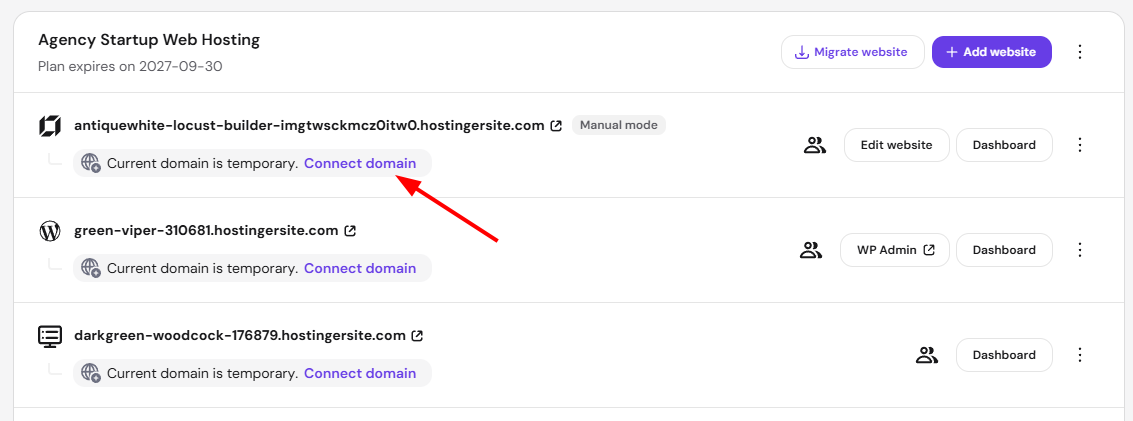
The Connect domain button may still be visible even after connecting your custom domain. You may safely ignore the button, as it will disappear on its own.
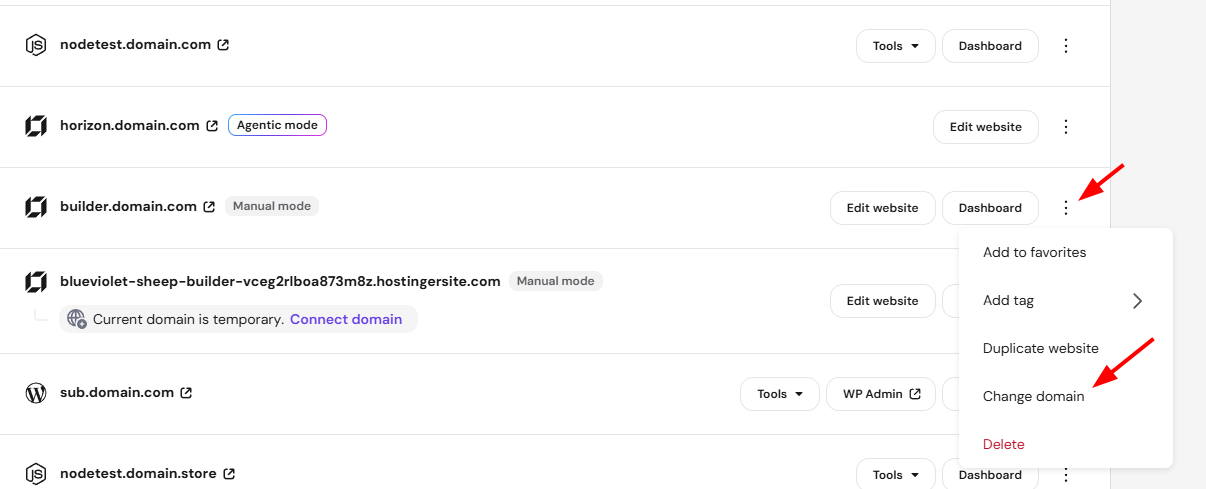
Click the ellipsis button and select Change domain if you’ve already connected a custom domain and want to switch to another one.
And that’s how you connect a domain to a website created with Hostinger AI Builder manual mode.
Frequently asked questions
Can I connect a domain that’s registered somewhere else, not at Hostinger?
Yes. You can connect any domain regardless of where it’s registered, though domains registered elsewhere need to be pointed to Hostinger servers first, with up to 24 hours for DNS propagation.
Do I need to publish my website after connecting a domain?
Yes. Publish your website after connecting a domain to make the change live.
Can I change my domain after connecting one?
Yes. Use the ellipsis button next to your site and select Change domain.