Hostinger Ecommerce allows you to import multiple products at once using a spreadsheet file. This feature helps you quickly add several products to your online store instead of adding them one by one.
Import products
To import products to your store:
-
Access the Store Manager.
-
Click Import products.
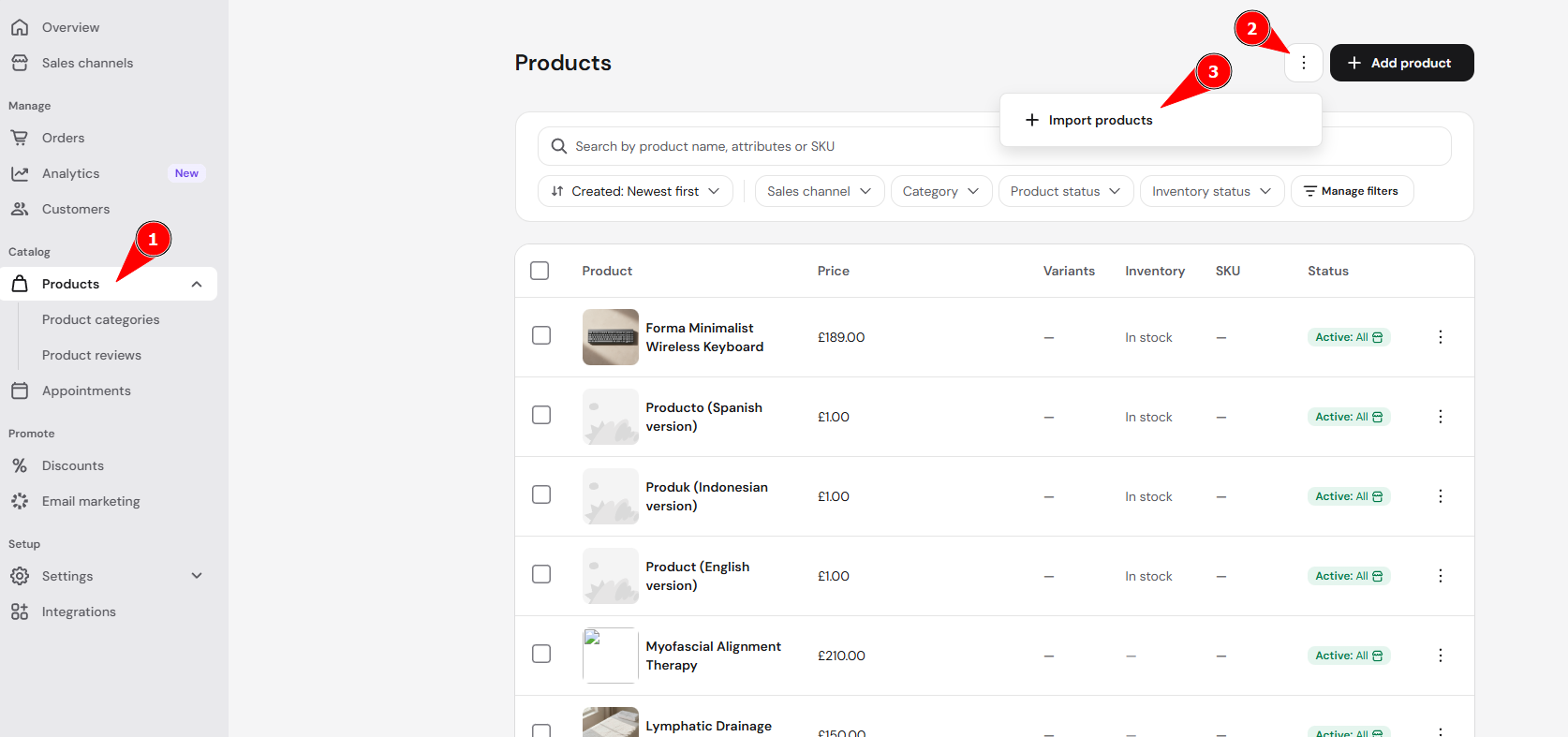
-
Upload your CSV or XLSX file containing the product information.
Optional: You can click Download a CSV file template and use it as a starting point to create your import file.
-
Click Continue.
Follow the remaining steps shown in the import interface to review and complete the process.
Once the import is finished, the products will be added to your store and can be managed the same way as products created manually. If your products have variations like size or color, you can add product options to them after import.
NOTES
- Deleted products can’t be restored in Hostinger Ecommerce. Keep your product spreadsheet as a backup so you can import your products again.
- See Hostinger Ecommerce: What you can restore after deleting a product or store to back up your products and orders.