Start a free trial of Hostinger AI Builder to build and preview a website or web application before purchasing a plan. The trial lasts 7 days and includes 250 complimentary AI credits if you choose agentic mode. You can start the trial from the Hostinger AI Builder page or from a ready-made website template.
Start the Hostinger AI Builder free trial from the AI Builder page
During the Black Friday period, the Hostinger AI Builder page doesn’t offer a free trial. Start the free trial from a website template on the Hostinger templates page instead. The free trial doesn’t start from the Websites section of Hostinger dashboard.
- Navigate to the official Hostinger AI Builder page.
- Enter a description of your web application idea in the prompt field, either by typing or using voice input. For optimal results, use 2–5 sentences detailing the purpose, desired features, and target audience of the application.
- Click Start for free once your description is entered. The button stays inactive until a description is entered either by typing or using voice input. If your initial prompt clearly describes something suited to agentic mode, Hostinger AI Builder may route you there directly during setup.

- Log in to your existing Hostinger account or create a new one.
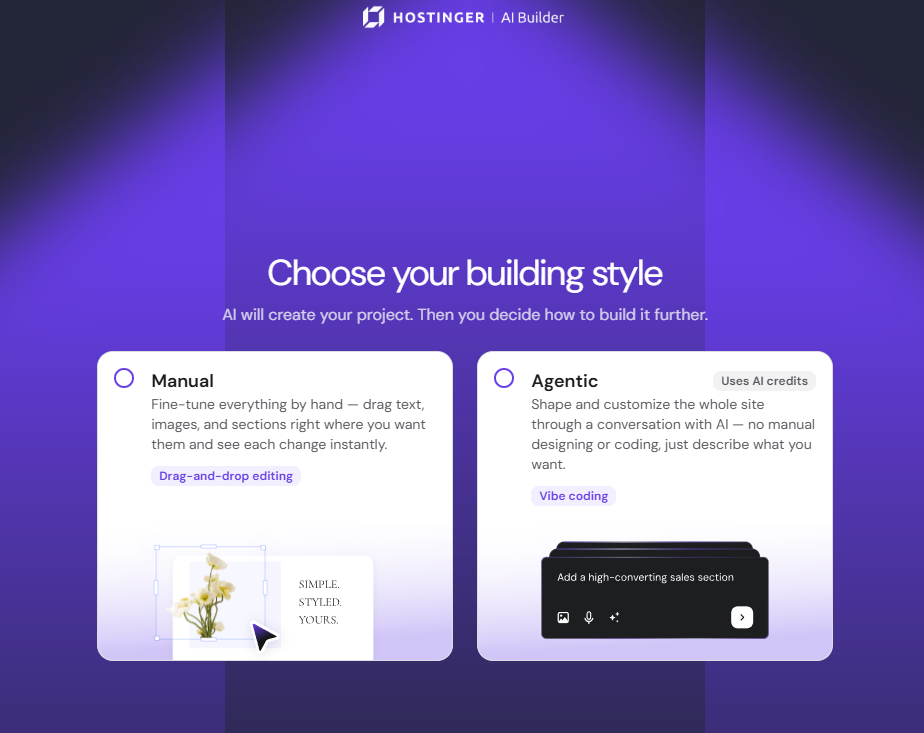
- Select Manual for drag-and-drop editing, or Agentic to shape and customize your site through a conversation with AI. Agentic mode uses AI credits.
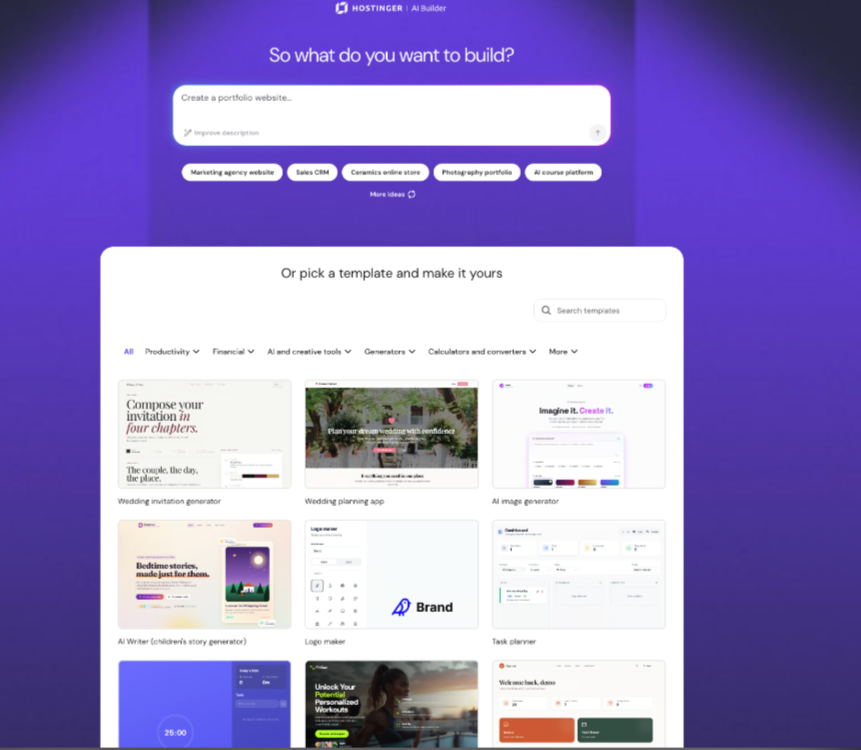
- On the next screen, describe your website or business in the text box. Click one of the suggested prompts, such as Create a business website or Launch an appointments website, if you’re not sure what to write, or scroll down to pick a ready-made template instead. You can also speak your initial prompt instead of typing it, using the microphone icon on the prompt screen.
Your free trial begins once you confirm your selection, and the interface displays your initial AI-generated website or web application. The trial lasts 7 days.
NOTES
- During the trial period, websites cannot be published.
- Online stores created during the trial cannot connect payment methods.
- For agentic mode, you will get 250 complimentary AI credits to test out.
- AI credits included with hosting plans are a one-time gift, added only when you purchase a new hosting plan, as explained in Hostinger AI credits: How the shared balance works.
Start the Hostinger AI Builder free trial from a website template
Start the Hostinger AI Builder free trial from a ready-made website template on the Hostinger templates page. Starting from a template also works during the Black Friday period, when the Hostinger AI Builder page doesn’t offer a free trial.
- Go to the Hostinger website templates page. Click View all to see more templates.
- Browse the templates. Each template is labeled Manual or Agentic, matching the two Hostinger AI Builder modes.

- Click a template to open the Template preview. Use the desktop and mobile icons at the top of the preview to check both layouts.
- Click Use template.

Refine your web application during the Hostinger AI Builder free trial
- Submit follow-up prompts to the AI assistant using the chat interface if you selected agentic mode, or edit elements directly if you selected manual mode.
- Request one specific change or addition per message to maintain clarity and accuracy in agentic mode.
- Select the preview option to review your changes and test the application interface in real time.
The application remains saved as a draft in your Hostinger account. To publish your application, get more credits, export the project code, or create more websites, upgrade to a paid plan.
Your trial application stays saved as a draft until you’re ready to publish it or upgrade to a paid plan.
Frequently asked questions
How long does the Hostinger AI Builder free trial last?
The trial lasts 7 days.
Can I publish my website during the free trial?
No. Websites built during the trial cannot be published, and online stores created during the trial cannot connect payment methods.
What happens to my trial project if I don’t upgrade?
It remains saved as a draft in your Hostinger account until you publish it, get more credits, export the project code, or upgrade to a paid plan.
Can I start a Hostinger AI Builder free trial during Black Friday?
Yes. During the Black Friday period, the Hostinger AI Builder page doesn’t offer a free trial, but you can start one by clicking Use template on any template on the Hostinger website templates page.