Track your Hostinger Reach campaign performance to check open rates, click rates, and other key metrics for emails you’ve sent. Hostinger Reach shows a summary of every sent campaign on the Campaigns page, plus a detailed report with a click map, recipient data, and a device breakdown. Automation email steps include the same detailed report.
View campaign summaries
To track a campaign’s performance, go to the Campaigns page.
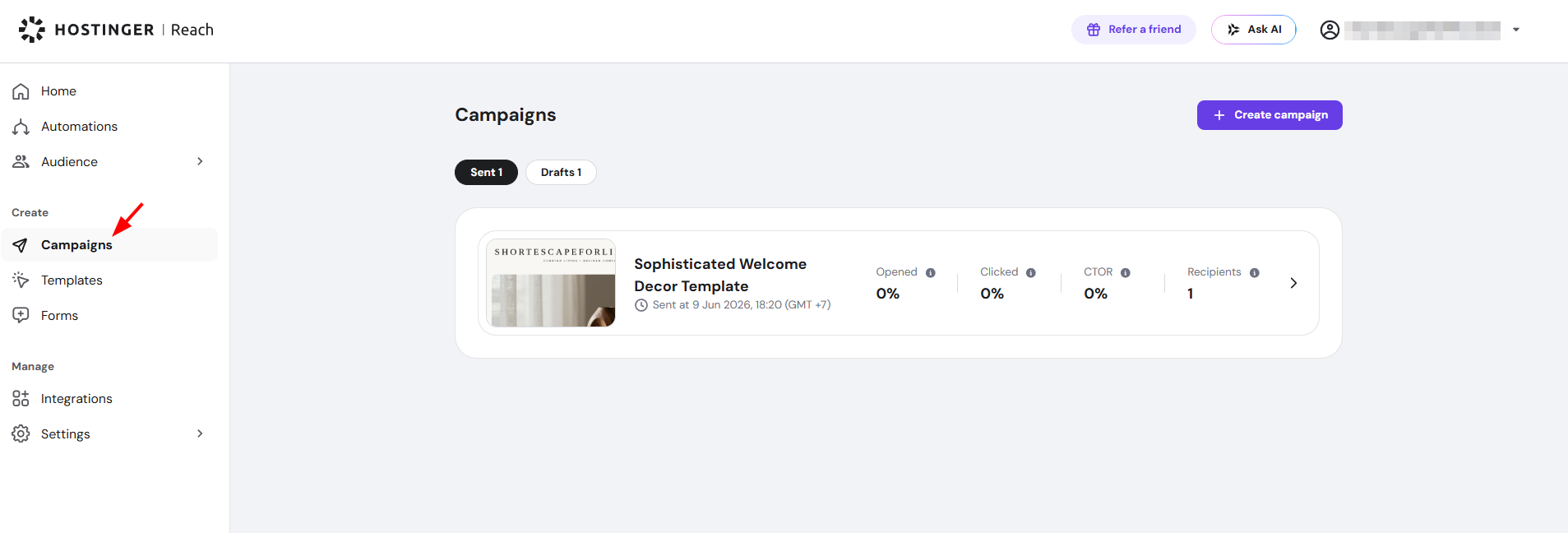
There, you will find a summary of key data:
- Campaign name
- Date and time sent
- Open rate
- Click rate
- Click-to-open rate (CTOR)
- Recipients
Hover over the info icons to learn what each metric means. Aim for higher open and click rates while keeping unsubscribe rates low.
View detailed campaign results
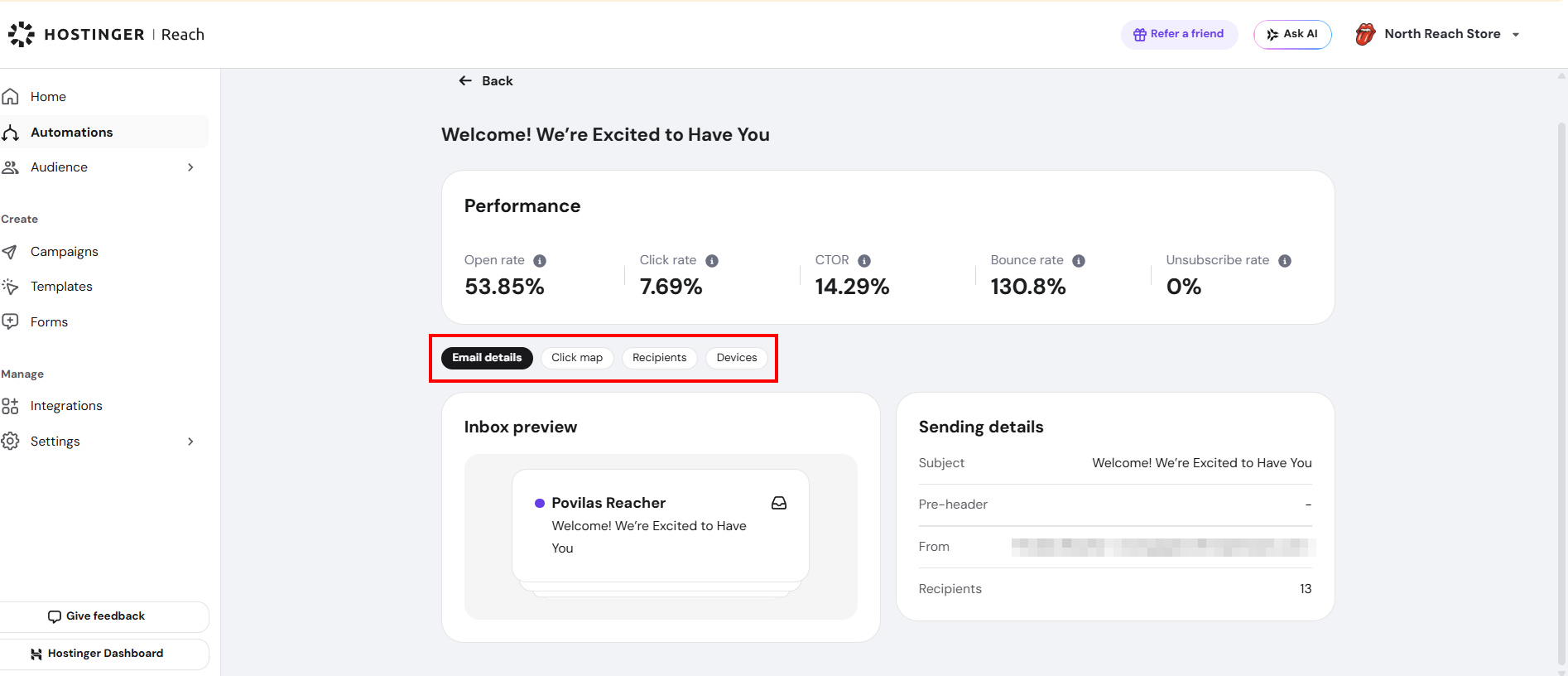
For detailed campaign results, click the arrow (❯) next to a campaign. The detailed view includes a performance summary with open rate, click rate, click-to-open rate (CTOR), bounce rate, and unsubscribe rate.

Below the summary, four tabs break down the campaign results: Email details, Click map, Recipients, and Devices.
Email details
The Email details tab shows an Inbox preview and the Sending details of the campaign. The Inbox preview shows how the email appears in an inbox, with the sender name and subject line.
The Sending details section lists five items:
- Subject – the email subject line.
- Pre-header – the preview text shown after the subject line.
- From – the sender name and email address.
- Sent – the date and time the campaign was sent.
- Recipients – the number of contacts the campaign was sent to.

Click map
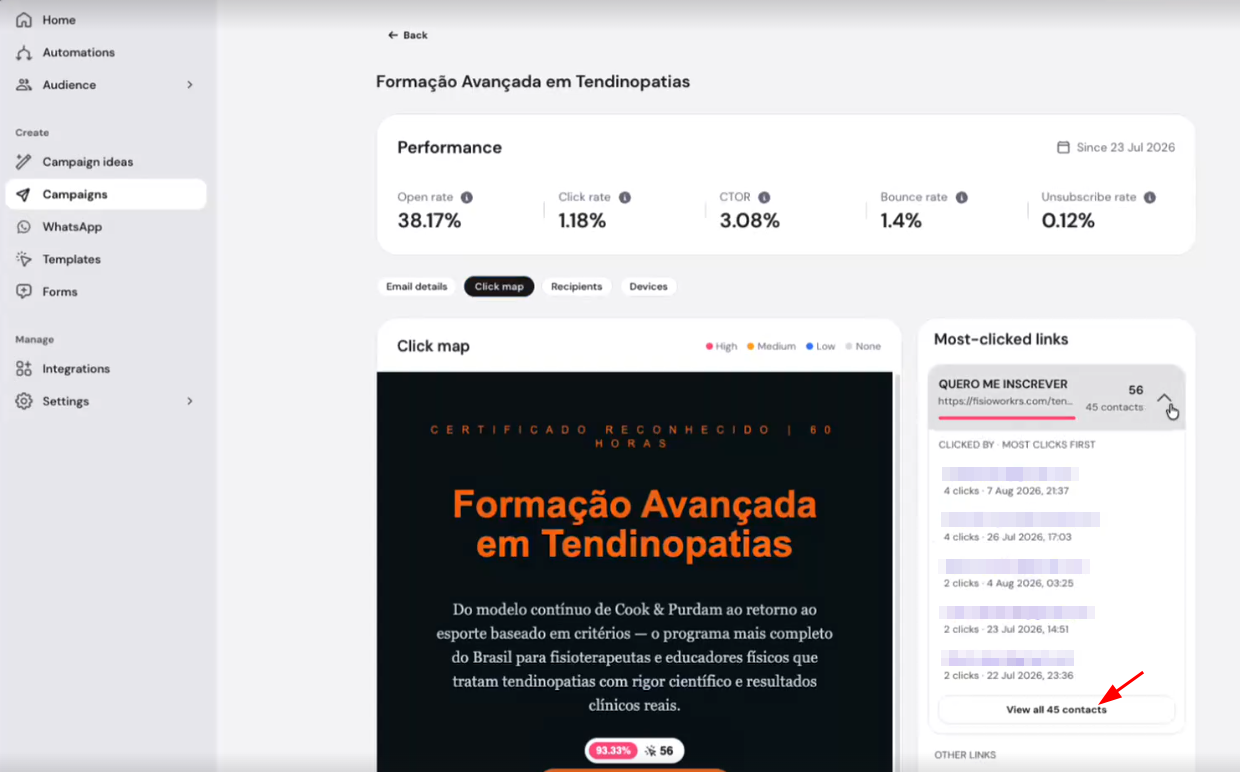
The Click map tab highlights each link in the template by click volume (High, Medium, Low, None), alongside a Most-clicked links list.Expand a link in the Most-clicked links list to see:
- The contacts who clicked the link, sorted by most clicks first.
- How many times each contact clicked the link.
- When each contact last clicked the link.
- Click View all contacts under a link to open the full list and search it by email address. Deleted contacts appear as Deleted contact in the list
Recipients
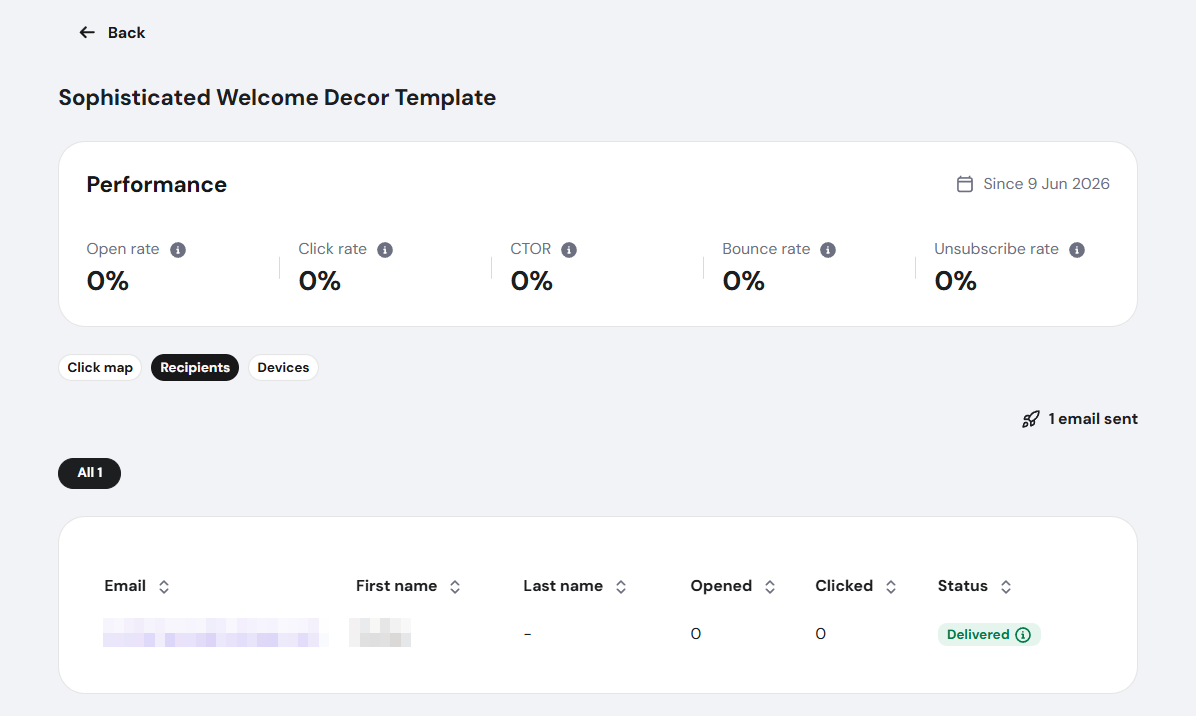
The Recipients tab lists individual message data:
- Email address
- First and last name
- Number of times that specific contact opened the message
- Number of times that specific contact clicked the message
- Delivery status (e.g., sent, sending, hard-bounced)
Devices
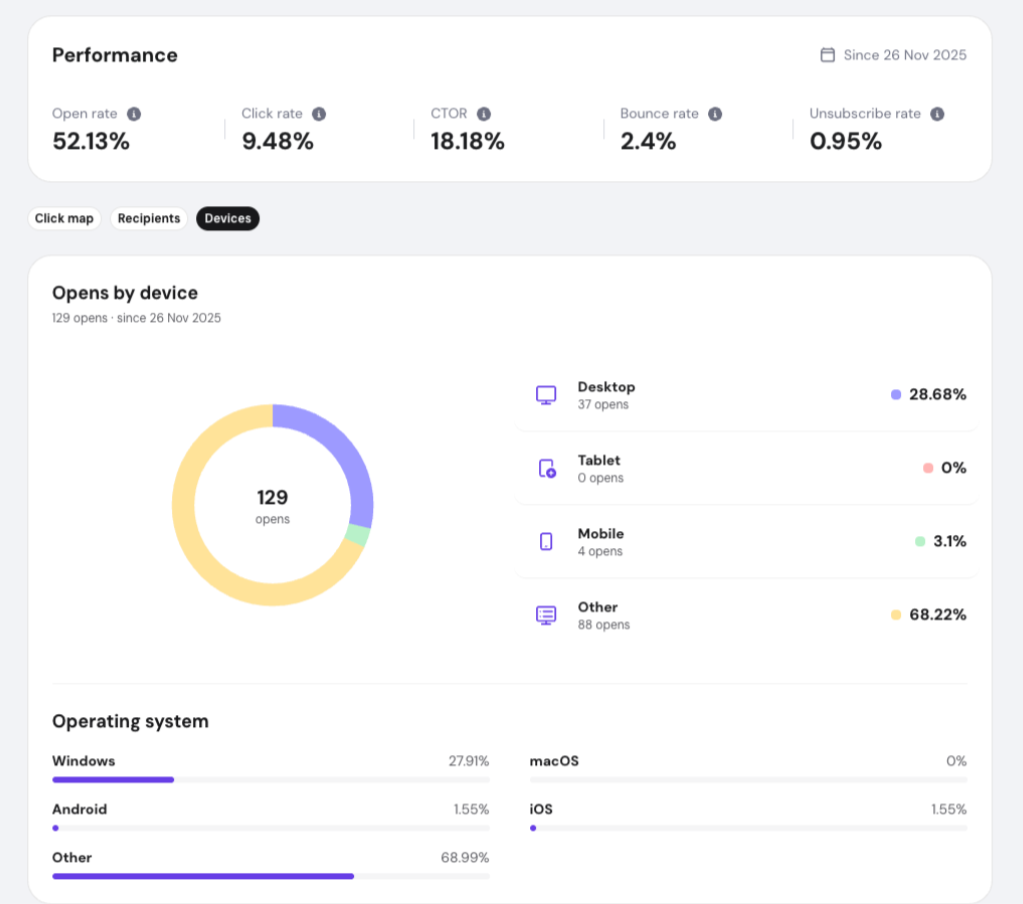
The Devices tab shows an Opens by device breakdown — a donut chart plus a list of Desktop, Tablet, Mobile, and Other, each with their share of total opens — and an Operating system breakdown with percentage bars for Windows, macOS, Android, and iOS. See how to check campaign opens by device for more detail on this tab.
Columns can be sorted by clicking their headers, making it easy to analyze results.
Automation Campaign
Automation email steps also include the same performance details described above.
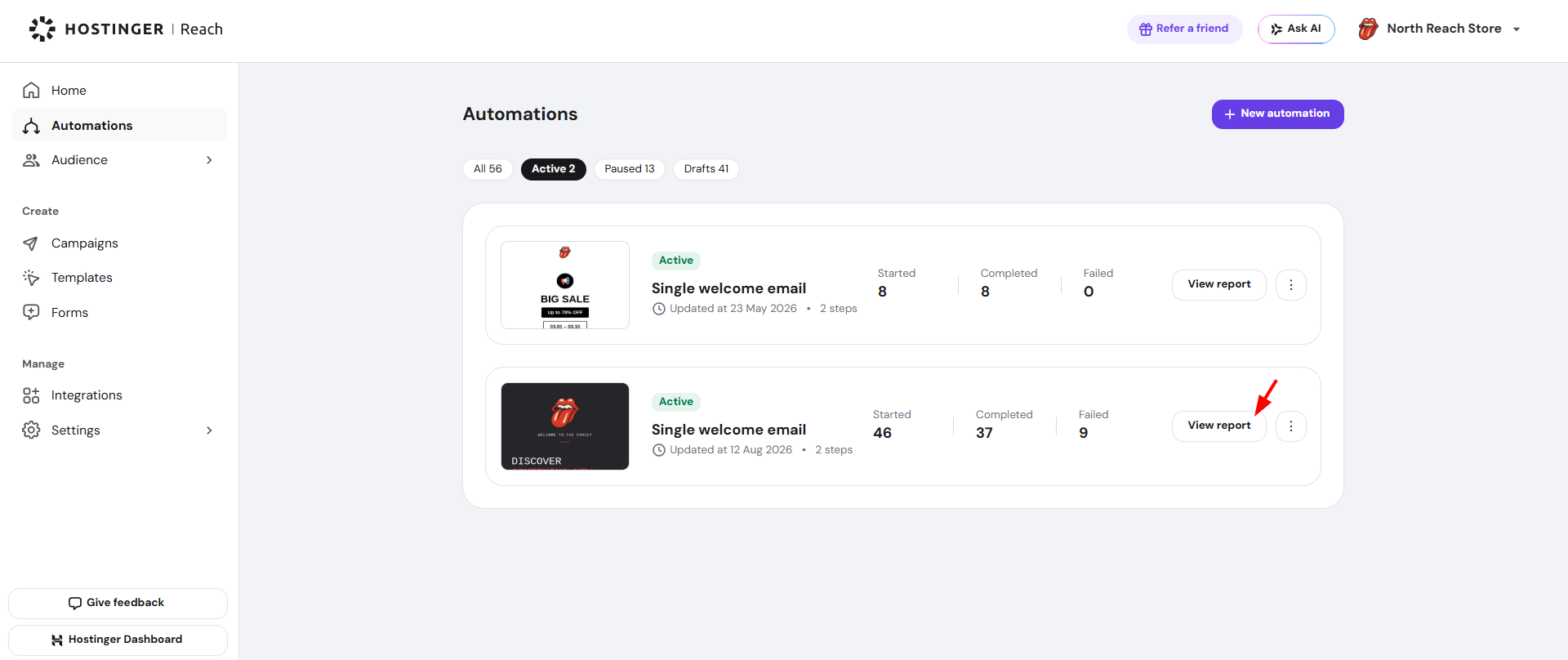
- Go to Automations.
- Click View report next to the automation you want to check.

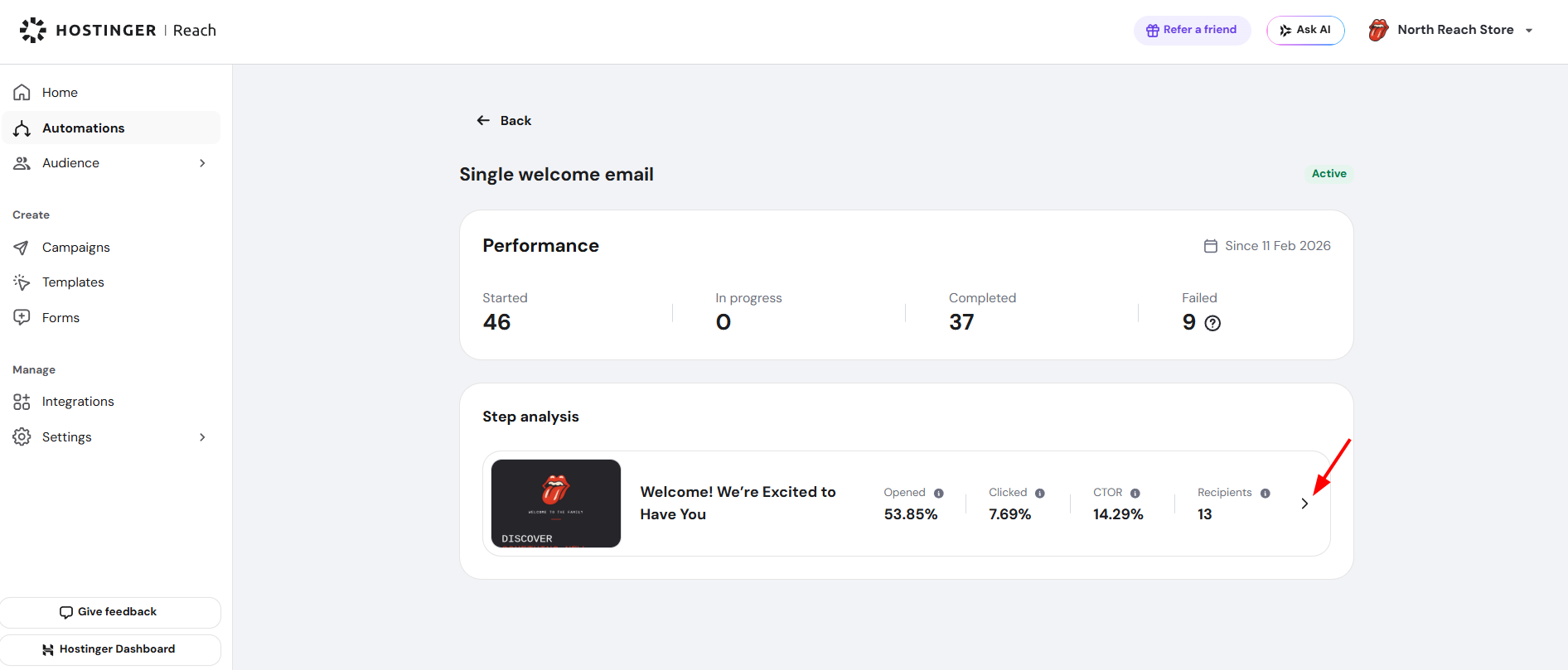
- Click > under Step analysis.

- Then you can view its email details, click map, recipients, and device breakdown.

Keep monitoring your campaigns regularly, consistent tracking helps refine strategy and improve future performance.