Hostinger Reach is a beginner-friendly, AI-enhanced email marketing platform fully integrated into the Hostinger ecosystem. You can disconnect a domain from Hostinger Reach to free it up for use with a different domain.
See connect your domain if you haven’t connected one yet.
Disconnect your domain
To disconnect your domain from the Reach account and be able to use it with another domain you desire, you need to follow the steps below:
- Access Reach dashboard.

- Click Settings.
- Select the Domain tab.
- You will find the option to Disconnect the domain as below:
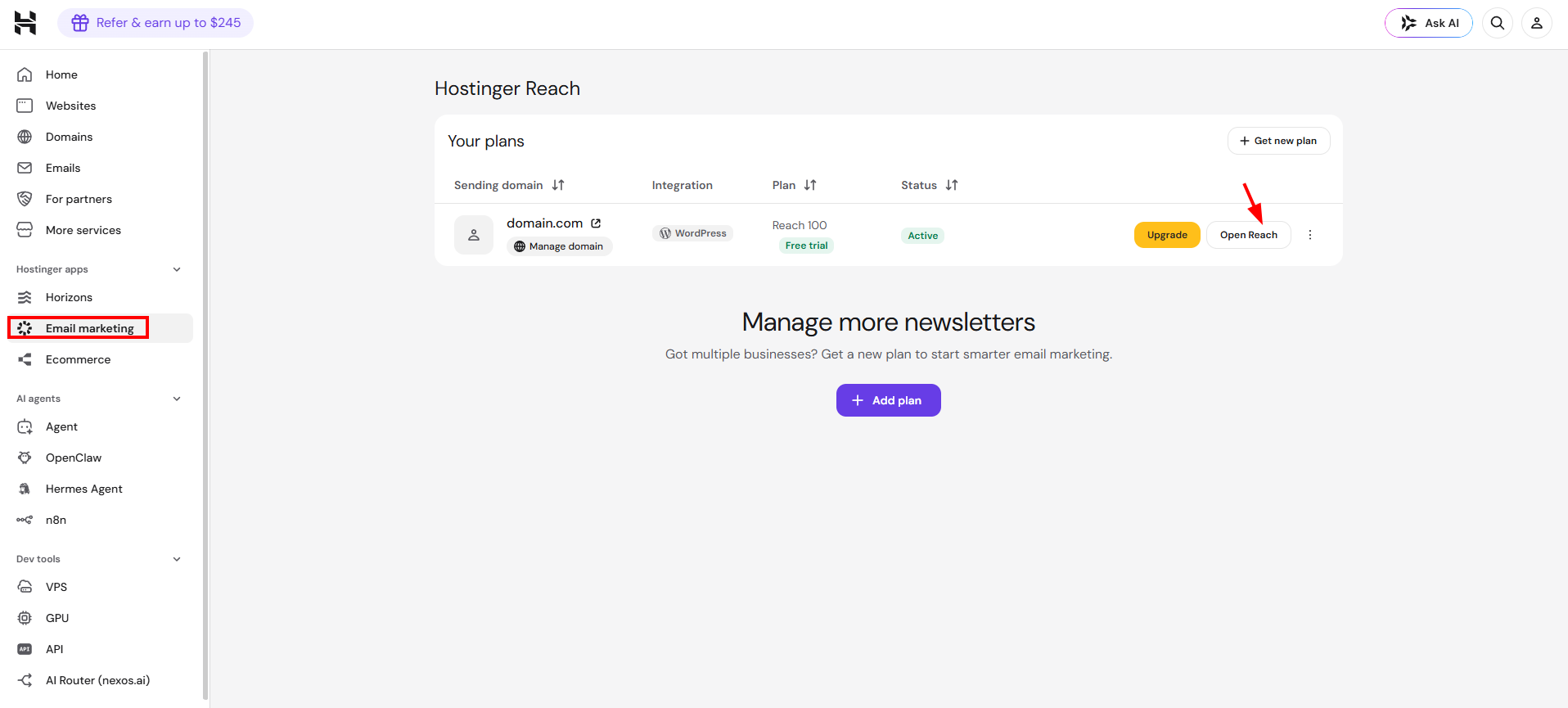
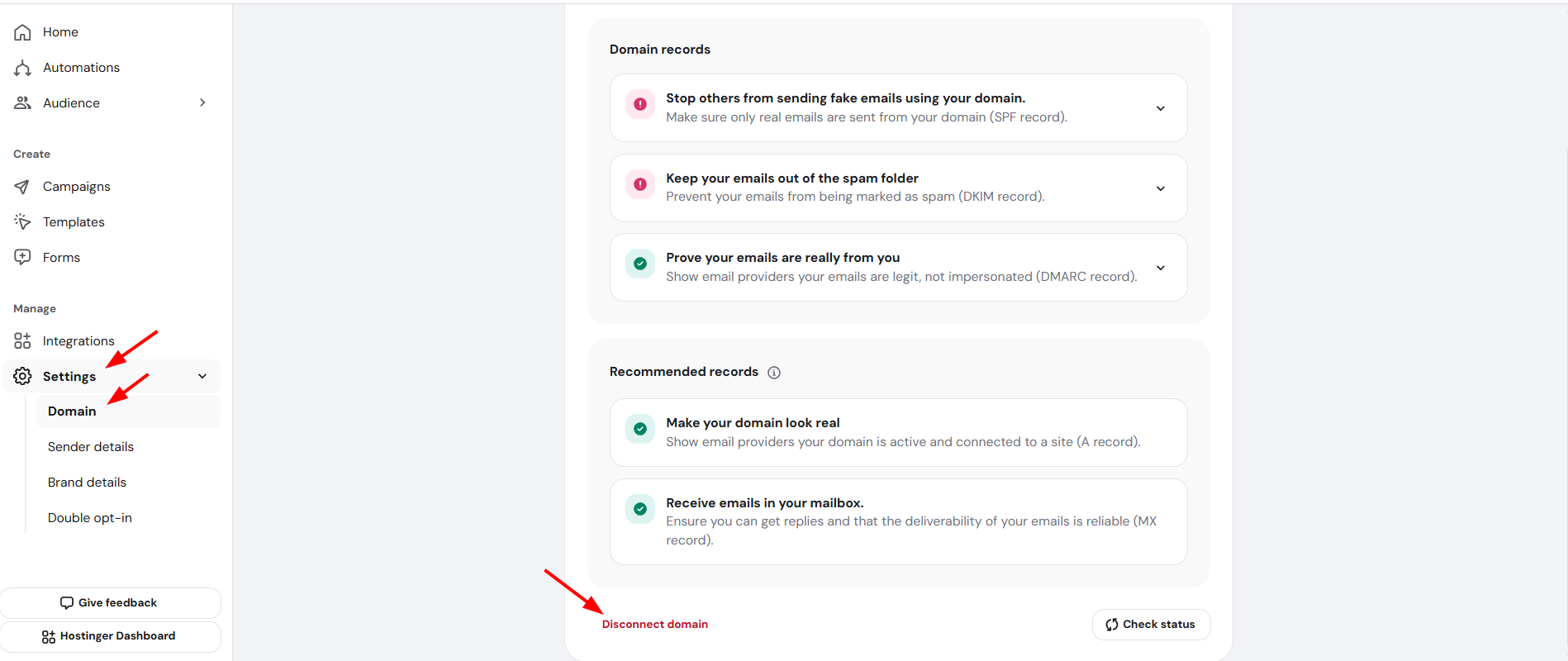
And that’s it! Then, you should be able to connect again to the domain you desire.