Shiprocket integration in Hostinger Ecommerce lets India-based store owners book shipments and generate shipping labels through 25+ courier partners without leaving Store Manager.
Before you start
- Your store’s business location is set to India
Connect your store to Shiprocket
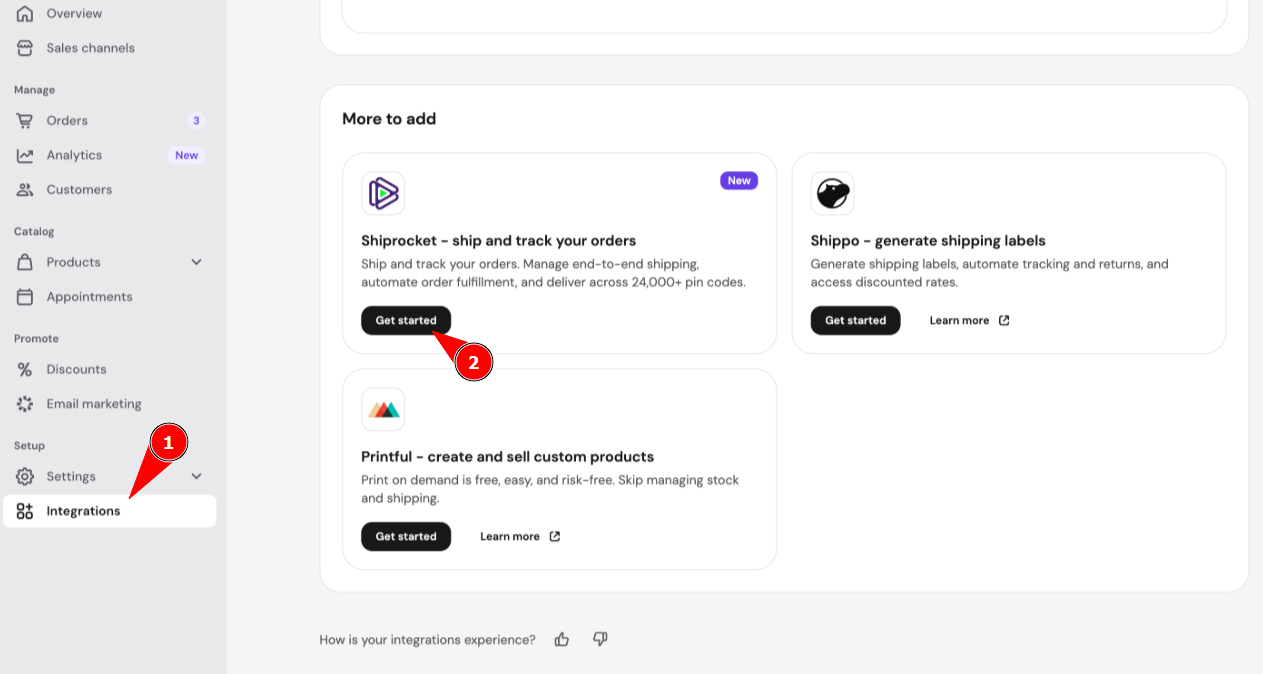
- In your Hostinger Ecommerce dashboard, and go to Integrations.
- Find Shiprocket and click Get started.
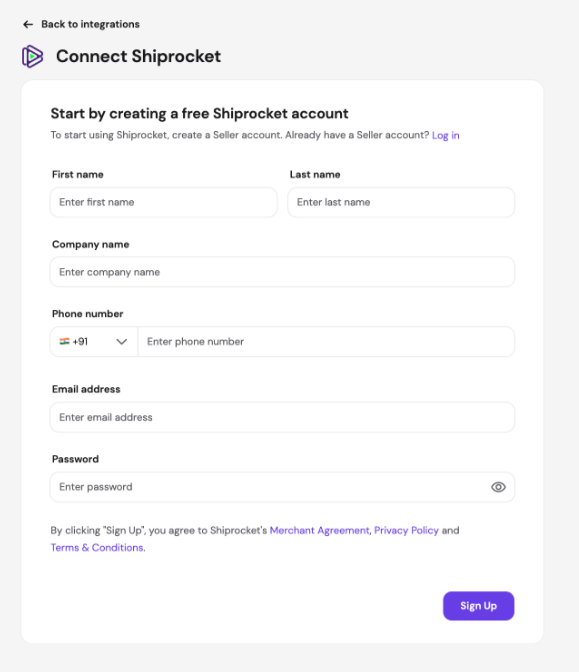
- If you don’t have a Shiprocket seller account, create one by entering your first name, last name, company name, phone number, email address, and password.
- If you already have a Shiprocket seller account, click Log in instead.
Complete the Shiprocket setup checklist in Hostinger Ecommerce
The Ship and track orders with Shiprocket page shows a setup checklist with a progress indicator. The checklist has four steps: Create your Shiprocket account, Complete Shiprocket KYC, Select your pick up location, and Top up your Shiprocket wallet.
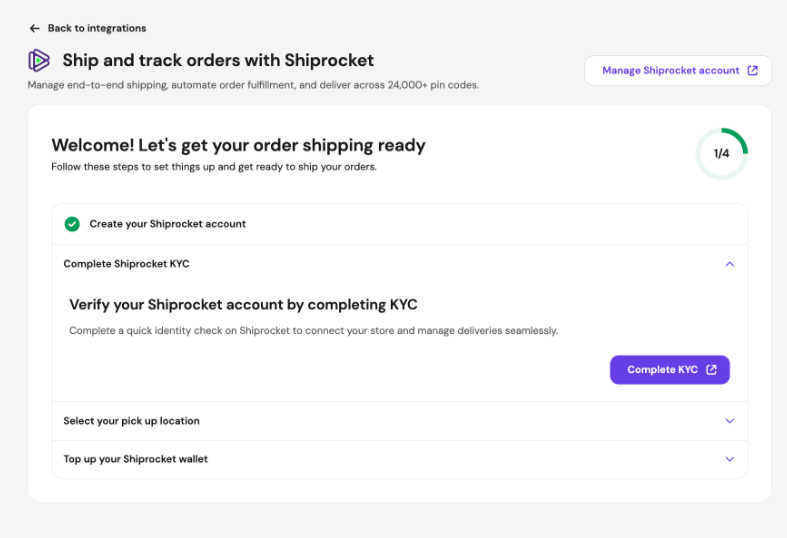
To complete the Know Your Customer (KYC) identity check, click Complete KYC under Complete Shiprocket KYC. Shiprocket runs the identity check on its own site. After KYC is complete, Hostinger Ecommerce syncs your orders with Shiprocket, so you can create shipping labels.
Create a shipping label for an order in Hostinger Ecommerce
Create a shipping label from the order page by clicking Create shipping label, entering the packaging details, and selecting a carrier. Hostinger Ecommerce takes the shipping cost from your Shiprocket wallet.
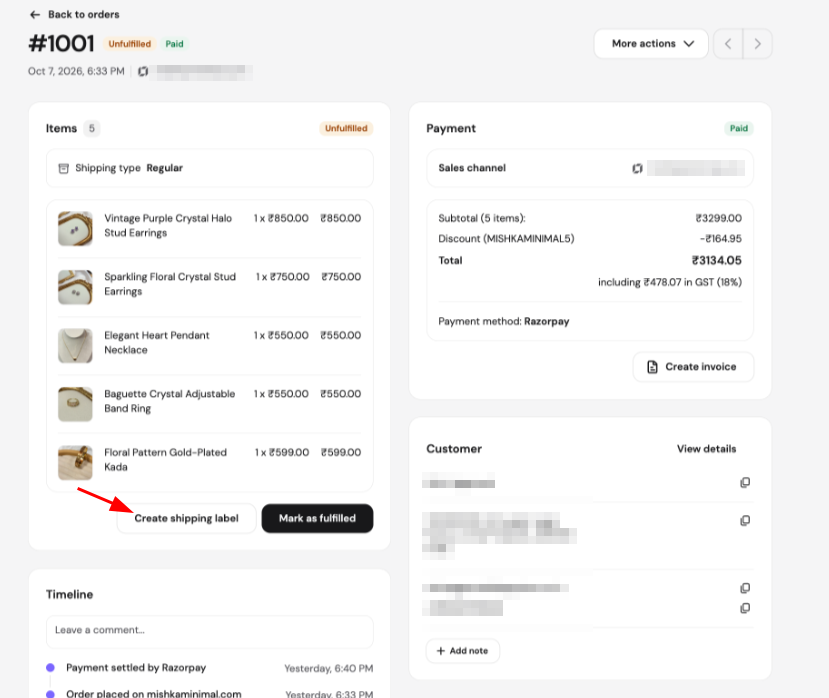
- In Store Manager, go to Orders and open the order you want to ship. See Hostinger Ecommerce: How to manage orders for how to find an order.
- In the Items card, click Create shipping label.
- The Select carrier window opens as Step 1 of 4 and shows the order Items and the delivery Addresses.
- Under Packaging, enter the package size and weight.
- Under Carriers, select a carrier. The list shows each carrier’s delivery type, delivery time, and price.
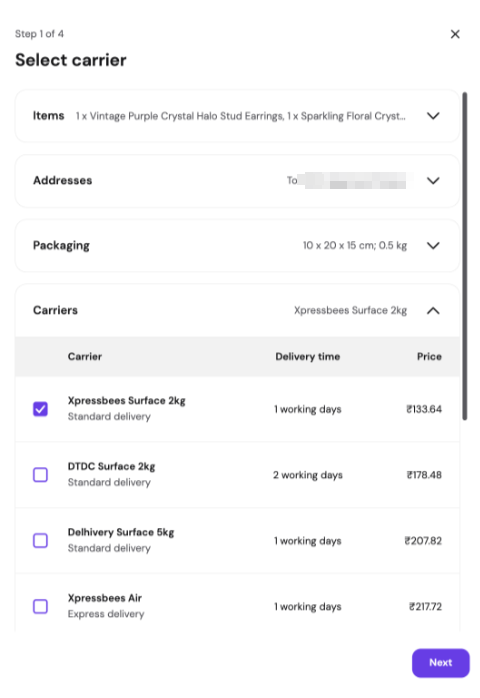
- Click Next. The Order summary window opens as Step 2 of 4 with the order number, packaging, carrier, shipping type, payment method, wallet balance, shipping charge, other charges, and amount to pay.
- Click Confirm & Pay.
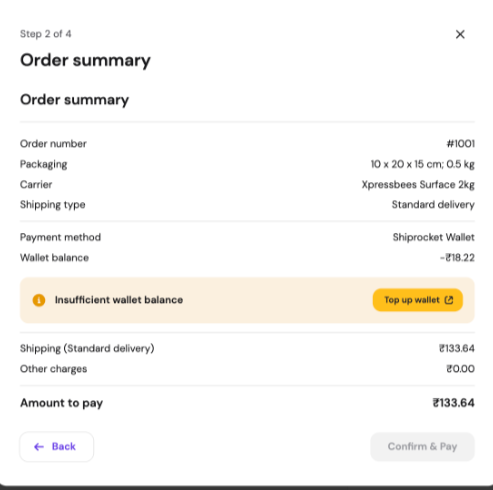
If your Shiprocket wallet balance is lower than the amount to pay, an Insufficient wallet balance message appears with a Top up wallet button. Click Top up wallet to add funds.
Check your Shiprocket wallet and orders in Hostinger Ecommerce
To check your Shiprocket wallet and shipments, go to Integrations and click Shiprocket in the sidebar. The Shiprocket summary page shows your wallet balance and order counts.
The Shiprocket wallet card shows the balance used for shipping orders with selected couriers, with a Top up wallet button. The Orders card shows Pending pickup, In transit, and Total orders shipped with Shiprocket, with a Go to orders link. Click Manage Shiprocket account to manage your account on Shiprocket.
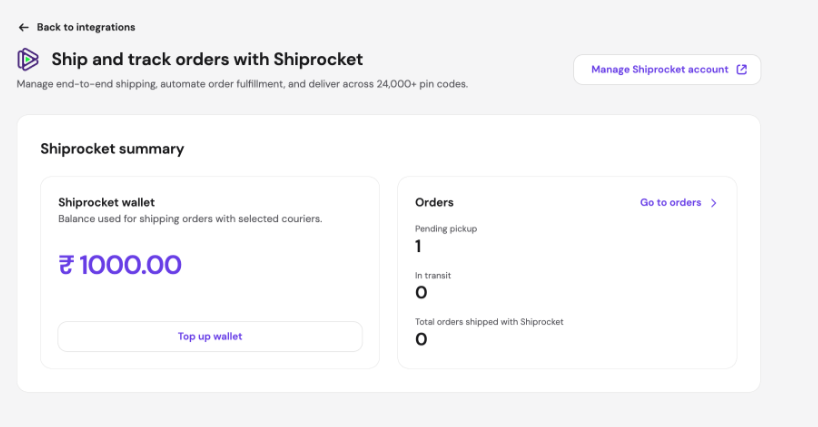
Shipping costs are paid from your Shiprocket wallet.
Your Hostinger Ecommerce store is now connected to Shiprocket, ready to book shipments and print labels for orders shipped within India.
NOTES
- Hostinger Ecommerce doesn’t calculate live carrier rates. Shiprocket is used to book shipments and generate shipping labels, not to show live rates at checkout.
- To set up shipping zones and rates for your store, see How to set up shipping.