When you refer someone to Hostinger, they don’t have to buy just one product. If they purchase a bundle — several products together in a single order — you still earn a referral reward, and they still get their discount. This article explains how bundle referrals work, how commissions are calculated, and what happens if part of a bundle is refunded.
What is a bundle referral?
A bundle is a package containing more than one Hostinger product — for example, hosting together with an email plan and email marketing tool — bought in a single purchase.
A bundle referral happens when someone uses your referral link or coupon and buys one of these packages. You refer multiple products at once, and the reward is calculated on the whole eligible bundle value rather than on a single product.
Two bundles are currently available:
- For your first website — Premium shared hosting, Business Email, and Reach.
- For larger businesses — Cloud hosting, Business Email, and Reach.
Both the Referral Program and the Agency Partner Program can refer these bundles, though the value shown to each (discount vs. recurring commission) reflects the program-specific rates described below.
Discounts and commissions on a new purchase
The 20% discount and 20% commission apply the same way for both regular Referral Program users and approved Agency Partner Program users.
These rates apply to both regular Referral Program users and approved Agency Partner Program users. The 20% discount and 20% commission are tied to a first purchase, so the client must be new to Hostinger — this condition is the same for everyone. Approved Agency Partners can also earn on bundles bought by existing referred clients, but those purchases are treated as cross-sells and earn a 10% commission with no discount (see “Recurring commissions for Agency Partners” below). In all cases, only eligible services count — domain-related services are excluded from the calculation.
Recurring commissions for Agency Partners
If you are an approved Agency Partner, your earnings on a bundle don’t stop at the first purchase.
When any product inside the bundle is later upgraded or renewed, you earn a 10% commission on that upgrade or renewal, credited to your referral commissions.
This works product by product. If a client bundles hosting and an email plan and later upgrades only the hosting plan, you earn 10% on that hosting upgrade.
Regular Referral Program participants: you keep the full 20% commission and 20% discount on the new bundle purchase, but you do not earn commissions on later upgrades or renewals. Recurring commissions are exclusive to approved Agency Partners.
What happens if part of a bundle is refunded?
Bundles are assessed per product, so a single refund does not wipe out your whole reward.
- Some products refunded – You keep earning commissions on the products in the bundle that were not refunded. Only the refunded items are removed from the calculation.
- All products refunded – The referral is declined and no commissions are paid out.
All other Referral Program rules still apply
Bundle referrals follow exactly the same rules as any other referral:
- A 45-day waiting period applies before the bundle referral is approved. The referred client must stay active and must not refund during this period.
- Payout thresholds and schedules are unchanged: $50 USD for PayPal, $200 USD for wire transfer, and $0.10 USD for Hostinger Balance.
- Only eligible services count. Domain-related services are excluded, and eligible products must be on 12+ month subscriptions.
- Referral statuses work the same way — Pending, Qualified, Declined, and Approved.
- All Referral Program restrictions apply, including the ban on self-referrals, paid advertising, and spamming.
How to refer a bundle
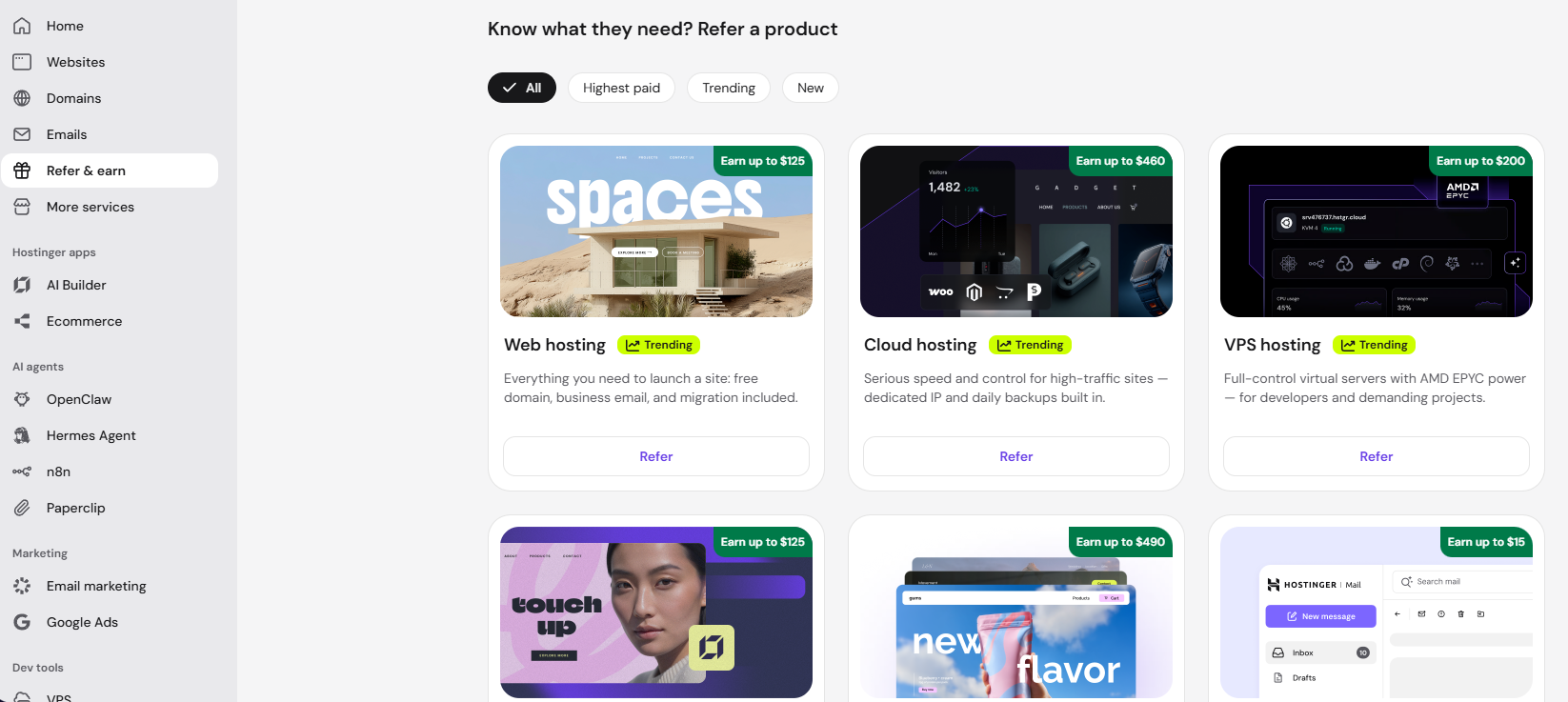
- Log in to Hostinger dashboard.
- Click Refer & Earn.
- Scroll down to find Refer a bundle section, click Refer next to the bundle you want to share.
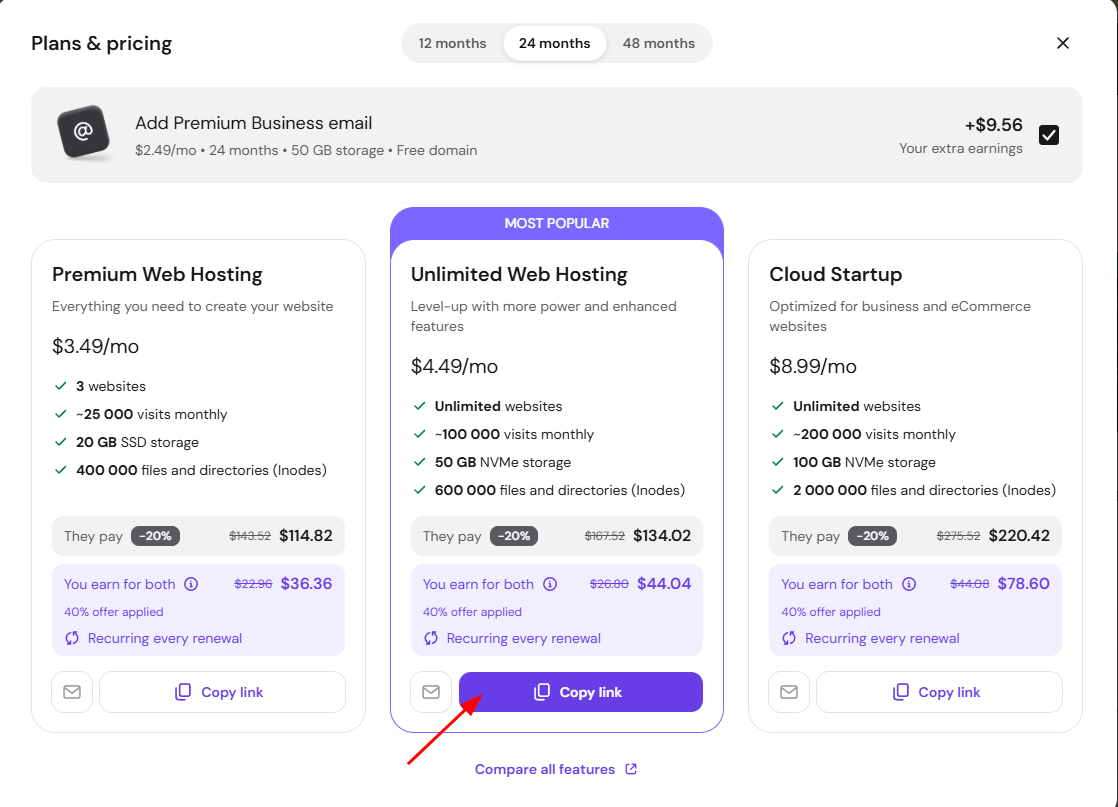
- Review the bundle contents, price, and your earnings, then click Copy link to share it with your client.
How to track a bundle referral
- Log in to Hostinger dashboard.
- Click Refer and Earn.
- Click My Referrals.
- Find the referral in the list and check the Status column. Once the 45-day period has passed and no refund has been issued, the status changes to Approved and the reward is credited to your balance.
Understanding how bundle referrals work helps you accurately predict your earnings, whether you’re referring casually through the Referral Program or growing recurring revenue as an approved Agency Partner. As long as the bundle stays active and isn’t fully refunded, your commission is protected product by product, so a single refund won’t cost you the entire reward.