Switching a Hostinger AI Builder website from manual mode to agentic mode copies your project into agentic mode, where you keep building by chatting with AI. To switch, open the website in the editor, select Continue in Agentic mode from the menu, and confirm with Continue to Agentic mode. Your manual mode website stays saved in your websites list, and agentic mode edits don’t carry back to it.
Before you start
- Make sure you have an active Hostinger hosting plan with a website created in Hostinger AI Builder manual mode.
Switch to agentic mode
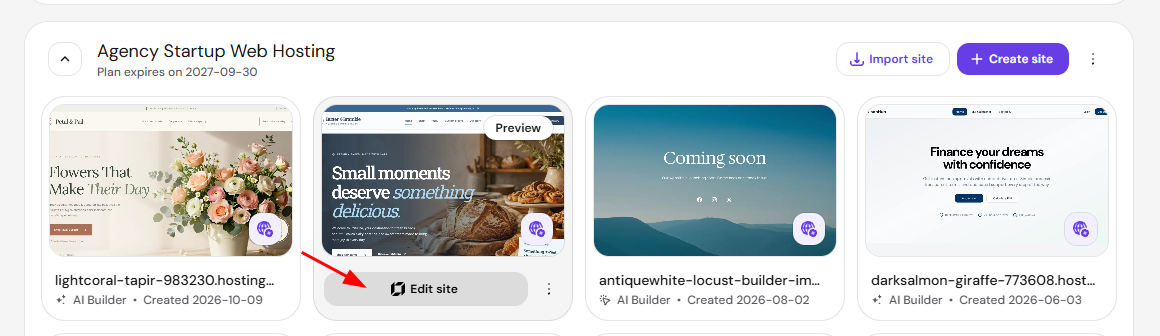
- Log in to Hostinger dashboard and go to Websites → AI Builder.
- Hover to the website you want to switch and click Edit site to open the Hostinger AI Builder editor.
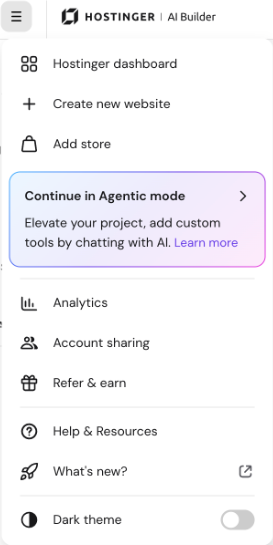
- Click the menu icon (☰) in the top-left corner of the editor.
- Select Continue in Agentic mode.
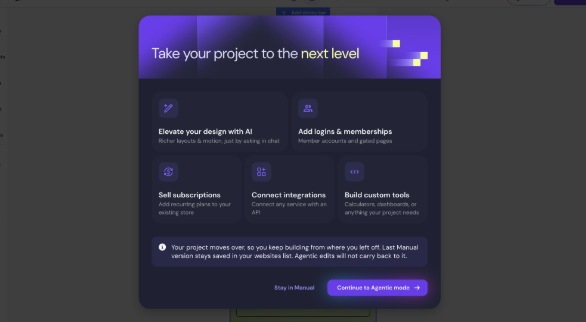
- Review the features shown in the Take your project to the next level window, including elevating design with AI, adding logins and memberships, self-subscriptions, connecting integrations, and building custom tools.
- Click Continue in Agentic mode to confirm, or Stay in Manual to keep editing in manual mode.
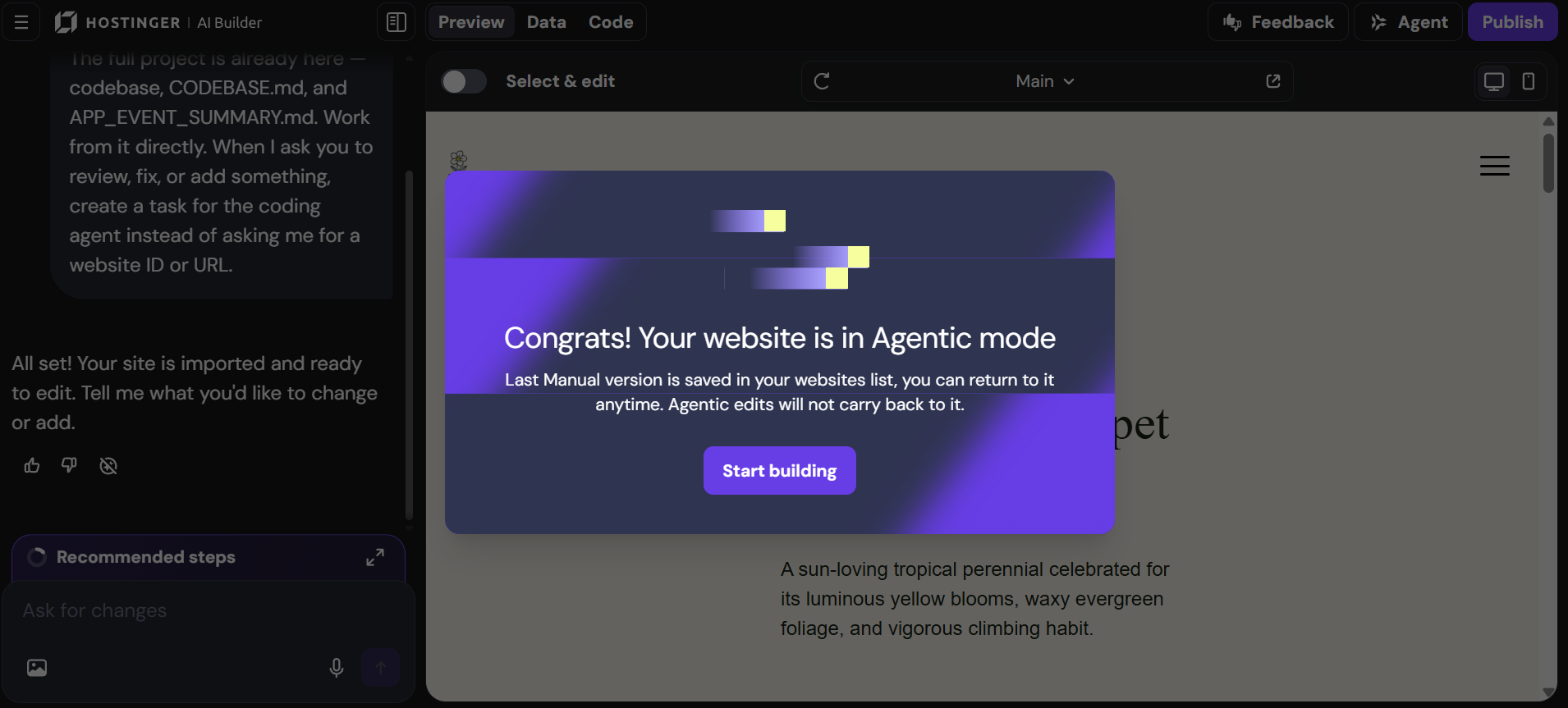
- Click Start building in the Congrats! Your website is in Agentic mode window. The agentic mode editor opens with your website in the preview, and the chat confirms that your site is imported and ready to edit.
NOTES
- Your manual mode website stays saved in your websites list and remains unchanged after the switch. Edits you make in agentic mode don’t carry back to the manual mode website.
- A new agentic mode website is created and counted as an additional website on your plan.
- The new agentic mode website looks identical to your manual mode website.
- Websites using Ecommerce, the Instagram element, or search are not supported for this switch.
- Existing Hostinger Reach forms convert to native forms automatically, and the site stays connected to the same Reach profile. See Forms & Contact Collection in Hostinger Reach for details.
Your website is now available in agentic mode, where you can continue building your project by chatting with AI.