Get the EPP code at Hostinger from the Authorization code field in your domain’s Domain Overview section, then give it to the provider you’re transferring the domain to. The EPP code, also called an authorization code, verifies that the domain name belongs to you. To transfer a domain to Hostinger instead, get the EPP code from your current registrar.
Special requirements for some TLDs
Some TLDs have special transfer requirements – learn more about them in the articles below:
Get the EPP code for a domain registered at Hostinger
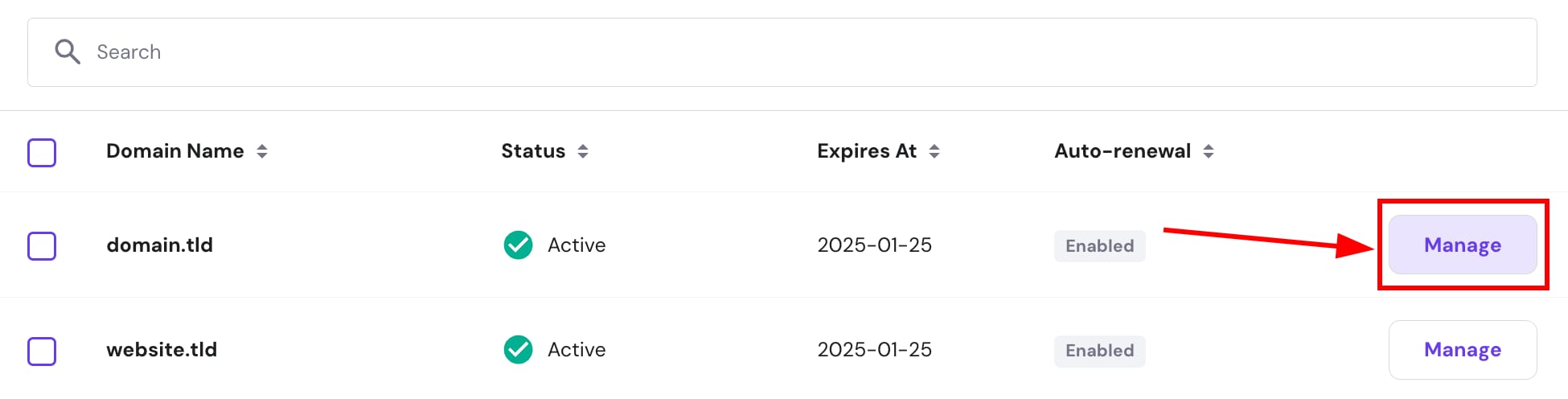
For other domain extensions, you can get the transfer authorization code by going to the Domains section of Hostinger dashboard, and clicking on Manage next to the domain you want to transfer:
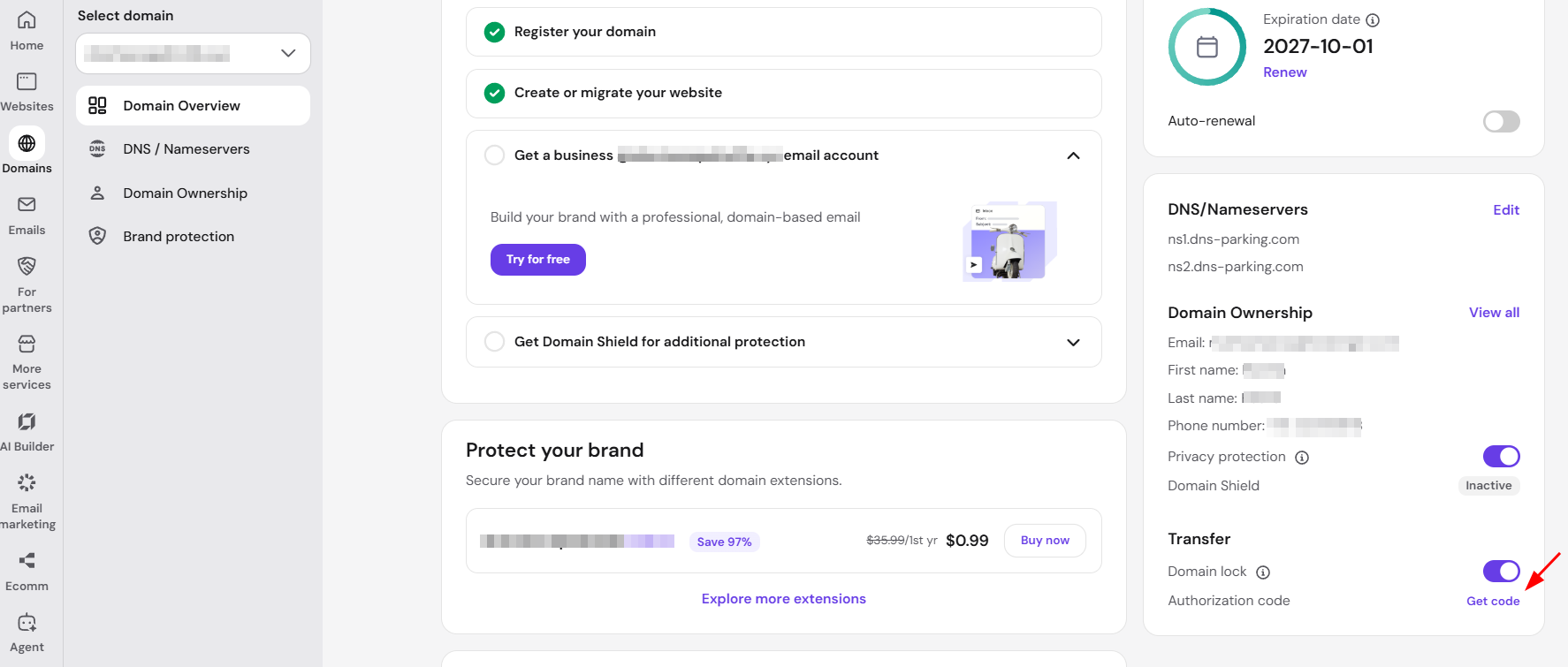
The code is displayed in the Domain Overview section as Authorization code – click Get code to view it:
Once you have the code, you can initiate the domain transfer, given that the following requirements are also met:
-
More than 60 days have passed since the domain was registered or transferred
-
The domain is unlocked
-
Privacy protection is disabled
The provider you’re transferring the domain to might have additional requirements, so you may also contact them beforehand.
Get an EPP code to transfer a domain to Hostinger
To transfer a domain to Hostinger, get the EPP code from your current registrar, not from Hostinger. The EPP code comes from the company where the domain is registered, which may differ from the company that hosts your website. Step-by-step guides are available for getting the EPP code from GoDaddy, Bluehost, and HostGator.
After you unlock your domain at your current registrar and get the EPP code, start the domain transfer and enter the code in the Hostinger transfer order after the payment step. For more about EPP codes, see What is the EPP code and how to use it at Hostinger.