Create a new MySQL database in Hostinger by entering a database name, username, and password in the Management section of your website in the Hostinger dashboard. The new database is assigned to the website you select. Each database supports one database user. After you select Create, the database appears in the List of Current MySQL Databases And Users section, where you can manage it.
Create a database
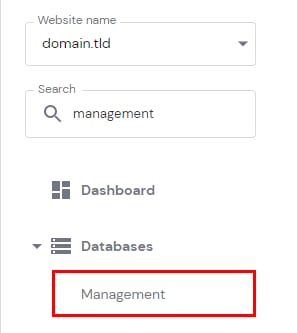
To create a new database, navigate to Websites → Dashboard, search for Management on the sidebar, and click on it:
Next, make sure the website to which the database will be assigned is selected on the left drop-down menu:
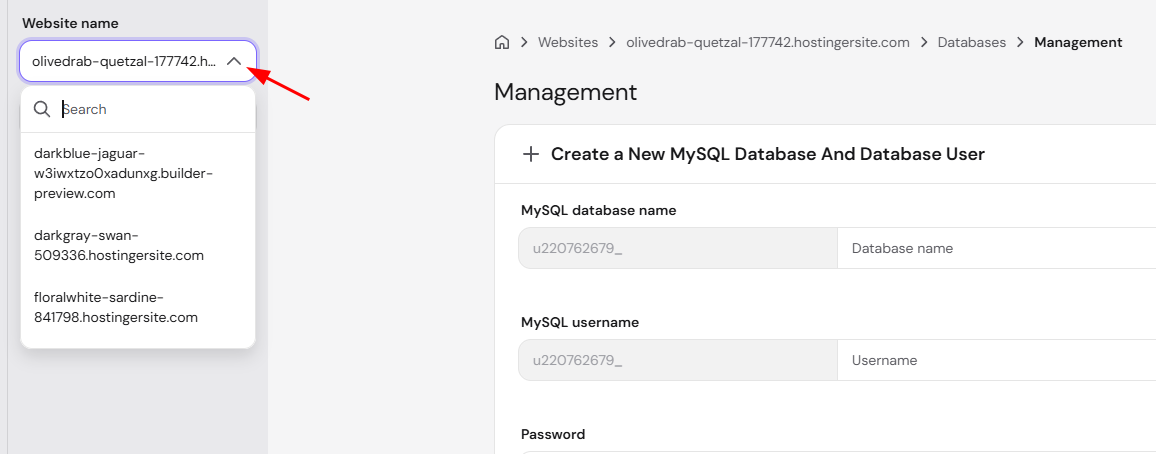
In the section Create a New MySQL Database And Database User, enter your database name, username, and password, keeping the following in mind:
-
The first part of the database and username (eg. u123456789) is unique and cannot be removed or changed
-
Each database can only have one user. If you require multiple users, consider a VPS plan
-
The database password must contain at least one number and one uppercase and lowercase letter, with a minimum length of 8 characters
Next, then click on Create:
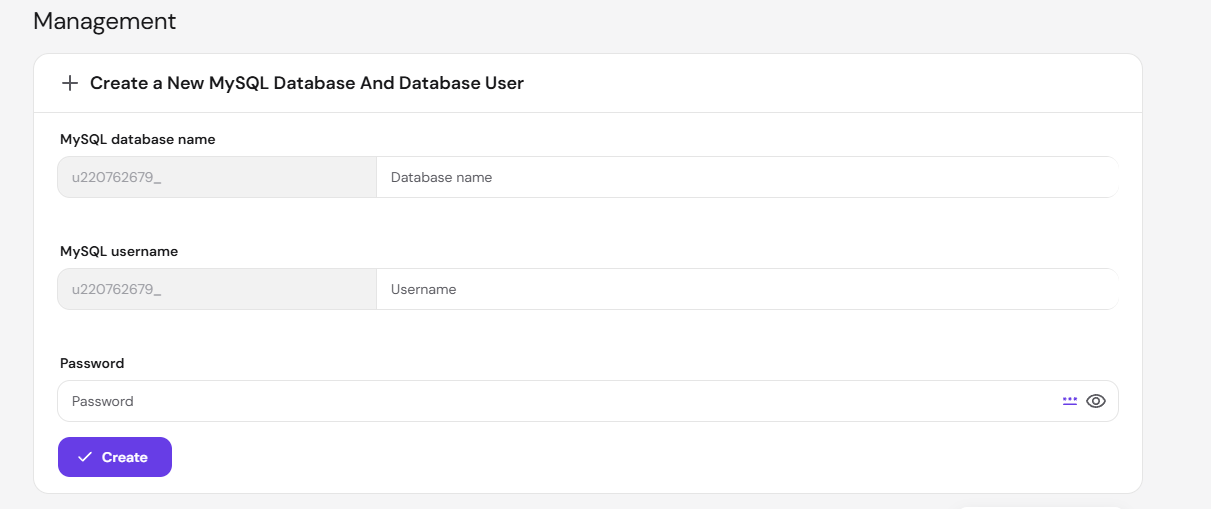
Once done, the new database will be assigned to the selected domain automatically and appear in the List of Current MySQL Databases And Users section, where you will be able to manage it.
Manage your new database