Delete a database in Hostinger to permanently remove a MySQL database and its content from your hosting plan.
Before you start
- If you want to delete a database, it is recommended to download a backup of your database beforehand, as this is a non-reversible action.
Delete a database
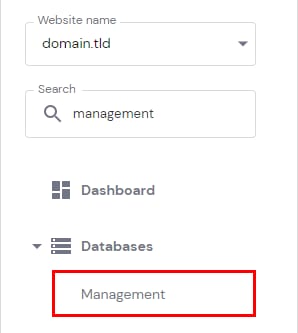
Once you’re ready to delete the database, navigate to Websites → Dashboard, search for Databases Management on the sidebar and click on it:
Find the section List of Current MySQL Databases And Users, click on the options button (⋮) next to the desired database and select Delete:
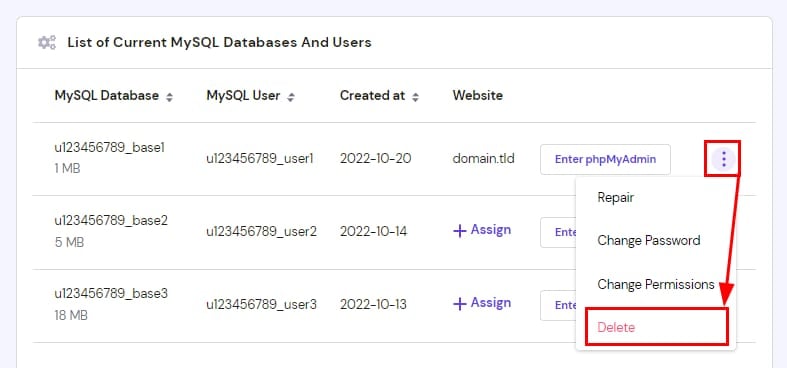
On the pop-up window, click on Confirm Delete. That’s it, your database and its content is permanently removed from your hosting plan.
If you prefer to keep the database structure and only empty its content, refer to this guide: How to Delete All Database Tables
Your database and its content are now permanently removed from your hosting plan. If you need a database again later, see how to create a new MySQL database in Hostinger.