Delete all database tables in phpMyAdmin in Hostinger to empty a database, for example before importing a fresh database backup. Select the tables, choose Drop, and confirm the action.
Delete all tables from a database in phpMyAdmin
Deleting database tables will remove the data permanently – proceed with caution
-
Open your database in phpMyAdmin
-
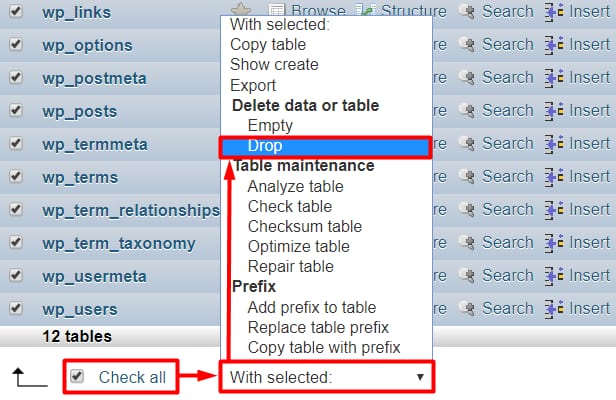
Check the boxes near tables you wish to delete, or use the Check all checkbox to select all tables and click on Drop from the drop-down list:
-
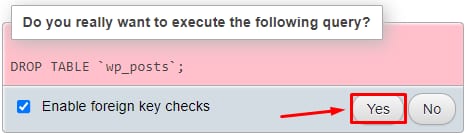
Confirm the action:
Your database is now empty and ready for you to import fresh content.