Custom website tags in Hostinger dashboard let you label, search, and filter the websites on your Hostinger web and cloud hosting plans. Create tags of up to 30 characters, assign up to five tags per website, and filter your websites by content type, such as blogs or online shops, or by project status.
Create a custom tag
You can create tags that fit your unique organizational needs for detailed categorization.
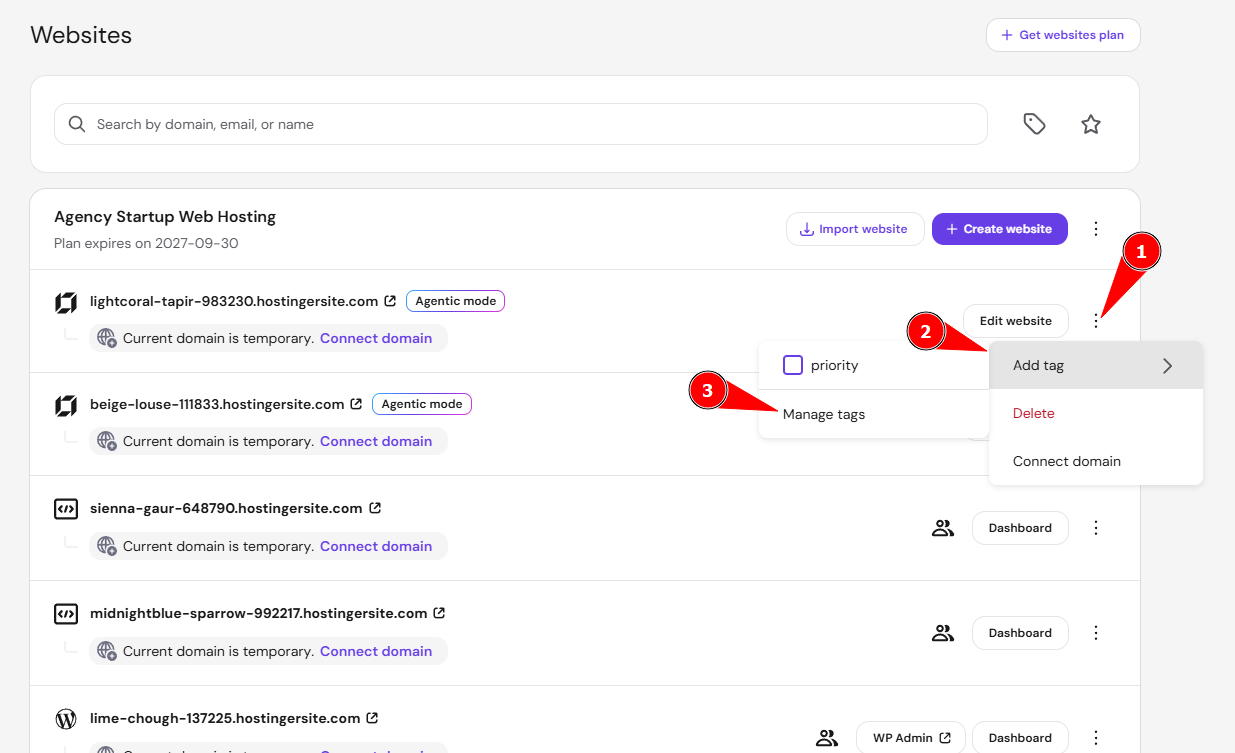
- Go to Hostinger dashboard → Websites
- Click the options button (⋮) next to any website and select Add tag.
- Click on Manage tags to create a new tag.

- Enter a tag name of 30 characters or less and click Save.

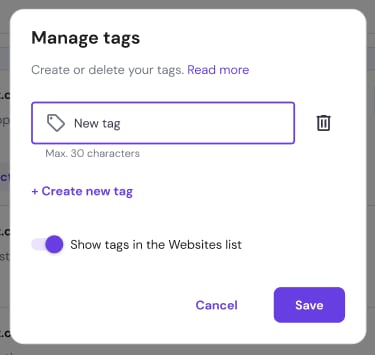
You can create as many tags as you need.
Assign a custom tag to a website
You can assign up to five tags to any website in your collection.
- In the Websites section, click the options button (⋮) next to the specific website.
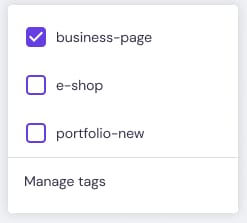
- Select Add tag.
- Mark the checkboxes for the tags you want to apply.

- To remove a tag, uncheck the corresponding box.
Filter websites by tag
You can create a custom view of your list by filtering for specific categories.
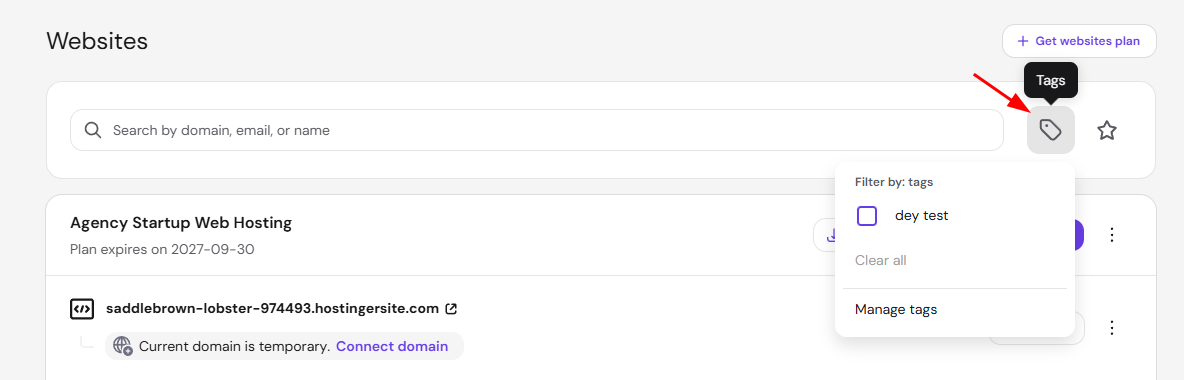
- Locate the Tags dropdown menu next to the search bar in the Websites section.

- Select the desired tags from the list.
- If you select multiple tags, Hostinger dashboard displays only the websites that match all selected criteria.
Manage and edit tags
You can update your organization system as your project needs change.
- Click the Filter by tag dropdown and select Manage tags.
- From this menu, you can rename existing tags, create new ones, or delete tags by clicking the bin icon.

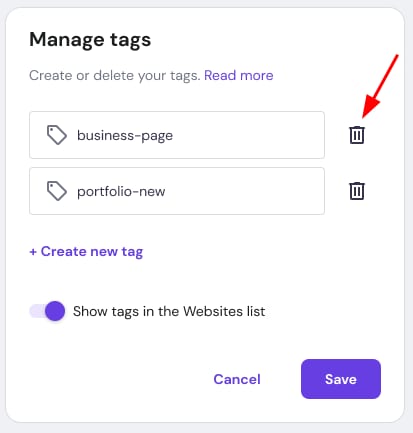
Your websites are now labeled with custom tags, so you can filter the Websites section in Hostinger dashboard to find any group of websites quickly.
NOTE
- Users you grant access to a hosting plan through Account Sharing can manage custom website tags on that plan. Share the hosting plan that contains the tagged websites, as described in How to share access to your account at Hostinger.