Move a domain to a different website by deleting the original website it’s connected to, then connecting the domain to your new website.
If you wish to keep original content, you can duplicate the original site before deleting it in order to release the domain name. If you wish to change the domain while keeping the same website content, see how to change your Hostinger AI Builder domain instead.
Delete the original website
- Go to Websites in Hostinger dashboard.
- Find the website using the domain you want to move and click the options button (⋮) next to it.
- Click Delete.
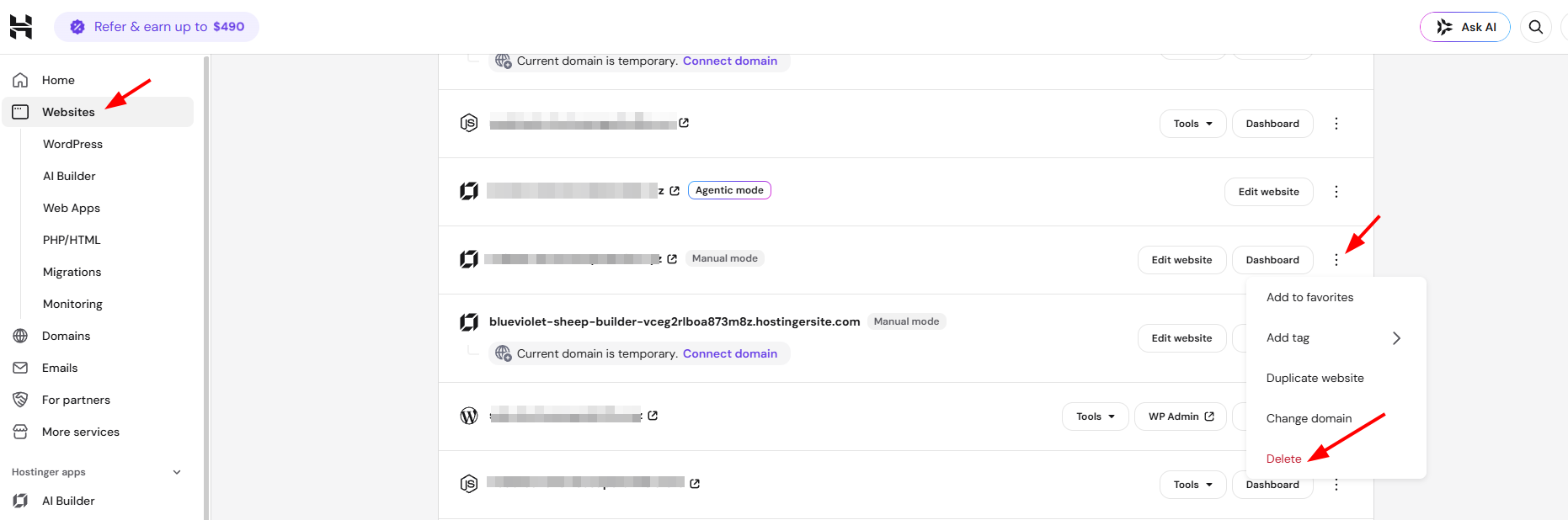
Your domain is now free to connect to another website.
Connect the domain to a new website
Connect the released domain to your new website following the standard domain connection process.
- Go to Websites in Hostinger dashboard.
- Find the website using the domain you want to move and click Connect domain.
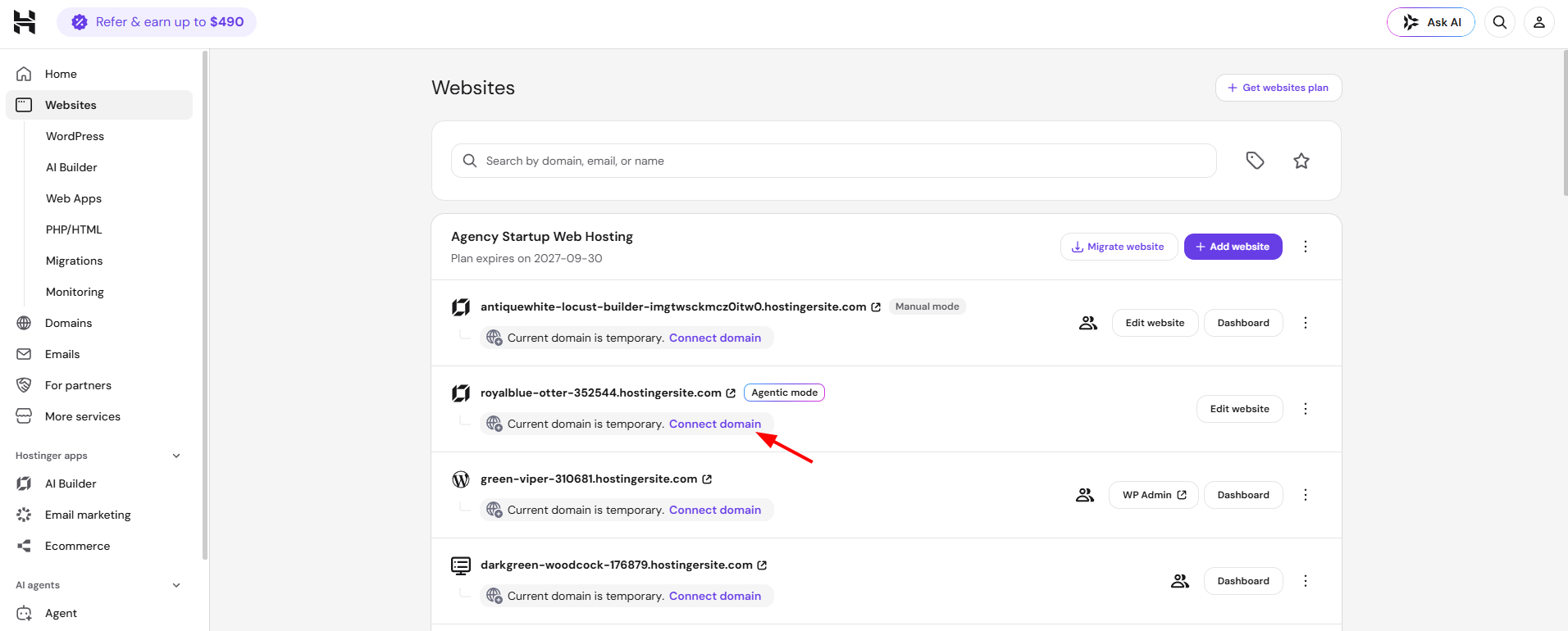
Now, you can use your domain in the new website.