Enable PayPal in your Hostinger Ecommerce to accept payments through a well-known payment gateway that supports 25 currencies in more than 200 countries.
Enable PayPal
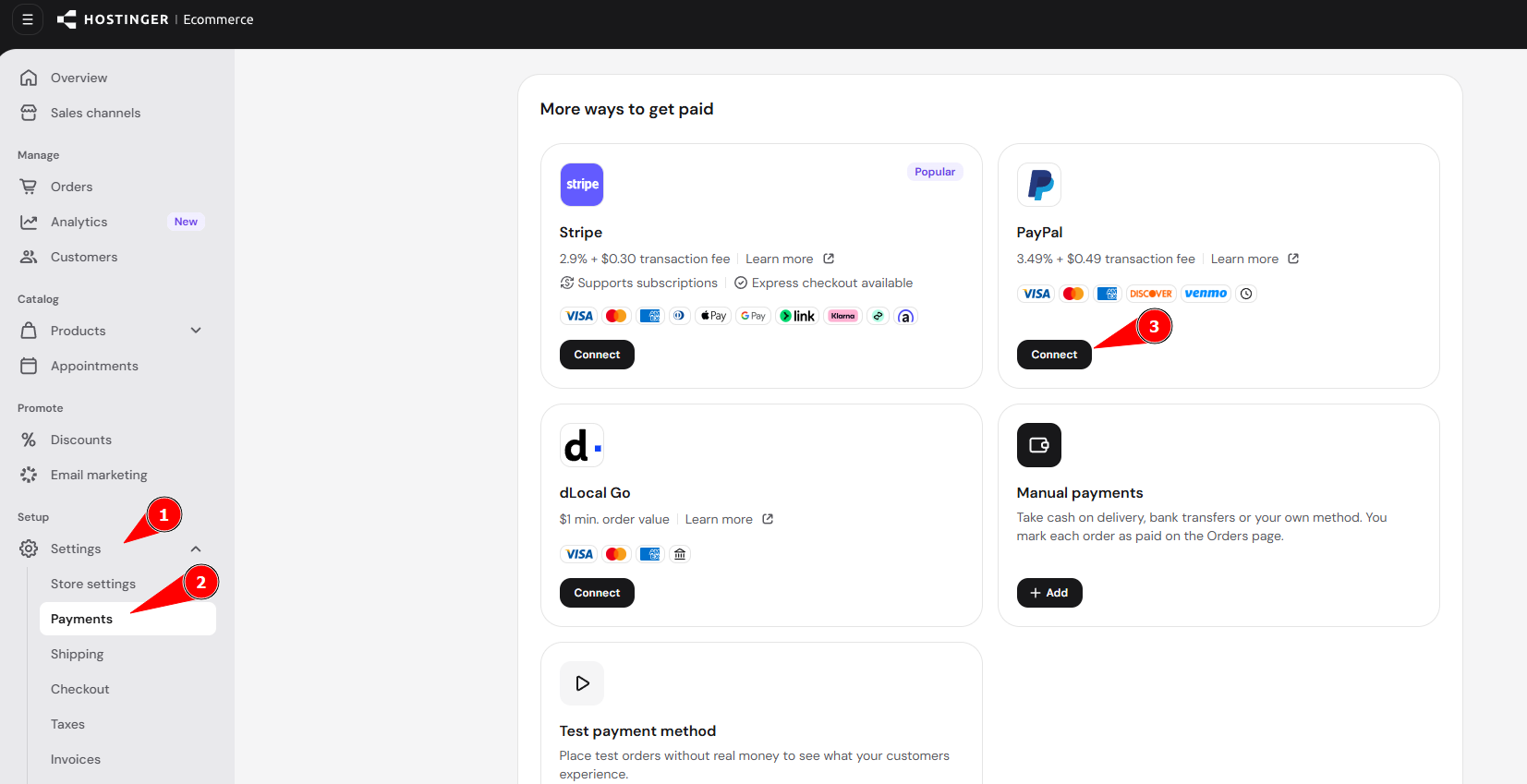
To enable PayPal in your e-store, follow these steps:
- Go to Settings → Payments in your Hostinger Ecommerce Store Manager and click on Connect next to PayPal:

- Then, connect your PayPal Business account to start accepting payments.
And that is all you need to do! Your online store can now accept payments through PayPal.
If you’re using Hostinger AI Builder manual mode, you can also add PayPal buttons directly to a page.