Cancel an order in your Hostinger Ecommerce online store if it is both unpaid and unfulfilled. If the order has already been paid, you can issue a refund instead.
Cancel an order
You can’t change the payment status from paid to unpaid, but you may change the fulfillment status this way:
- Go to Store Manager.
- Go to Orders, then open the order that you want to change the status.
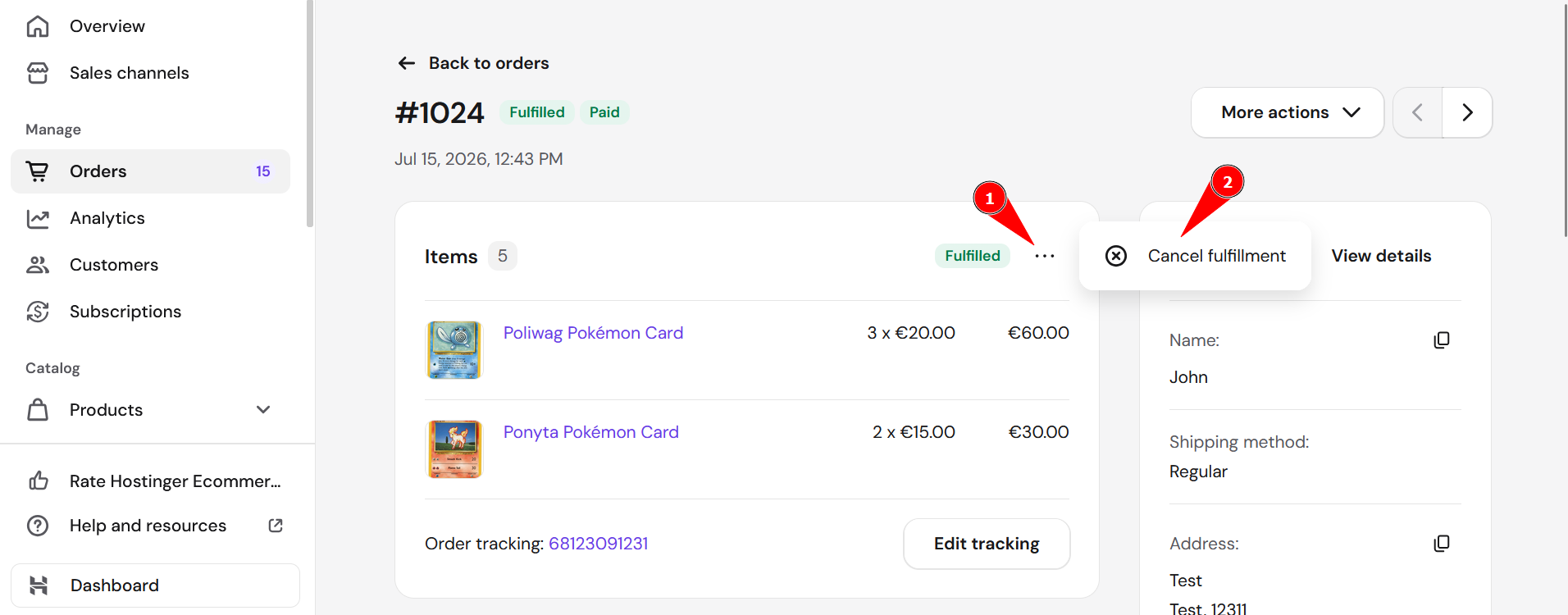
- Click the ellipsis button, then click Cancel fulfillment.

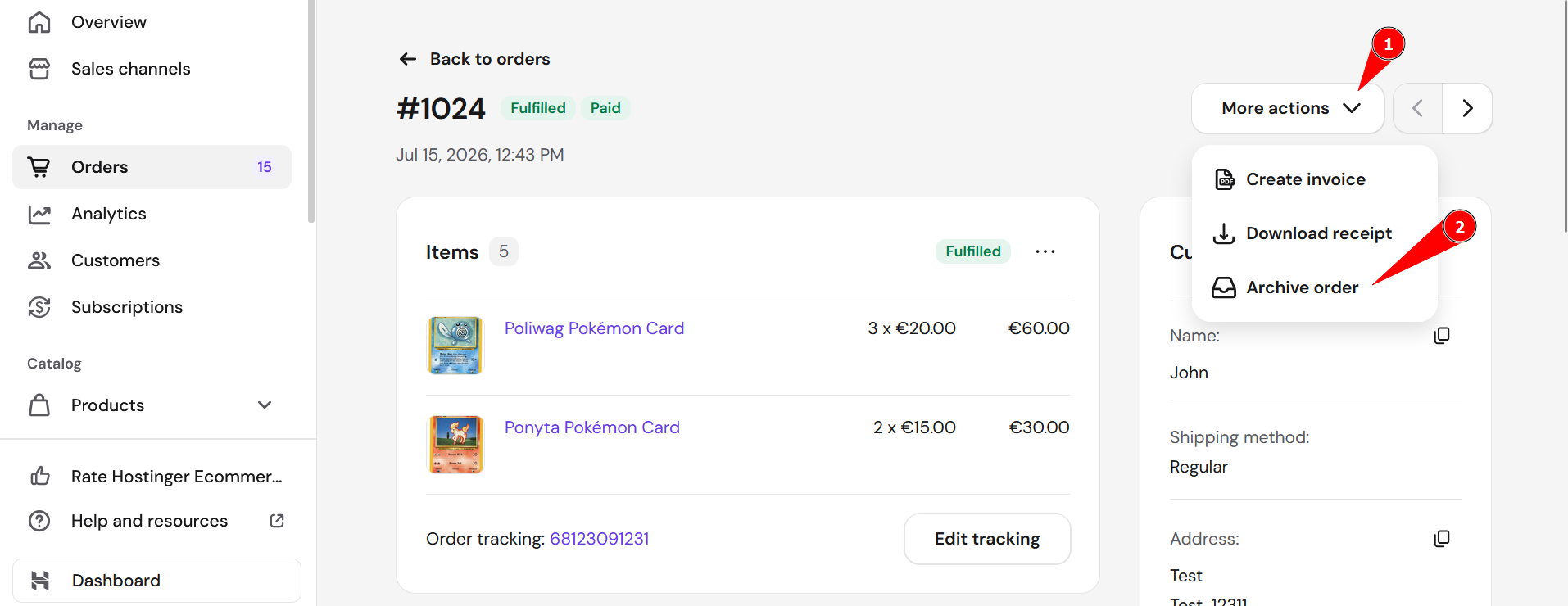
- Then, find the More actions dropdown in the top-right and click Archive order:

- Finally, confirm order cancelation.
Your order is now canceled and updated in your store.
NOTES
-
If you track inventory, products are restocked automatically
-
Order cancelation can’t be undone, i.e., you won’t be able to return the order to its previous state
-
You won’t be able to create an invoice for a canceled order, but if the invoice has been created earlier (before canceling the order), you can still view, download, print, or send it to your client