When using Hostinger Ecommerce, in addition to online payment methods, you can set up manual (offline) payments in your online store. This way, your clients can pay in cash or by bank transfer.
If your customer selects a manual payment method, you’ll need to approve their order manually. A new such order will have the status Awaiting by default. Once you receive the payment, you can change the payment status to Paid on the Orders page in your Hostinger Ecommerce Store Manager.
Enable manual payments
- Access Hostinger Ecommerce Store Manager.
- Go to Settings → Payments, and click on Add manual payment:
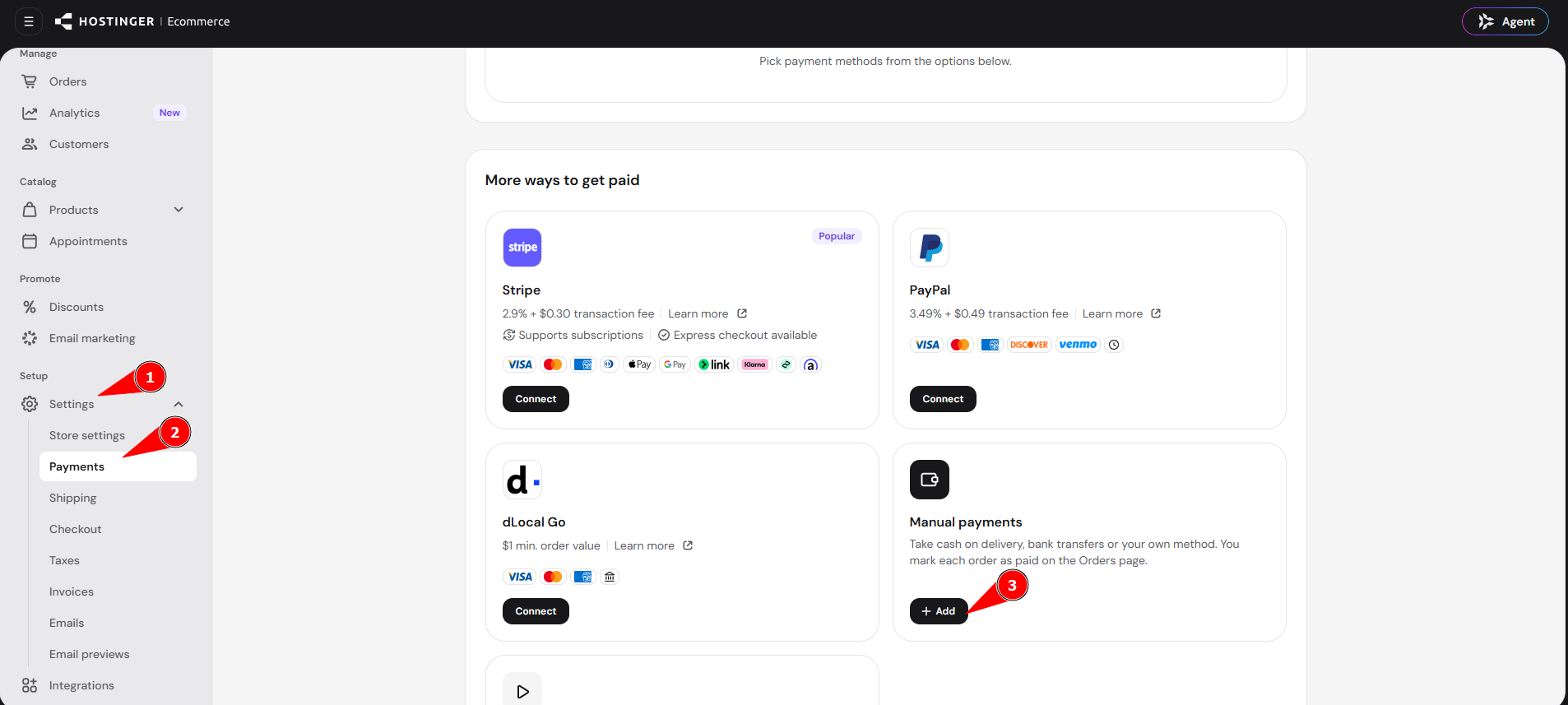
- Insert the payment method name (e.g., cash on delivery, bank transfer, etc.). Customers will see this payment method name at the checkout
- Add payment instructions to inform the client about how they should make a payment. For example, if you accept bank transfers, specify the bank account number to which your clients should wire the money. Customers will see these payment instructions at the checkout and in the order confirmation email.
- Tick the option Enable manual payment method at checkout and save the changes:
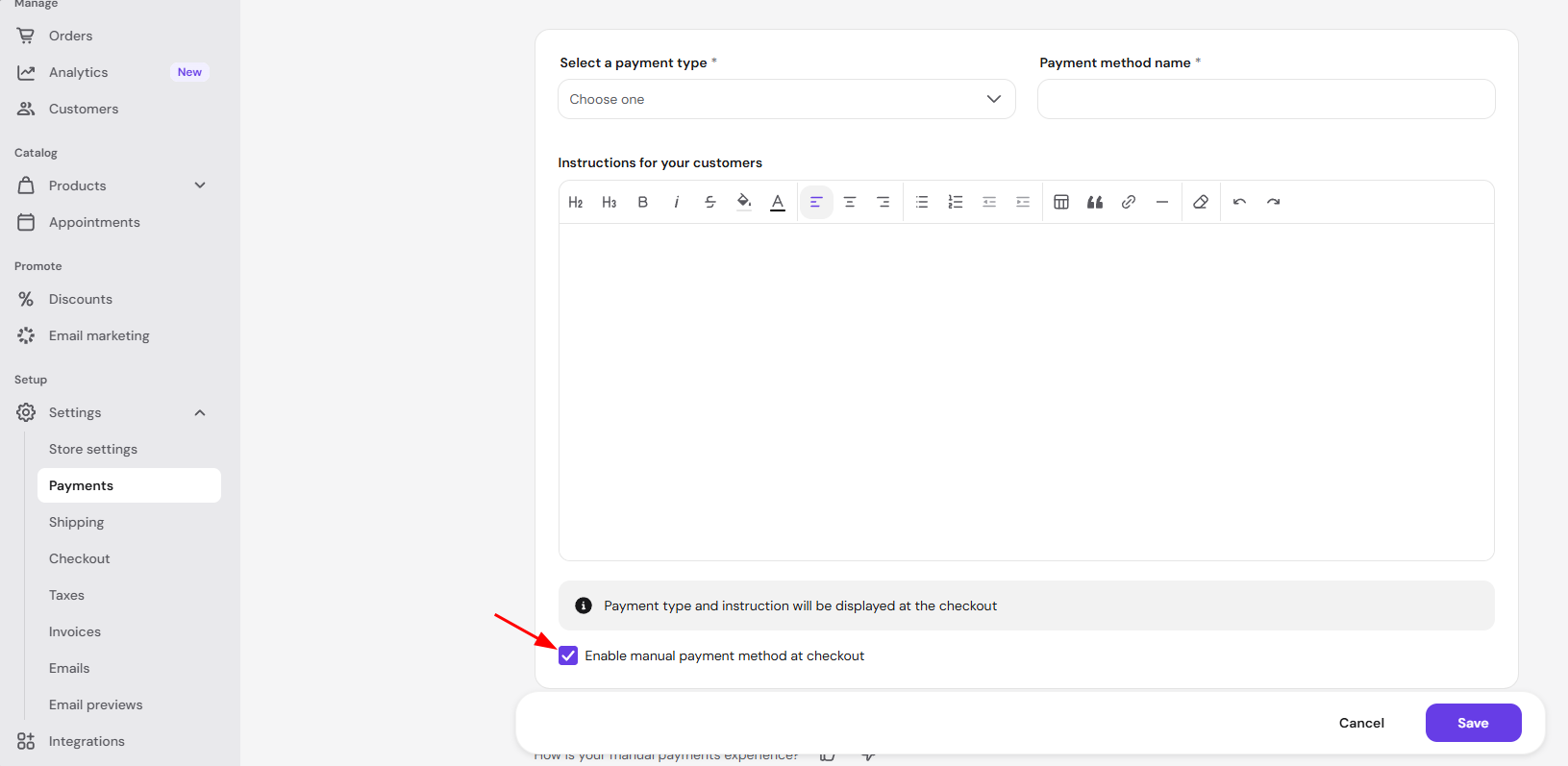
Your store now accepts manual payments using the method and instructions you’ve set up.
NOTES
-
Order confirmation emails are sent immediately once the order is created
-
Appointment confirmation and digital products are sent only once the order is marked as Paid; you can change the order status on the Orders page in your Hostinger Ecommerce Store Manager.
-
If you no longer want to offer a payment method, see how to remove payment methods.