Create an FAQ section on your Hostinger AI Builder manual mode website using a built-in section or a third-party widget.
Using a FAQ section
Within the builder, from the Pages and navigation panel, open the page in question (or create a new one), and click on Add section:

From the side menu, select FAQ and then click on the preferred template:
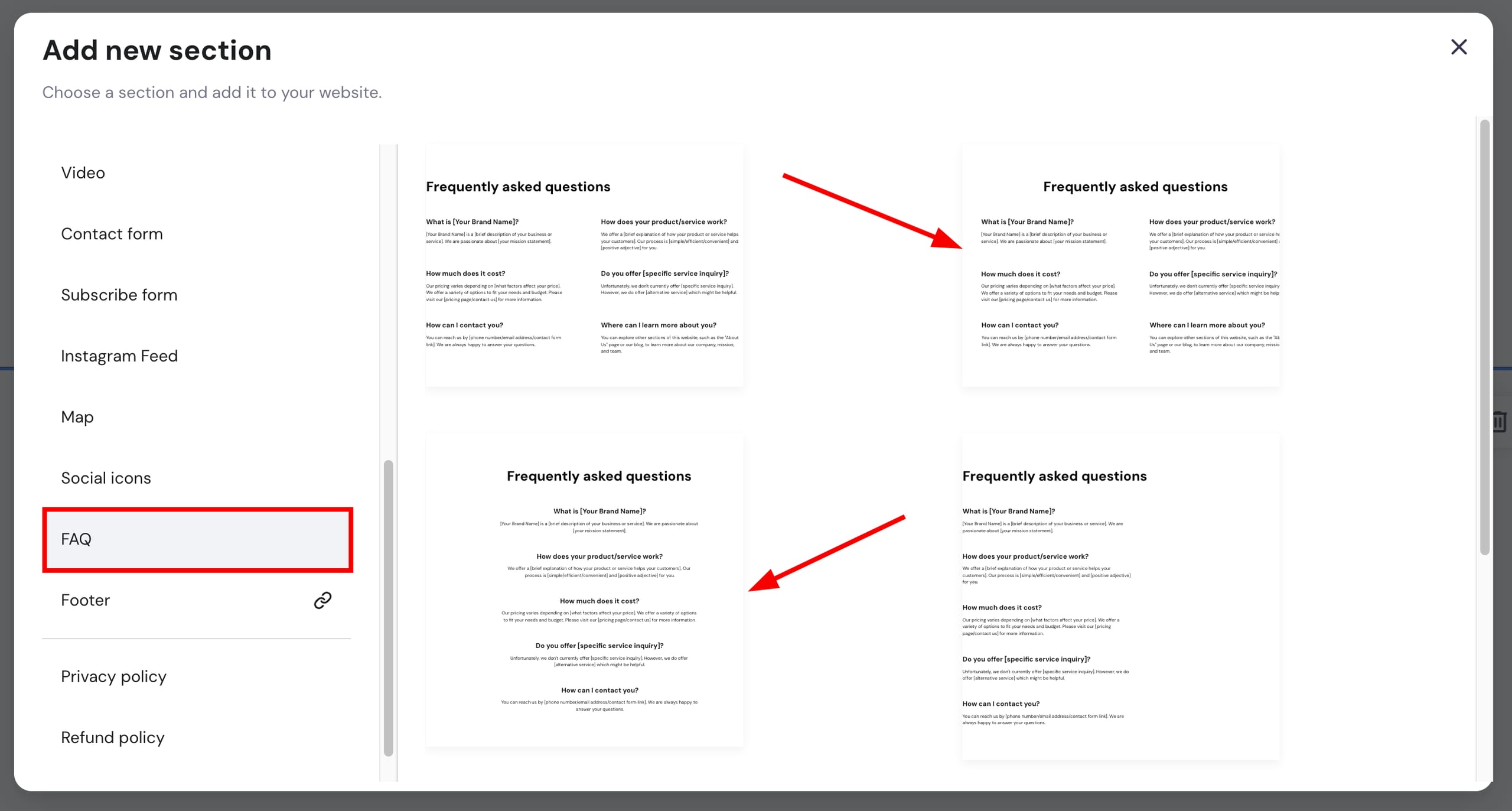
The selected FAQ section will be automatically inserted into your page. You can customize it however you like!
Using third-party tools
If you want something more custom, you may use any third-party tools you like. For instance, Elfsight is one of many platforms that offer various embeddable widgets, including the Accordion FAQ widget.
On Elfsight, you’ll find a variety of FAQ widget templates. Once you select a template, customize it to your liking:

Once you’re finished creating your widget, save it:

Then, click on Add to website and copy the integration code:

You may be asked to select an Elfsight plan.
Paste the code into your website using the embed code element and resize it if necessary. Once you’re done, update your website for the changes to reflect online.