phpMyAdmin is a powerful tool to manage your database’s content. If you don’t have a database yet, see how to create a new MySQL database in cPanel at Hostinger first.
Open a database in phpMyAdmin
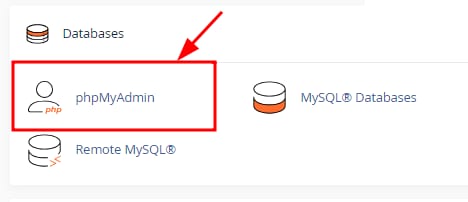
Here’s how to access phpMyAdmin:
Log in to your cPanel and navigate to phpMyAdmin:
Once there, you will find the list of all of your current databases:
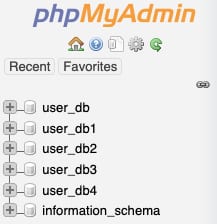
Click on the desired database to display its tables and management options.
That’s it! Now you know how to open a database via phpMyAdmin on cPanel 😊
Related database tasks