Export a database from your Hostinger cPanel hosting plan using phpMyAdmin. You can easily export a database from your Hostinger cPanel hosting plan by following the steps below.
Export a database
-
Open your database using phpMyAdmin
-
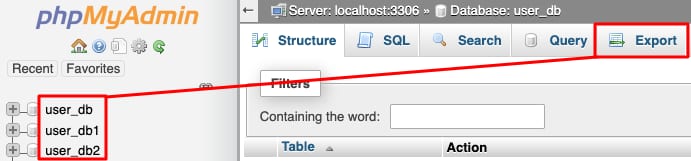
Select your desired database and click the Export button:
-
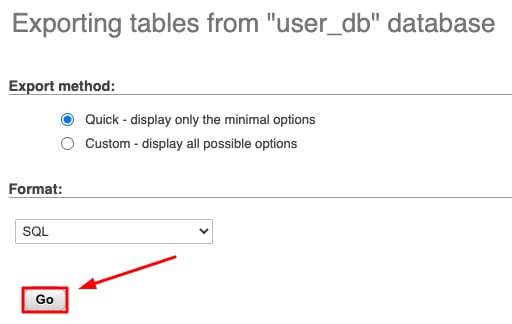
To export your database using the SQL file format – the most common to move databases, click on Go:
-
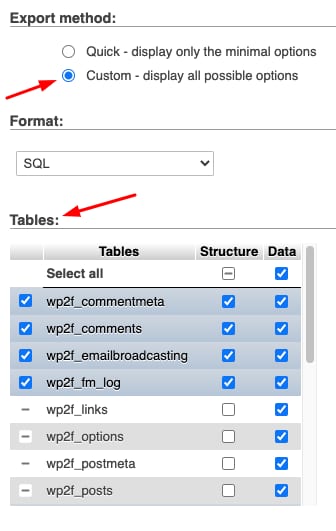
For special requirements, such as a different file format or export only some of the tables from your database, select the Custom method and adjust the settings:
That’s it! Once you click Go, you will get a copy of your database on your local device.
If you face an issue or if you’d rather export via the command line, see how to export a database over SSH on cPanel at Hostinger.