A record points your domain to an IP address, and you can manage them directly in cPanel using the Zone Editor.
Add an A record
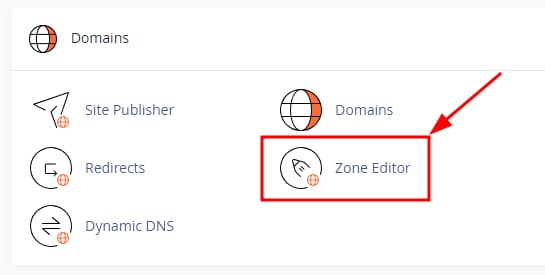
You can easily manage the A records of your domain with the help of the Zone Editor section. Just log in to your cPanel and find Domains → Zone Editor:
To create an A record, click on the button + A RECORD:

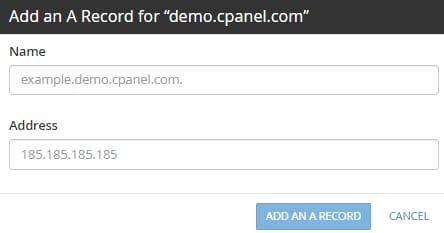
Enter the domain or subdomain name on the Name field and the IPv4 address on the Address field, then click on ADD AN A RECORD:
Manage an existing A record
In the Zone Editor section you can also manage your records using the following buttons:

-
Edit an A record
-
Permenently delete an A record
NOTE
-
Any DNS Record changes trigger propagation, which can last up to 24 hours to complete
- If you just want to check your current A record rather than add or remove one, see where to find the A record on cPanel at Hostinger.
Manage other DNS record types in cPanel