Manage TXT records for your domain directly in cPanel, without needing to contact your registrar.
Add a TXT record
You can easily manage TXT records by logging in to your cPanel and navigating to Domains → Zone Editor:
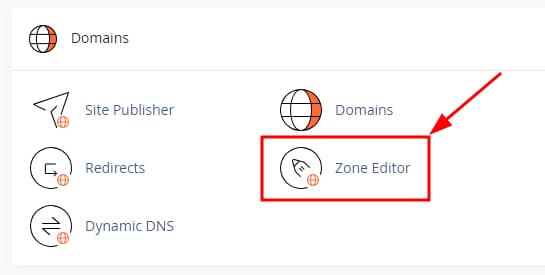
To create a TXT record, click on Manage next to your domain:

Next, click on the Add record option and select the TXT record type:
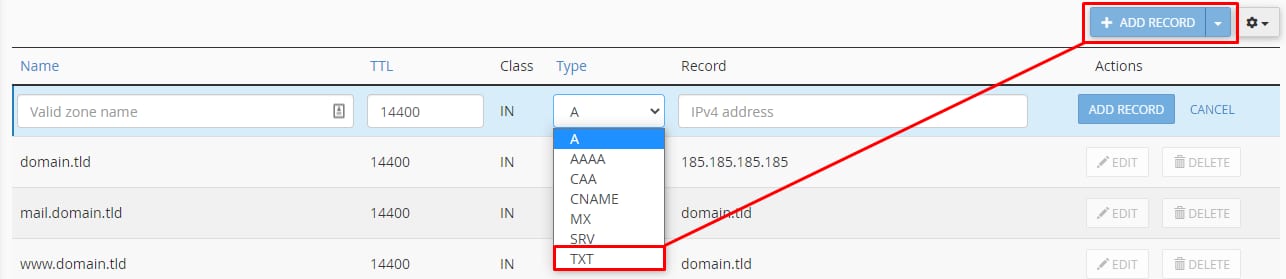
Enter the desired record values and save the changes. After these changes, allow up to 24 hours for DNS propagation to complete and then your TXT record will be fully functional.
Manage an existing TXT record
Once created, you can manage the TXT record on the Zone Editor using the following buttons:

-
Edit or modify the TXT record
-
Permanently delete the TXT record
Manage other DNS record types in cPanel