Manage your DNS zone on Wix to update the DNS records (NS, TXT, MX, A, etc.) for your domain.
Access your DNS zone on Wix
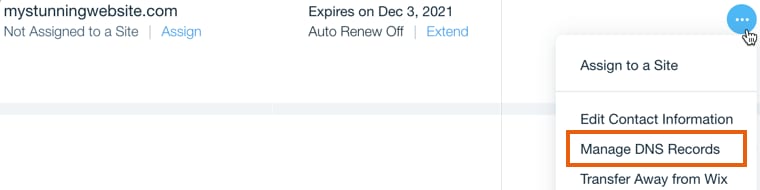
If your domain is registered with Wix, you can access your DNS Zone from your Domain’s page by clicking Show More icon and selecting Manage DNS Records:
You can find detailed tutorials on creating, editing, and deleting DNS records at Wix here:
Hostinger default DNS records
Hostinger default DNS records:
If you face any difficulties while managing DNS Zone at your domain provider, it’s best to contact Hover directly. Alternatively, you can transfer your domain to Hostinger so your hosting and domain will be managed from one place.
If your registrar isn’t Wix, see how to change DNS records in other domain registrars at Hostinger for other registrar-specific guides.