Hostinger Balance holds credits from refunds and applies them automatically to new purchases, upgrades, and outstanding invoices in the Hostinger dashboard. Refunds are added to your balance when you select Hostinger Balance as the refund method. Invoices paid with credits can be refunded to the balance once every 12 months per invoice.
What you can use Hostinger Balance for
You can use Hostinger Balance for the following transactions:
-
Purchasing new services from the Hostinger dashboard Marketplace.
-
Upgrading an existing service.
If you have an outstanding invoice, such as for a subscription renewal, the balance will automatically be applied if no new purchases or upgrades are made.
For other ways to pay, see what payment methods are available at Hostinger.
Check and use your balance
When making a purchase within Hostinger dashboard, your available balance will automatically appear as Credits in the order summary:

If the total cost exceeds your available balance, the credits will be applied as a discount, and you’ll only need to pay the remaining amount.
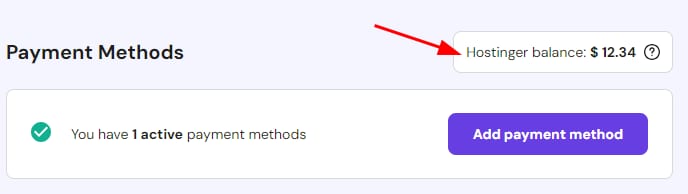
To check your current balance, go to the Billing → Payment Methods section of Hostinger dashboard: