To pay with PayPal on Hostinger, select PayPal at checkout, sign in to your PayPal account, and complete the payment. Your PayPal details are then saved to your Hostinger account for future purchases. Before you pay, make sure you meet these two requirements:
-
The Hostinger brand (Hostinger.com, Hostinger.co.uk, etc.) where your account is located has PayPal enabled. You can verify it here: What are the Available Payment Methods at Hostinger?
-
You have a debit or credit card connected to your PayPal account
Pay with PayPal
After meeting these requirements, follow these steps to pay with PayPal:
-
Go to the Hostinger page, select your desired service, and proceed to the checkout
-
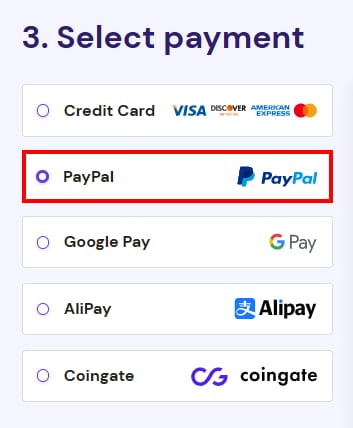
Select PayPal as your payment method:

-
Click on the PayPal Checkout button
-
Enter your PayPal email address and password
-
Select the payment options within PayPal and complete the payment
After successful payment, your PayPal details will be added automatically to your Hostinger profile – this will make future purchases more convenient
NOTE
- This article covers paying for Hostinger services with PayPal. To accept PayPal payments from customers in your Hostinger Ecommerce store, see Hostinger Ecommerce: How to enable PayPal payments.