When you purchase a new eligible Hostinger plan with a 12-month or longer billing period, you can register a new domain name or transfer a domain you already own for free.
The free domain includes one year of registration for an eligible top-level domain (TLD) and can be used immediately with your hosting or email service.
Eligible purchases for a free Hostinger domain registration
A free domain is included with the following new hosting plans when purchased for 12 months or longer:
Once you select an eligible plan, the free domain is automatically added to the order summary during checkout.
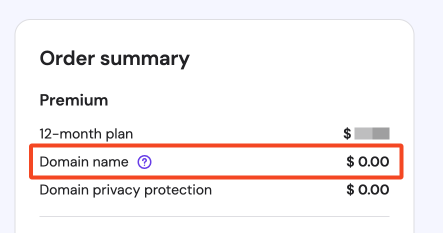
After registration, the option to claim the free domain appears in Hostinger dashboard.
How to claim your free domain
You can start the free domain registration in two ways: from the Hostinger dashboard, or during hosting plan setup.
From Hostinger dashboard
From the Home page in Hostinger dashboard, click on Claim Domain button on the to-do list.
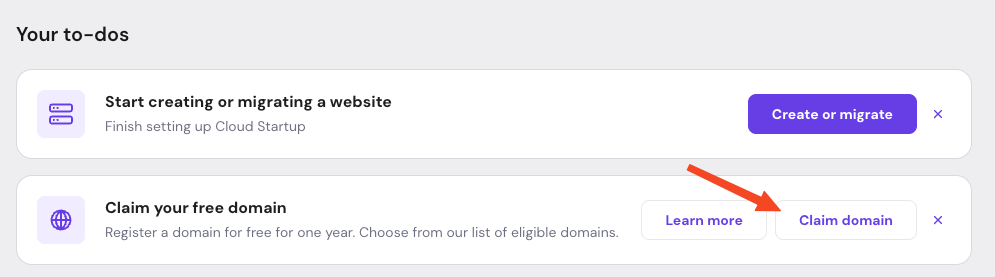
When you click Claim Domain, you will be presented with two options:
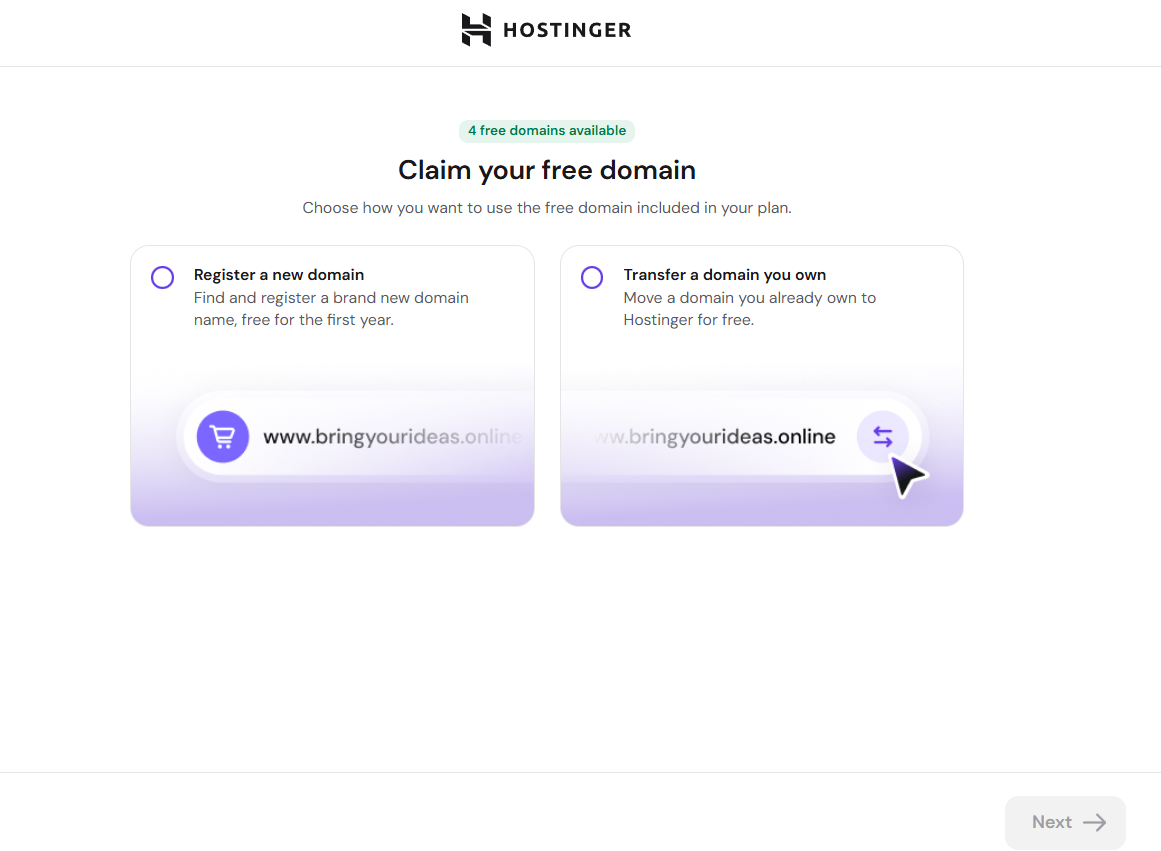
- Register a new domain — search for and register a new domain name for free.
- Transfer an existing domain — transfer a domain you already own to Hostinger for free.
Select the option that applies to your situation and follow the on-screen steps.
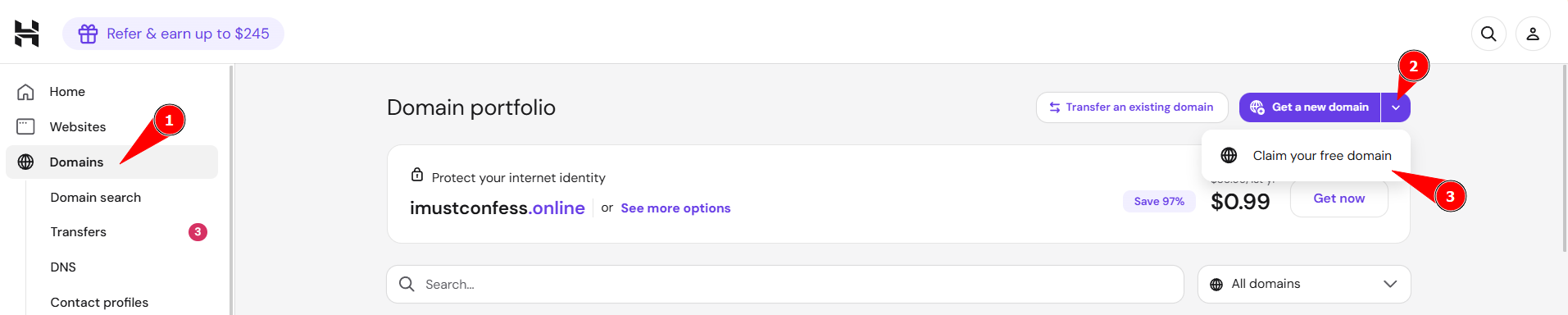
Or if you already own a domain, the option will also be available from Domains, select Get a new domain, then choose Claim your free domain
During hosting plan setup
While setting up your hosting or email plan, you will be prompted to enter a domain name.

-
Eligible free domain extensions are shown in a dropdown list.
-
Select your preferred domain and continue with the setup.
If the domain extension you want is not eligible for free registration, it will appear as a paid option further in the list.
Search and select a domain name
On the Claim your free domain page, enter your desired domain name. Hostinger shows eligible domain extensions (TLDs) directly in a list below the search field, along with their free or paid pricing, so you can compare options without opening a dropdown.
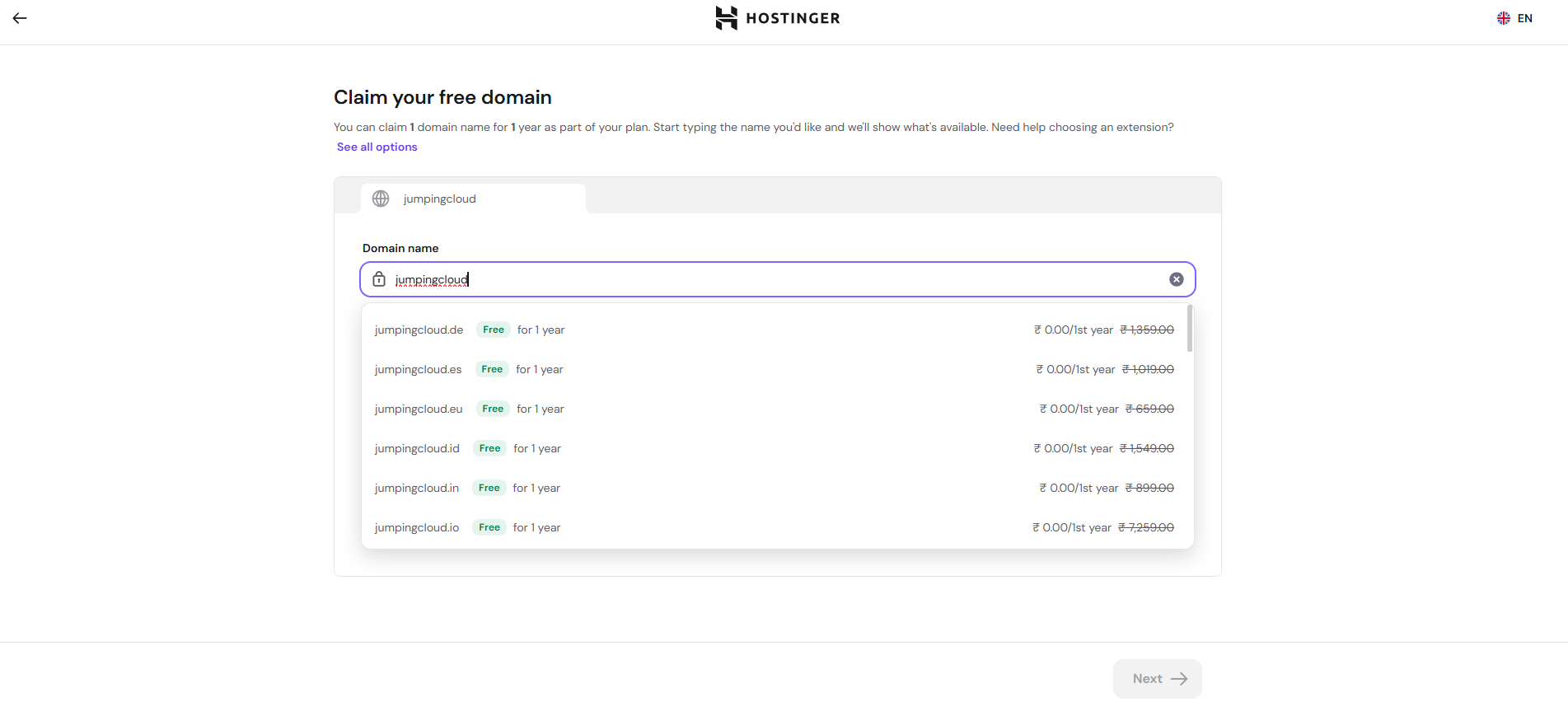
- Select an available domain from the list, or select See all options to view additional extensions.
- If the domain name is taken, already linked to your account, or not eligible for a free claim, Hostinger shows a specific message explaining why, so you know what to change.
- After you select a domain, the Confirm your free domain page shows the registration price, renewal price, and renewal date before you complete the claim.
- Select Claim domain to finish.
In case the domain extension you want isn’t available for free registration, you can purchase it separately and use your free domain for another name.
Complete domain registration
To finish the registration, enter accurate and valid contact details for the domain owner. This can be your information or the details of another person or organization.
After registration:
- Domain activation and propagation usually completes within a few hours. After that time you will be able to use the domain
- The domain must be verified within 15 days of registration to remain active
- The free domain is valid for one year. To keep the domain after the free period, it must be renewed at the standard renewal price before it expires.
To register more domains, explore our selection of cheap domain names
Your free domain is now claimed and ready to use with your Hostinger hosting or email service.
NOTES
- The free domain must be claimed within 12 months of the eligible purchase, or the offer expires.
- Free domains are non-refundable and cannot be exchanged for another domain name.
- For KVM hosting plans, the .io, .tech, .cloud, .digital, .network, or .systems TLD is included.
- If the subscription associated with a free domain is refunded, the cost of the domain is deducted from the refund. The domain remains usable for the rest of its registration period.
Frequently asked questions
How long do I have to claim my free domain?
You have 12 months from the eligible purchase to claim it, or the offer expires.
Can I transfer a domain I already own instead of registering a new one?
Yes. From the Claim Domain option in Hostinger dashboard, select Transfer an existing domain and follow the on-screen steps.
What happens if my free domain subscription gets refunded?
The domain’s cost is deducted from the refund, but the domain remains usable for the rest of its registration period.
Additional resources