You can transfer an existing domain to Hostinger for free instead of registering a new domain name when you purchase an eligible hosting plan. This article explains the specific eligibility requirements for the free transfer offer and how to initiate the process.
Eligibility for the free domain transfer
To qualify for a free domain transfer rather than a free standard domain registration, your purchase must meet specific regional and plan-based criteria.
- Plan type: You must purchase a new Premium web hosting, Business web hosting, or any cloud hosting plan.
- Billing cycle: The plan must have a billing period of 12 months or longer.
- Supported Extensions: The offer only applies to these TLDs: .com, .org, .co.uk, .uk, .org.uk, .fr, .lt, .ch, .de, .es, .in, .nl, .pl
Alternatives to free domain transfer
If your purchase is not eligible for a free domain transfer or your domain name cannot be transferred for free, you have the following options:
- Register a free domain if your purchase is eligible.
- Purchase the domain transfer separately from the Hostinger Transfer Domain page (or Transfer Domain if you already have a Hostinger account).
How to claim your free domain transfer
Once you have an eligible hosting plan and your domain is prepared for transfer, you can start the transfer process through your Hostinger dashboard.
Step 1 – Prepare the domain
Ensure that your domain meets the following requirements:
- You have full ownership and control of the domain name you want to transfer to us
- 60 days have passed since the domain was registered at (or transferred to) the current domain provider.
- The domain is active: not suspended by the registry and not in the redemption period.
- You have a valid EPP/Auth code from your current registrar.
- Ensure DNSSEC is disabled. You can verify your DNSSEC status using the DNSSEC Checker tool.
- Unlock your domain from the current registrar.
Once you are ready to claim your free domain transfer, proceed to the next step.
Step 2 – Initiate the domain transfer
-
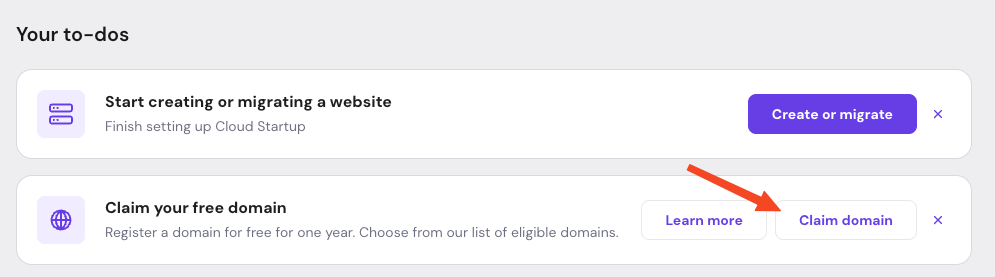
Go to the Home page on Hostinger dashboard and locate the Claim Domain button.

-
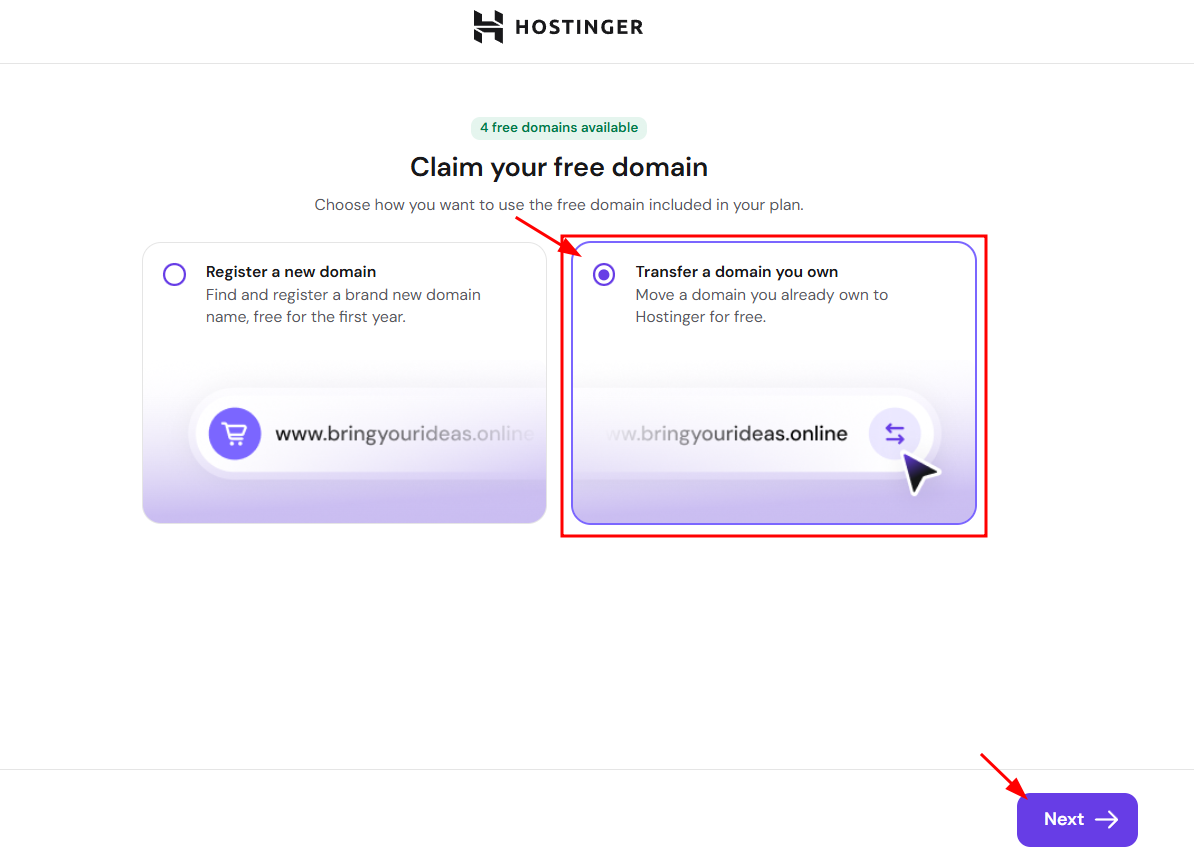
On the Claim your free domain screen, select Transfer a domain you own.

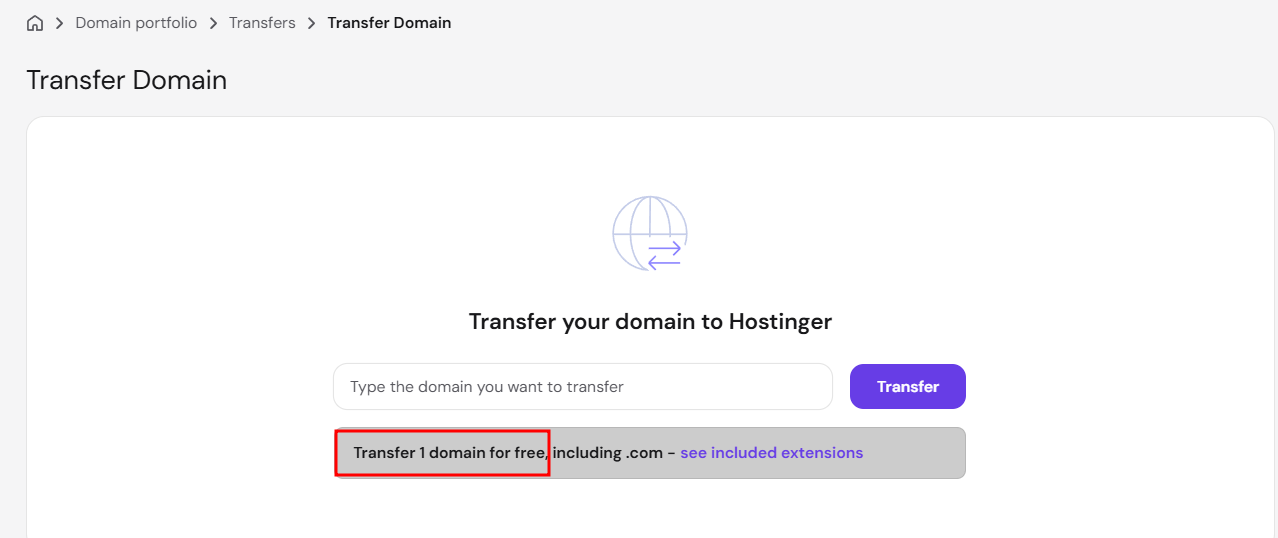
Alternatively, go to the Domains section and select Transfer.
 If the option for a free transfer does not appear, your purchase or domain extension is not eligible.
 -
Enter your domain name and click Transfer.
-
Enter the EPP/Auth code provided by your current registrar.
-
Complete the contact information form.
-
Choose whether to keep your current nameservers or use Hostinger nameservers.
-
Confirm the transfer via the link sent to your administrative email address
By following these steps, you can successfully move your domain to Hostinger without additional costs. Once the transfer is complete, you can manage both your hosting and domain from a single dashboard.
NOTES
- The free domain transfer or domain registration must be claimed within 12 months of the eligible purchase; otherwise, the offer will expire.
- Free domain transfers are non-refundable according to the Hostinger Refund Policy.
Additional resources