Hostinger AI Builder lets you create a website or web application without writing code, using either manual or agentic mode.
Describe your business or website idea, and Hostinger AI Builder generates a fully functional website with unique content and visuals for you to customize.
Hostinger AI Builder
You can start using the Hostinger AI Builder, while setting up your new hosting plan, or later, by navigating to the Websites page on Hostinger dashboard, clicking on Add website of the desired hosting plan, and selecting AI Builder.
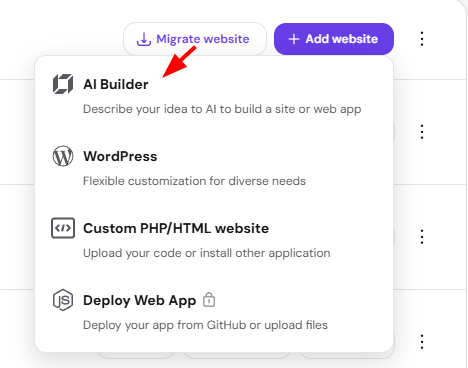
You can then select Manual or Agentic mode.
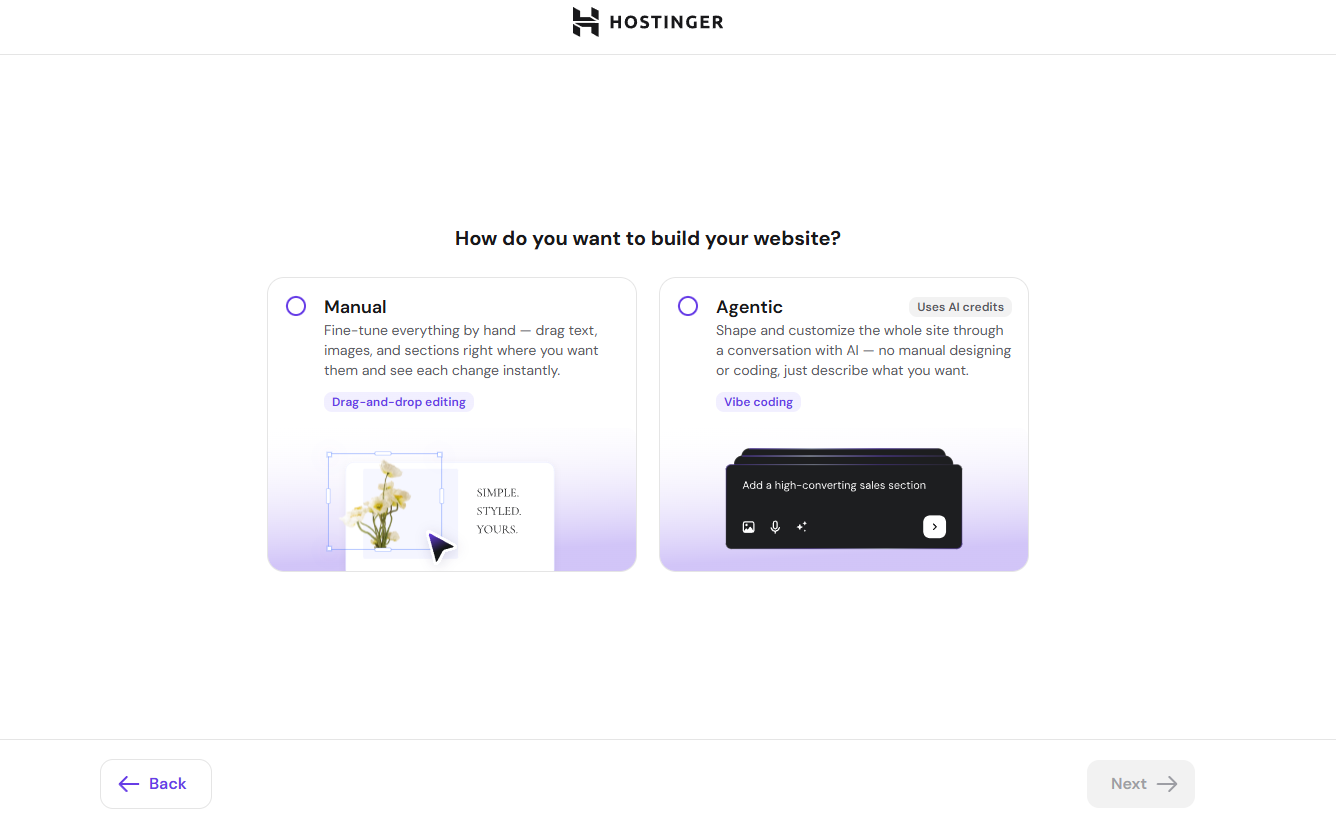
Either mode guides you through several questions about the type of website you’re building, and Hostinger AI Builder generates a fully functional website with unique content and visuals once enough information is gathered, ready for you to customize.
If you prefer to start right away, choose a pre-made template below the AI option and begin building your website.
Your website is now ready to customize, whether it was generated by Hostinger AI Builder or built from a pre-made template.
Feel free to check our collection of articles about Hostinger AI Builder or see the general guide on how to create a website in Hostinger for other building options.
Frequently asked questions
Do I need coding experience to use Hostinger AI Builder?
No. You can create a website by describing your business or website idea, without writing any code.
Can I use a template instead of generating a website with AI?
Yes. A pre-made template is available below the AI option if you’d rather start building right away.
What’s the difference between Manual and Agentic mode?
Manual mode lets you edit your site by hand, while Agentic mode lets you shape and customize it through a conversation with AI.