Friday October 16, 2026
Hostinger P.
No more platform hopping – launch Google Ads right from the Hostinger dashboard
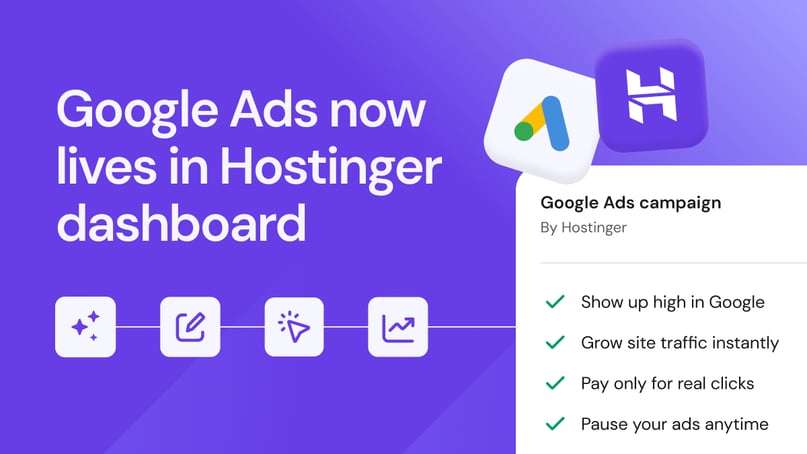
Hostinger customers can now launch Google Ads campaigns and track results directly from the Hostinger dashboard.
Nearly 6 in 10 small business owners expect generating new leads and customers to be a challenge this year, according to LocaliQ’s 2026 Small Business Marketing Trends Report, which surveyed more than 300 owners.
Most rely on organic marketing channels, which tend to build brand awareness more than they directly produce leads. Meanwhile, search ads reach people who are looking up a specific product or service, which is the next stage after that awareness.
This makes search ads a natural complement to organic channels, yet only 45% of small businesses run them. LocaliQ suggests one possible reason is that search advertising is more complex to set up and manage than channels many owners already know.
To lower that barrier, Hostinger has partnered with Google to bring most of the first-campaign setup into the dashboard.
“Building a website is the easy part. Getting the right people to it is where most online businesses struggle. By bringing Google Ads into the Hostinger dashboard, we’re turning a channel that many of our customers have been putting off into something they can launch alongside their website and measure in the same place,” said Arnas Donauskas, Hostinger’s Web Hosting Product Manager.
From website to live ads without switching dashboards
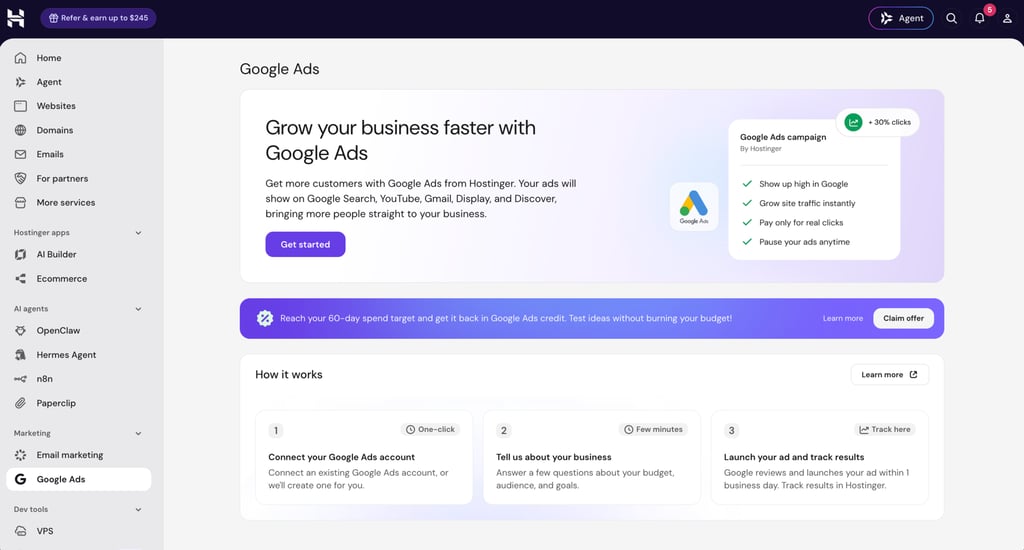
With the integration, customers can set up a Google Ads campaign in six steps:
- Connect a Google Ads account from the Hostinger dashboard.
- For new Google Ads accounts, complete the account and billing setup in Google Ads.
- Select the website, add a conversion page, and choose where the ads will appear.
- Review the Google AI-generated ad text and images, or write custom ad copy.
- Choose a daily spend based on estimated weekly leads.
- Review and launch the ads.
Hostinger sets up conversion tracking automatically. During campaign setup, it adds the Google Ads tracking code and consent mode to the website by default. This lets customers measure how many leads their ads bring in while respecting visitors’ consent choices. Customers who prefer to manage tracking themselves can opt out and manually add the code.
Users who create a new Google Ads account through the integration qualify for a $500 ad credit if they spend $500 within their first 60 days. Eligibility and terms are determined entirely by Google.
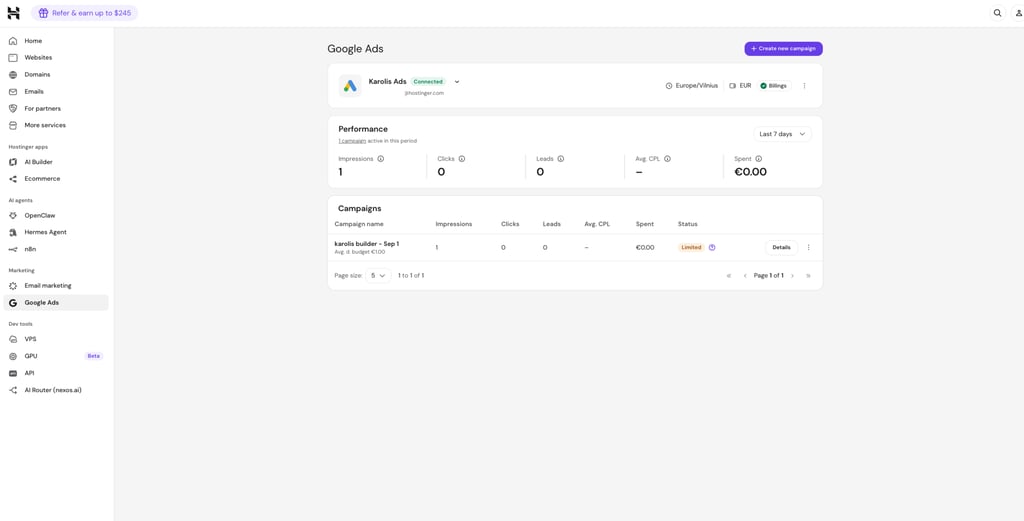
Once a campaign is live, the Google Ads section of the Hostinger dashboard shows a performance summary that includes impressions, clicks, leads, average cost per lead, and total spend, all of which are filterable by date range. The Campaigns table lists each campaign’s budget, status, and results.
Maximizing reach across Google’s channels
Campaigns created through the integration run on Google’s Performance Max format, configured specifically for lead generation. A standard search campaign shows ads only in Google search results, while Performance Max places ads across all of Google’s channels – Search, YouTube, Display, Discover, Gmail, and Maps.
Google AI powers the campaign from setup onward. It first generates the ad content, and each campaign can include up to 15 short headlines, five long headlines, five descriptions, a set of images, and a logo. You can also edit the content manually.
After that, this ad campaign format uses AI to mix and match these pieces into different versions for each Google channel. It then tests which combinations bring in the most leads and adjusts bids and audiences accordingly.
What to know before using the integration
The Google Ads integration is available for all types of websites hosted on Hostinger’s web hosting platform, except those hosted on VPS.
All ads must pass Google’s review process before they can run, which typically takes up to 24 hours. Customers can check each campaign’s review status in the Hostinger dashboard.
New campaigns also need time to optimize. Google’s AI can take up to four weeks to learn which placements and ad combinations work best, and results typically improve as more data comes in.
Google bills customers directly for their ad spend, and Hostinger doesn’t charge any additional fees for the integration.
Detailed walkthroughs are available in Hostinger’s guides on connecting a Google Ads account in the Hostinger dashboard and creating a Performance Max campaign.