Why your first 100 website visitors matter and how to get them
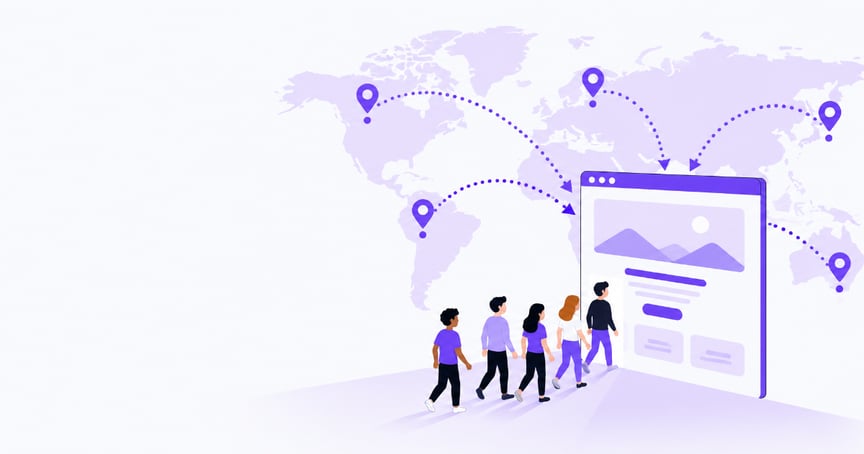
In the first half of the year alone, the web gained a net 9.2 million active websites, according to our comparison of Netcraft’s January 2026 survey and July 2026 survey. That’s an average of about 50,000 more active sites a day.
In a room so crowded, a published homepage won’t get noticed on its own. That’s what makes your first 100 visitors so valuable: they show you what’s working, and why.
They’ll be your earliest evidence, pointing to signals worth exploring. Where are people coming from? Which pages hold the most attention? Where do users drop off mid-navigation, and why?
A freelance designer might find that most visitors arrive from LinkedIn and spend more time on one service page than on the homepage. A small online store might see a product getting plenty of views but very few clicks on its purchase button.
Observing those signals matters because every website launches with assumptions about who it’s for and what they’ll care about. A hundred visitors are enough to start testing those assumptions, and you can get there without spending a cent on ads.
But this small sample won’t answer everything with statistical certainty, and a handful of clicks shouldn’t be the deciding factor for your whole strategy. It will, though, show you which questions to ask, which ideas to test, and which fixes to make first.
How to get your first 100 visitors
Publishing a website and waiting for search engines to find it is a slow process, as crawling can take anywhere from a few days to a few weeks. Even then, Google doesn’t guarantee it will index or show your pages.
Search Engine Optimization (SEO) builds discoverability over time, so treat it as a long-term effort rather than your first source of traffic. As you add pages, write SEO-friendly content that matches what people search for.
In the meantime, people need another way to find your business and a clear reason to care about it.
Go where your audience already is
Start with people who know you, then go where your audience spends time.
A new freelancer might share recent work in professional communities, reach out to former colleagues, or post useful insights on LinkedIn. A small online store might join niche communities, team up with creators, or post on visual platforms where customers look for inspiration.
A local shop might create a Google Business Profile with a tracked link to its website to see how many visitors it sends, list itself in local directories, and partner with neighborhood groups.
To find the right communities, search for your niche plus a community type, such as “freelance designers Slack” or “London small business Facebook group,” and check Reddit, Discord, LinkedIn groups, and industry forums. You can also look at where peers and competitors share their work, or ask your first customers where they go for recommendations.
A community is worth your time if it has recent posts, members asking questions you can answer, and rules that allow sharing links. Join conversations for a week or two before promoting anything, so people already recognize your name when you share your site.
Your starting audience can be small. When architectural designer Trinity Shiroma launched Arts by Trinity as a side project, she started sharing her work with about 70 Instagram followers. That was enough: the first two commission clients came from Instagram, checked out the website, and got in touch to place an order.
Make your site easy to understand
Once people arrive, your site needs to make sense quickly. Visitors who can’t tell what you offer, or how to take the next step, simply leave without telling you why.
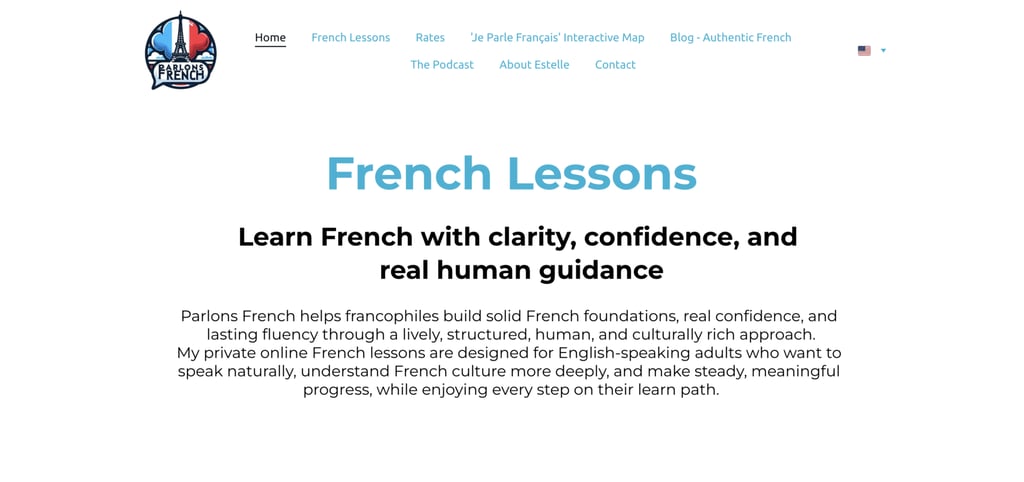
French teacher Estelle Materne learned this as a customer first. While searching for a trumpet teacher for her son, she kept encountering platforms that required payment before she could learn anything about the teacher. So when she built Parlons French, she made sure students could see who she is and how she teaches before booking a lesson.
A few things to check on every page:
- What you offer – Say it plainly at the top of the page. “Wedding photographer in Paris” tells visitors more than “Welcome” or “Capturing your moments.”
- Answers to common questions – Put the details people usually ask about, like prices or price ranges, location, and delivery or turnaround times. Make them easy to find, so visitors don’t have to contact you to ask.
- Navigation – Keep the menu to the few pages people actually need: services, about, and contact.
- One clear next step – Make the action you want visible on every page, whether that’s booking a call, buying a product, or signing up.
Give visitors a reason to come back
Not everyone will be ready to buy on their first visit. An email sign-up form lets the interested ones stay in touch, so you can reach out to them again with updates and promotions. Give new subscribers something in return, like a first-order discount or a short guide.
Plan your first month without paid ads
Paid ads can wait. Your organic (unpaid) results will show you which audiences and messages actually work, and that’s what you’ll want to know before spending money.
You also don’t need to be everywhere or run a complex campaign when you’re starting out. If you change your message, channels, and offer all at once, you won’t know which one made the difference, so adjust one thing at a time and keep what works.
A simple first-month plan could look like this:
- Week 1 – Choose two or three channels and commit to them for at least the next two weeks. Check that each page says clearly what you offer, and submit your site to search engines.
- Week 2 – Add an email sign-up form and start sharing on your chosen channels, using tracked links so you can see where visitors come from.
- Weeks 3–4 – In Google Analytics, open the Traffic acquisition report and view it by Session source/medium to see where your tagged links brought visitors. Compare each channel’s visits with the action you care about, such as sign-ups, inquiries, or orders. If a channel brings visitors but no actions after two weeks, try a different message before you drop it.
- After that – Consider paid ads once you know which channels or messages are bringing in the right visitors.
Where AI can help
“Building a website has become easy with the tech that’s available, but no one knows what comes next. Doing has become easy. Figuring out your next step is the real challenge,” says Ričardas Kudirka, product manager at Hostinger.
Researching channels, planning campaigns, writing posts, and checking results can easily turn into a second job, and not a simple one. Asking AI for one piece of writing at a time, like a social media caption, an email, or a product description, saves a few minutes.
But the hardest part is still left to you: deciding what to do and in what order. An AI agent can help with the planning as well, while you stay in charge of what matters and why.
Hostinger Agent, for example, can build a personalized version of the first-month plan above. Ask it to help you get your first 100 visitors, and it runs a skill called “Get your first 100 customers”.
It reads your live website to understand your business and audience, then asks what you’ve already tried and what you want visitors to do. It returns a short plan: a ranked list of channels to try, ready-to-use posts and outreach messages, and suggestions on what to track, such as visitors, orders, and where each visitor came from. This is a premium skill: the free trial credits cover it, and after that it’s included in Agent Plus.
Here’s how that worked for Little Loaf, a made-up bakery on one of our test accounts. Our product team ran the agent on it for this article. From the homepage alone, the agent identified it as an East Austin bakery selling sourdough, pastries, cakes, and weekend pre-orders. It then asked what the owner had tried so far and what visitors should do.
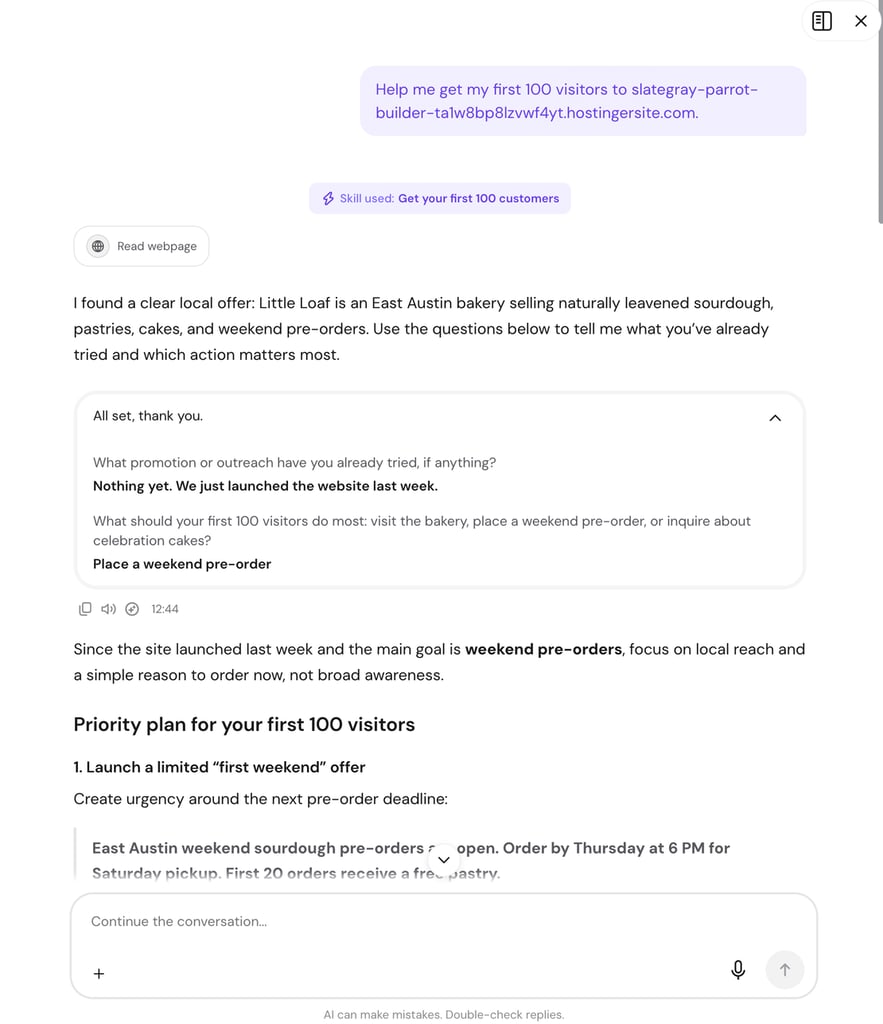
The answers were “nothing yet, the site launched last week” and “place a weekend pre-order.” Based on that, it recommended focusing on local reach and giving people a reason to order now, rather than building broad awareness. Its top tactic was a limited first-weekend offer, with a ready-to-post message: order by Thursday at 6 p.m. for Saturday pickup, and the first 20 orders get a free pastry.
“The agent understands the business from its website and the owner’s answers, so it can plan around their actual goal. New owners usually have a small budget and no clear channel, so it returns a prioritized list of low-budget tactics. Saving time on planning is a secondary benefit,” says Kudirka.
Treat the agent’s plan as a starting point. You decide which tactics to try and do the outreach. Measuring is on you too, since the agent doesn’t see your traffic or analytics. It can take one task off your list, though: publishing. The agent can post blog articles to your WordPress site or share updates on a social media account you connect.
What happens after visitor 100
Reaching your first 100 visitors is worth celebrating. But the more important moment comes when you use what you’ve learned to decide what to do next.
“Your first visitors are also your first real feedback on the site itself. They show you whether everything works, whether the design and structure make sense, and what’s worth keeping,” says Gabriela Gasperin, brand project manager at Hostinger.
Start by being clear about what counts as a result for your site, whether that’s an inquiry from a potential client, a new newsletter subscriber, or, for an online store, add-to-cart actions and eventually purchases.
Say your weeks 3–4 comparison looked like this:
| Channel | Visits | Newsletter sign-ups |
| 60 | 1 | |
| Community forum | 25 | 6 |
| 15 | 0 |
The obvious move is to put more effort into LinkedIn, since it brings the most visits, and drop Instagram. But look at the sign-ups: six of the forum’s 25 visitors subscribed, compared with one from LinkedIn’s 60 visitors. The forum is the channel worth growing, and Instagram might need a different message before you give up on it.
Where visitors came from is only half the picture. The Pages and screens report, also under Reports, shows which pages people stay on and which they leave quickly. That’s where the examples from the start find their answers.
The freelance designer’s visitors linger on a single service page, so more LinkedIn posts should direct traffic there. The online store’s product page gets views but few clicks, so the problem is the page, not the traffic. The price, photos, and buy button come first.
Fix whatever stands between visitors and your result before bringing in more people. From here, growth becomes a loop: form a hypothesis, try an approach, watch the results, and adjust. Each fix makes your next round of outreach a little more effective.
Every day, on average, tens of thousands more active sites join the web. You can’t stand out from that crowd right away, and you don’t need to.
On a web this busy, the businesses that grow aren’t the ones with the most traffic on day one. They’re the ones that learn the most from it, and your first 100 visitors are where that learning starts.

Karina is an award-winning journalist with over 13 years of experience in newsrooms and institutional communications across Latin America and Europe. Her work spans print and digital media, startups, NGOs, and EU-funded projects, with a focus on climate and science storytelling. As a Senior Content Writer at Hostinger, she digs into data, products, and the people behind them to find the stories and angles that matter most. Follow her on LinkedIn.