To use Hostinger Agent on WhatsApp, open the Hostinger Agent widget in Hostinger dashboard, select the WhatsApp tab, and scan the QR code or select Chat on WhatsApp. You can then continue support conversations, send voice notes, reply to account notifications, and receive scheduled job results without opening Hostinger dashboard.
New to Hostinger Agent? See Hostinger Agent: Features and overview first.
Connect to Hostinger Agent on WhatsApp
- Log in to Hostinger dashboard.
- Open the Hostinger Agent widget.
- Select the WhatsApp tab in the navigation panel.
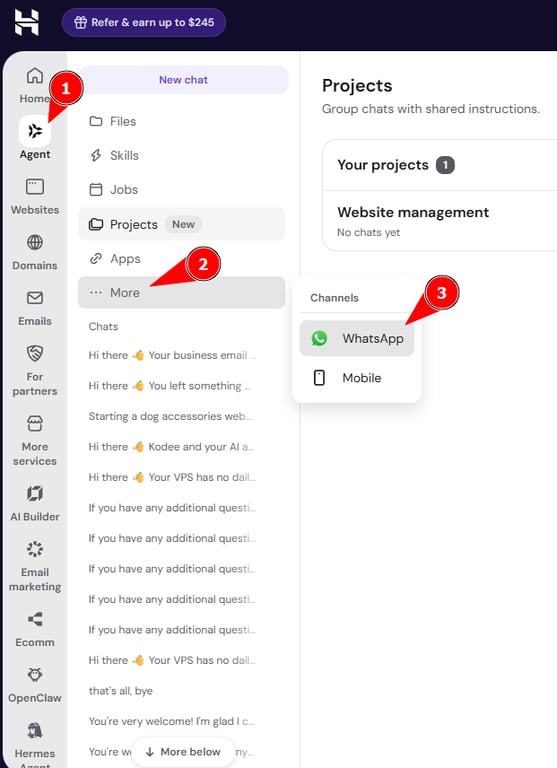
- Choose one of the following:
- Scan the QR code with your phone to open the conversation in WhatsApp.
- Select Chat on WhatsApp to open the conversation on your current device.

Send messages and voice notes on WhatsApp
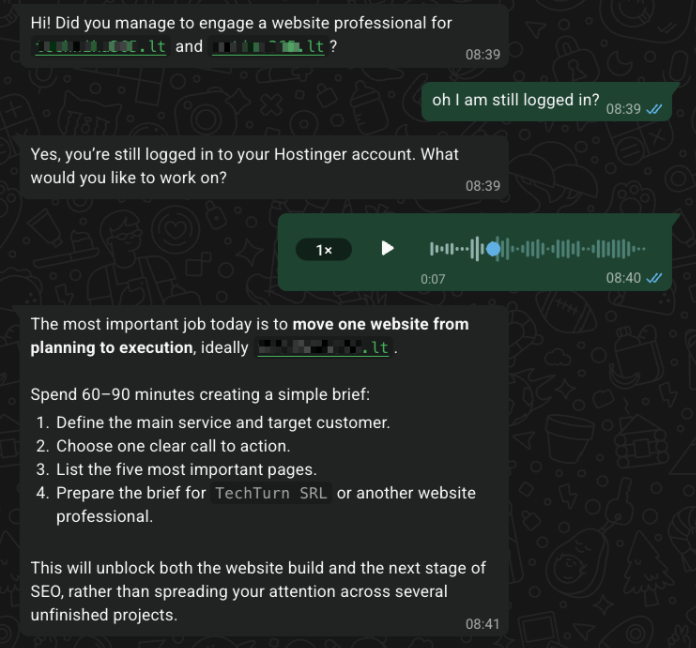
Type your message in the WhatsApp conversation with Hostinger Agent, or send a voice note instead of typing. Hostinger Agent transcribes voice notes into text and responds in text.
Reply to Hostinger notifications on WhatsApp
You can reply directly to any Hostinger account or service notification you receive on WhatsApp. These notifications are routed through Hostinger Agent, so you can ask follow-up questions without logging in to Hostinger dashboard.
Your WhatsApp session stays active for 3 days, and each interaction resets the timer, so you rarely need to log in again during active use.
Receive scheduled job results on WhatsApp
Hostinger Agent sends scheduled job results to your WhatsApp conversation. The notification content depends on whether you chatted with Hostinger Agent on WhatsApp within the last 24 hours.
- Chatting within the last 24 hours delivers the full job result directly in the notification.
- Not chatting within the last 24 hours delivers a template notification. Select Show results to view the full job result.
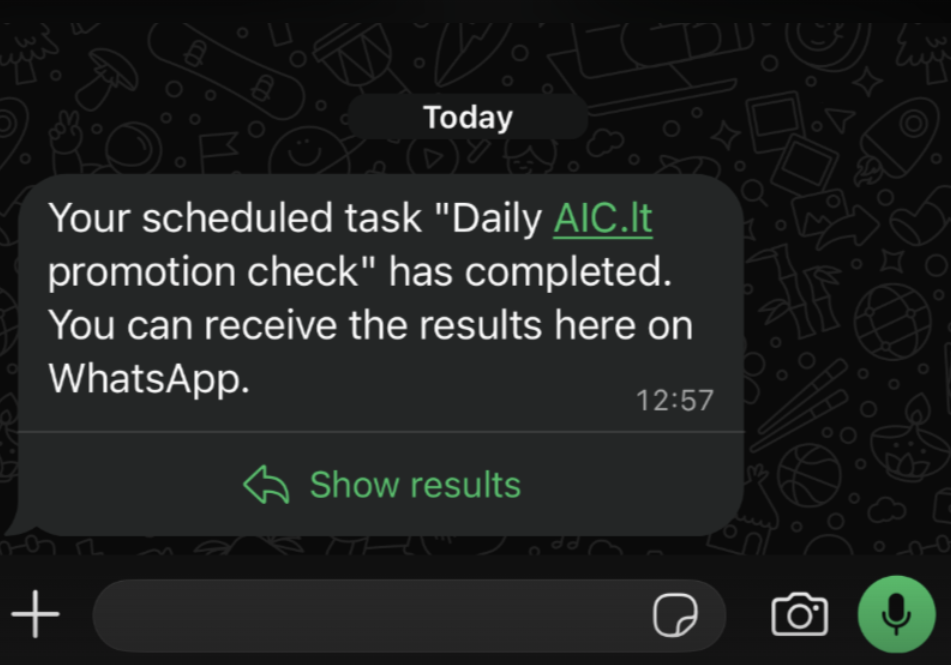
Multiple job results are delivered together if more than one job finishes before you review the notification.
You can now use Hostinger Agent on WhatsApp to manage support conversations, voice notes, notifications, and scheduled job results.