Discover how to check compute metrics, monitor VRAM usage, and configure exposed services safely.
Before you start
- If you haven’t deployed GPU instance yet, see how to set up a GPU instance at Hostinger.
To manage your Hostinger GPU instance, follow these steps to access the overview, monitor compute metrics, and configure exposed services. You can track your VRAM usage and manage public access to your internal applications.
Access the GPU management area
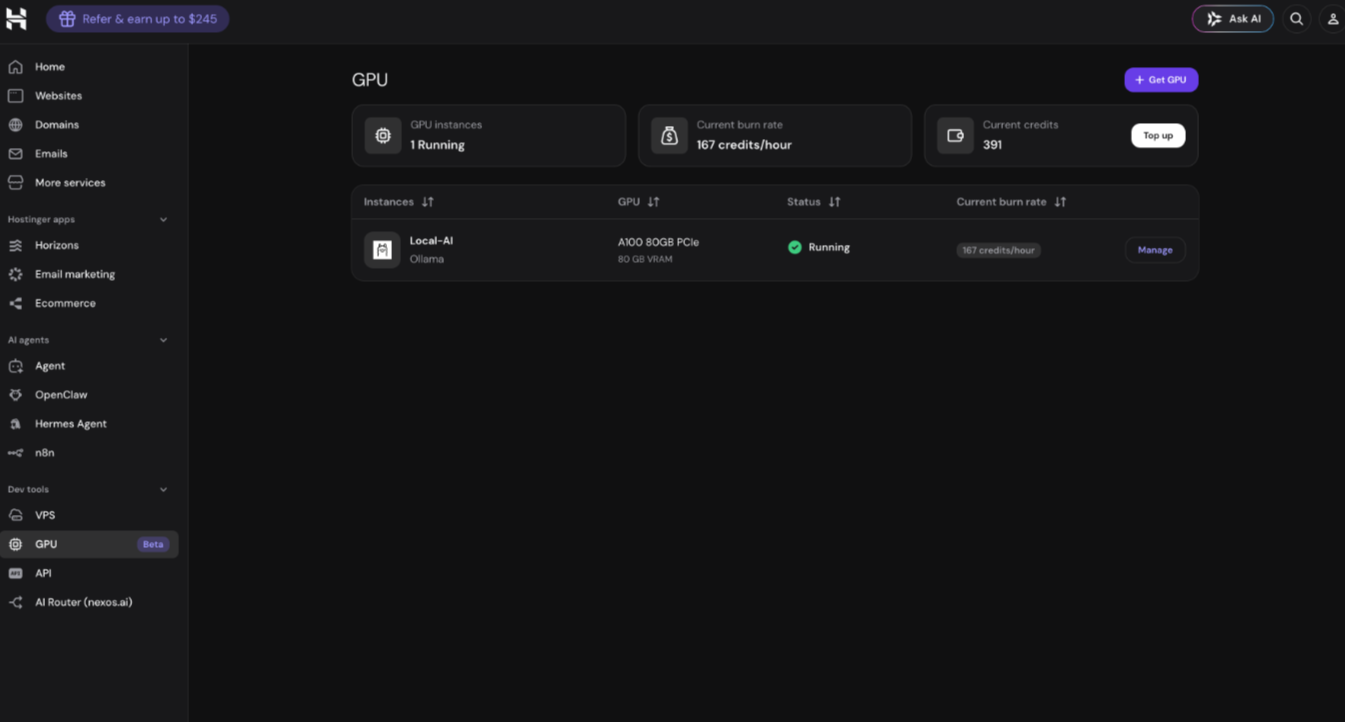
- Log in to your Hostinger dashboard and locate the Dev tools section on the side panel.
- Select the GPU option, which is located below the VPS menu.
- Click Manage next to your respective GPU instance.
Overview section
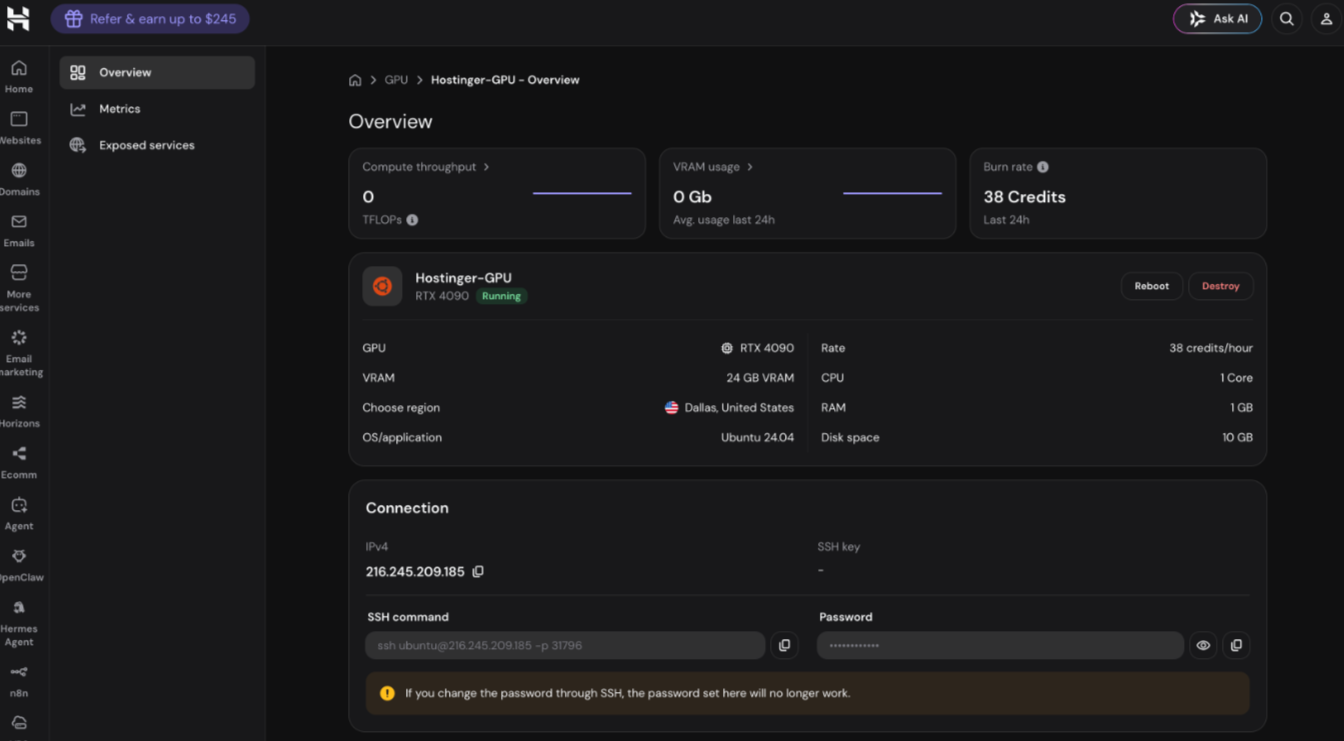
The overview section displays the most vital information for your Hostinger GPU instance. You can view GPU metrics for compute throughput and VRAM usage. The overview section also includes spending information, region, installed OS, IP address, and SSH instructions.
NOTE
- If you change the GPU instance password via SSH, the password shown in Hostinger dashboard will no longer be accurate.
Metrics section
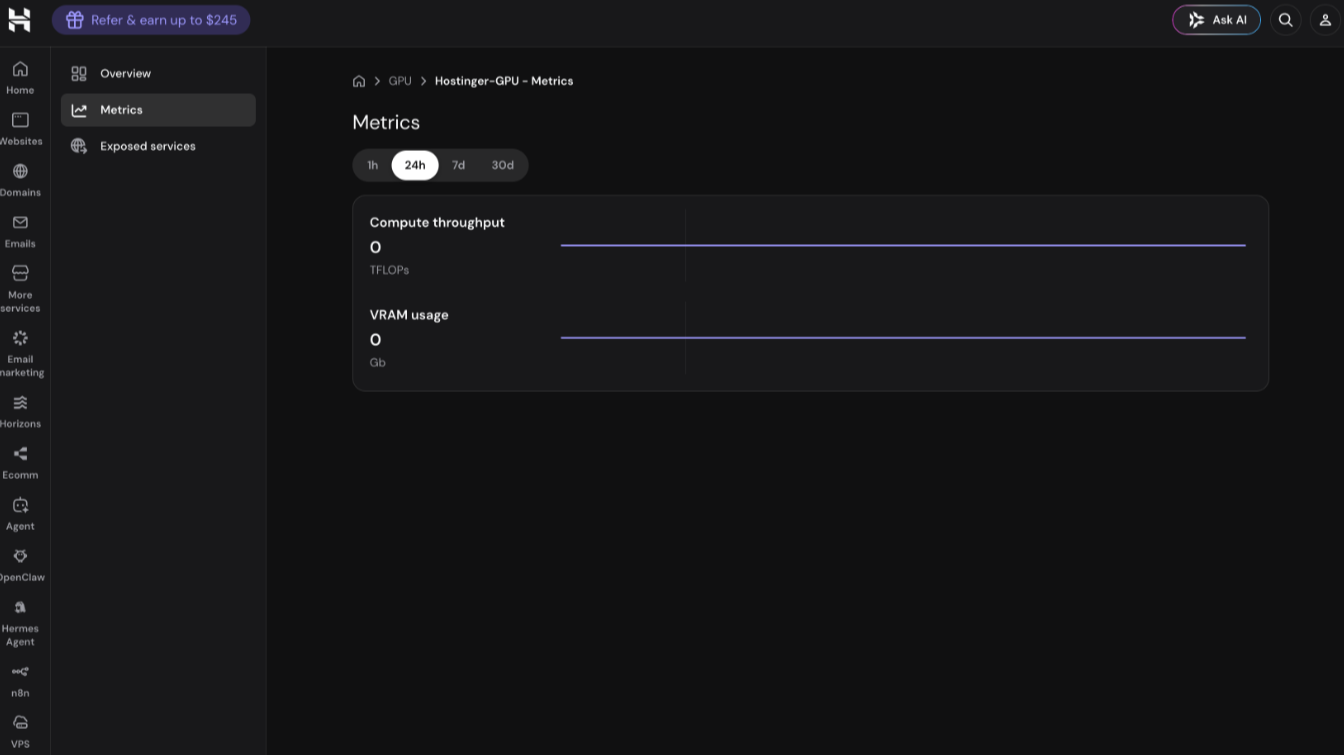
The metrics section provides a more detailed overview of your Hostinger GPU compute throughput and VRAM usage. You can filter the GPU metrics data over the last 1 hour, 24 hours, 7 days, or 30 days.
Exposed services section
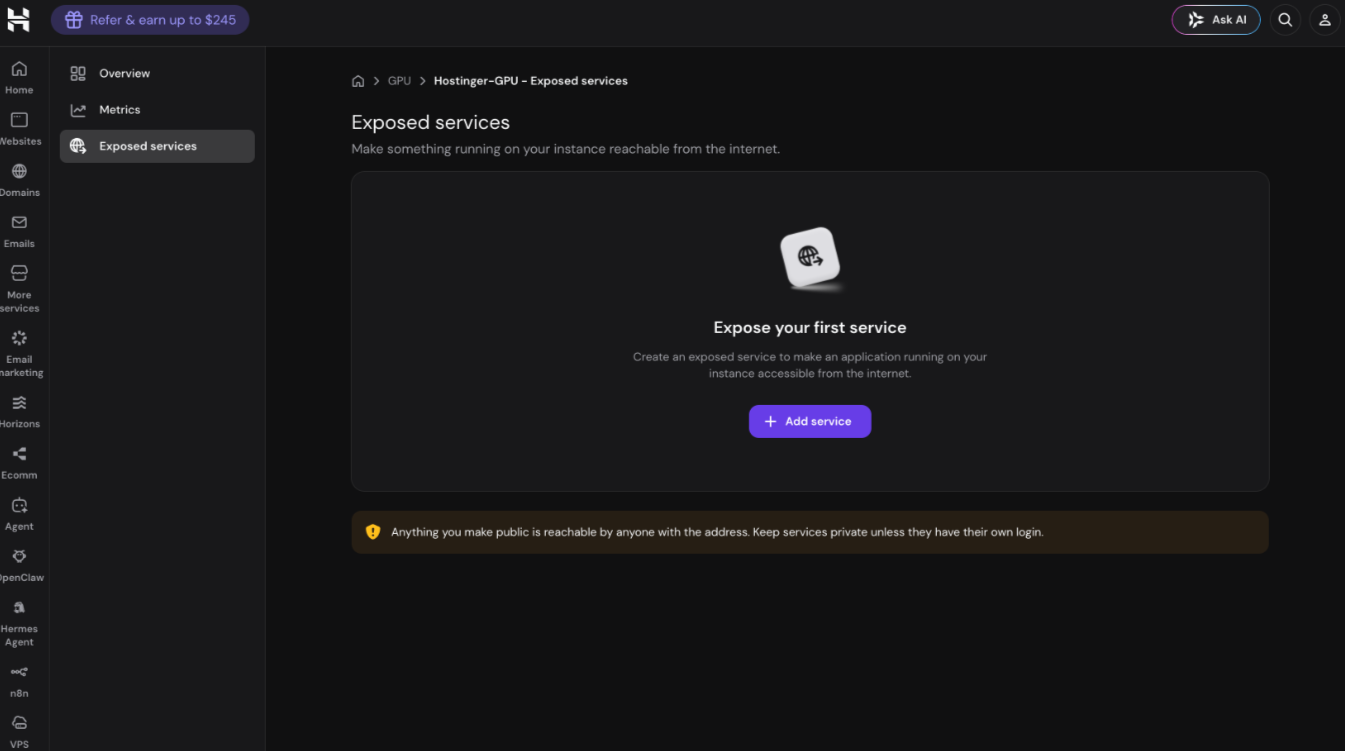
The exposed services section allows you to expose a service running on your Hostinger GPU instance to the internet. Exposing a GPU service makes it publicly accessible via a web interface. You may want to do this if you’d like to access your application via the browser.
To expose a service:
- Click Add service.
- Define a service name and list the internal port used by your application.
- Select the desired protocols (HTTP or HTTPS) and (TCP or UDP).
- Click Save.
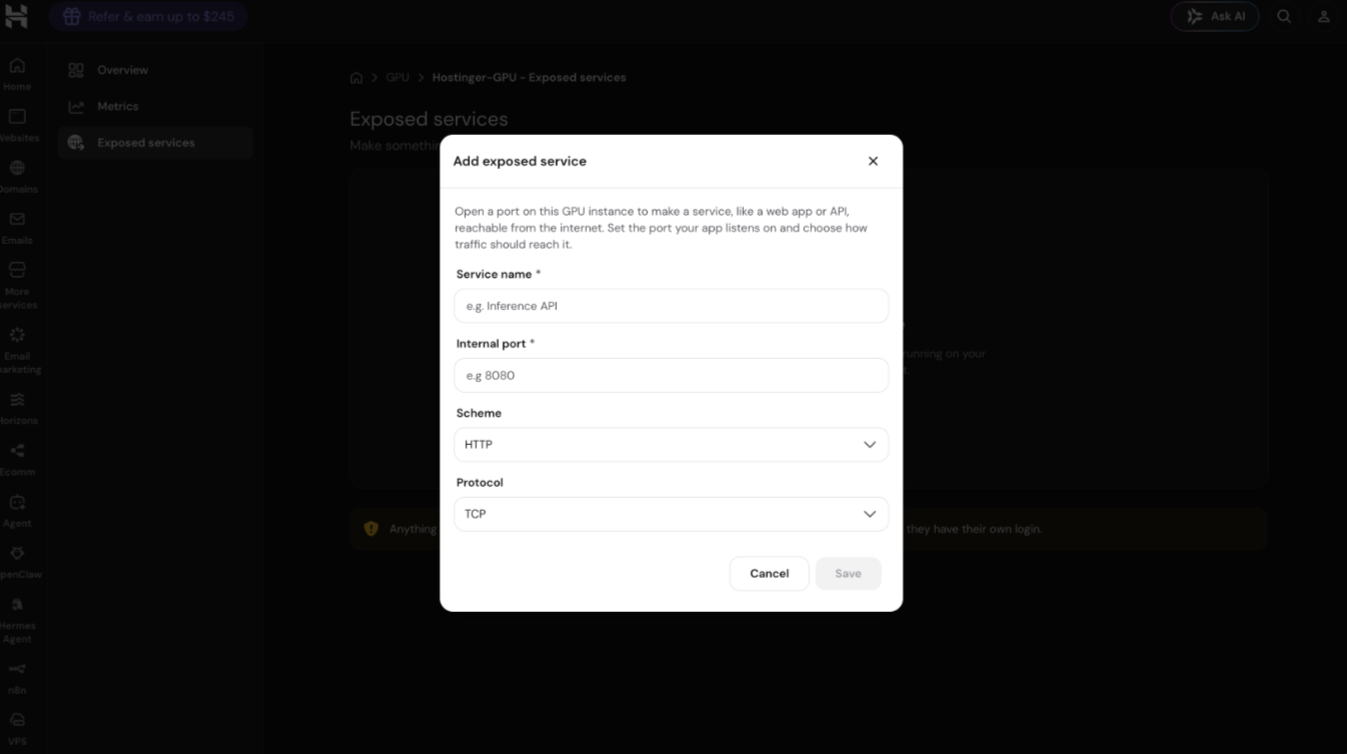
The newly exposed Hostinger GPU service will be publicly available within a short period of time.
NOTES
- Services exposed to the internet are publicly accessible to anyone with the IP address.
- Keep internal GPU services private unleess they require authentication, such as SSO or OAuth.
Additional resource