Hostinger AI Website Builder for WordPress suggests domain names based on your site’s title and content when you connect a domain to a site that was created with a temporary subdomain.
Create your site with a temporary subdomain
Your site needs a title and generation prompt before AI-suggested domains can use that content.
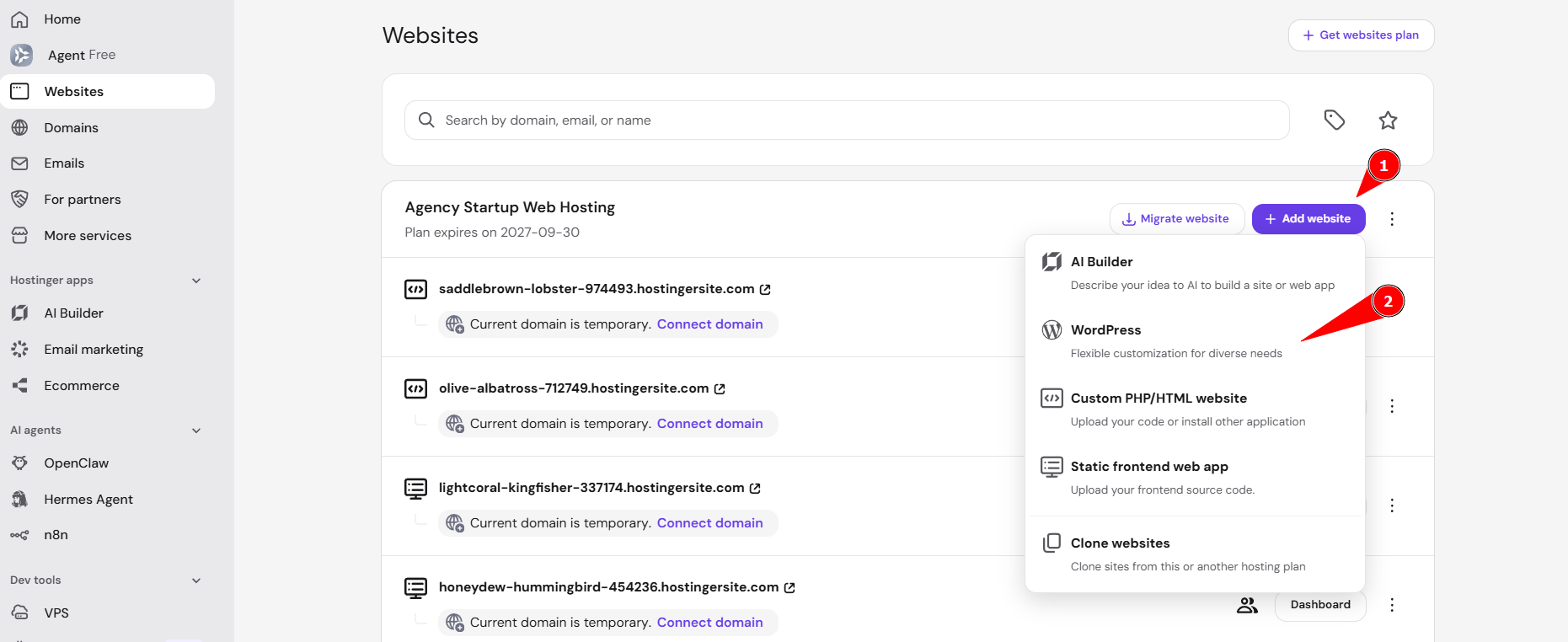
- Click Add website from the Websites page and select WordPress.
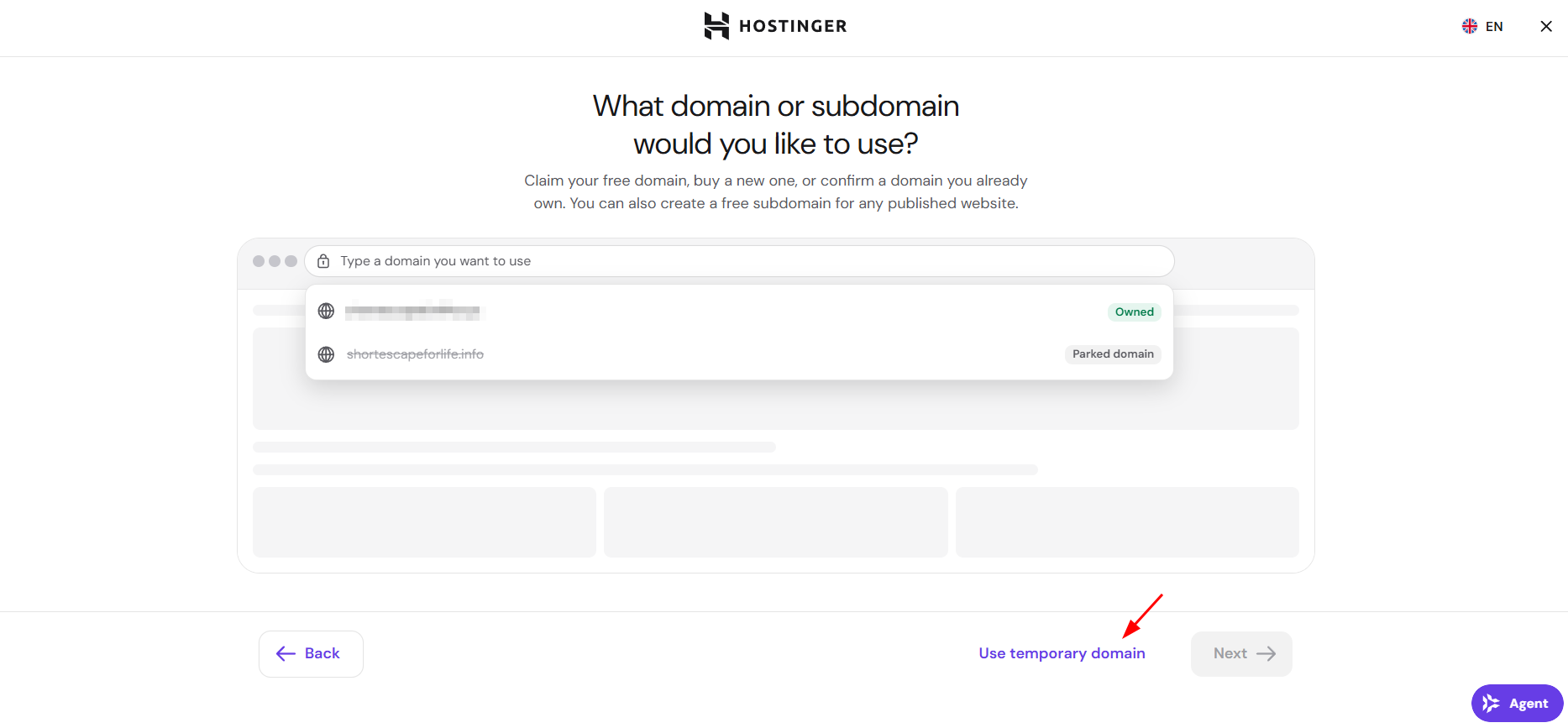
- Click Use temporary domain when asked what domain or subdomain to use.
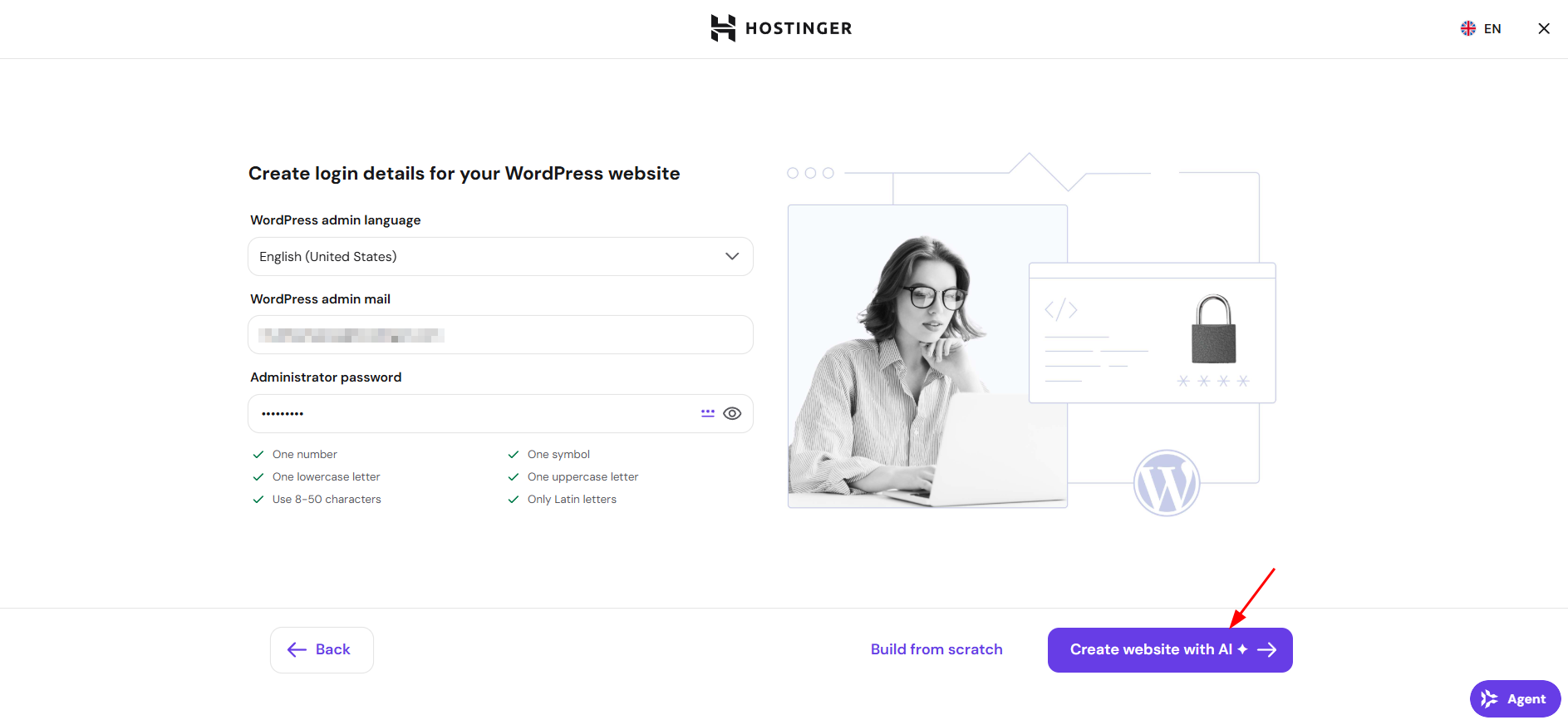
- Create your WordPress admin login details and click Create website with AI.
- Describe your website idea in the prompt field and submit it.
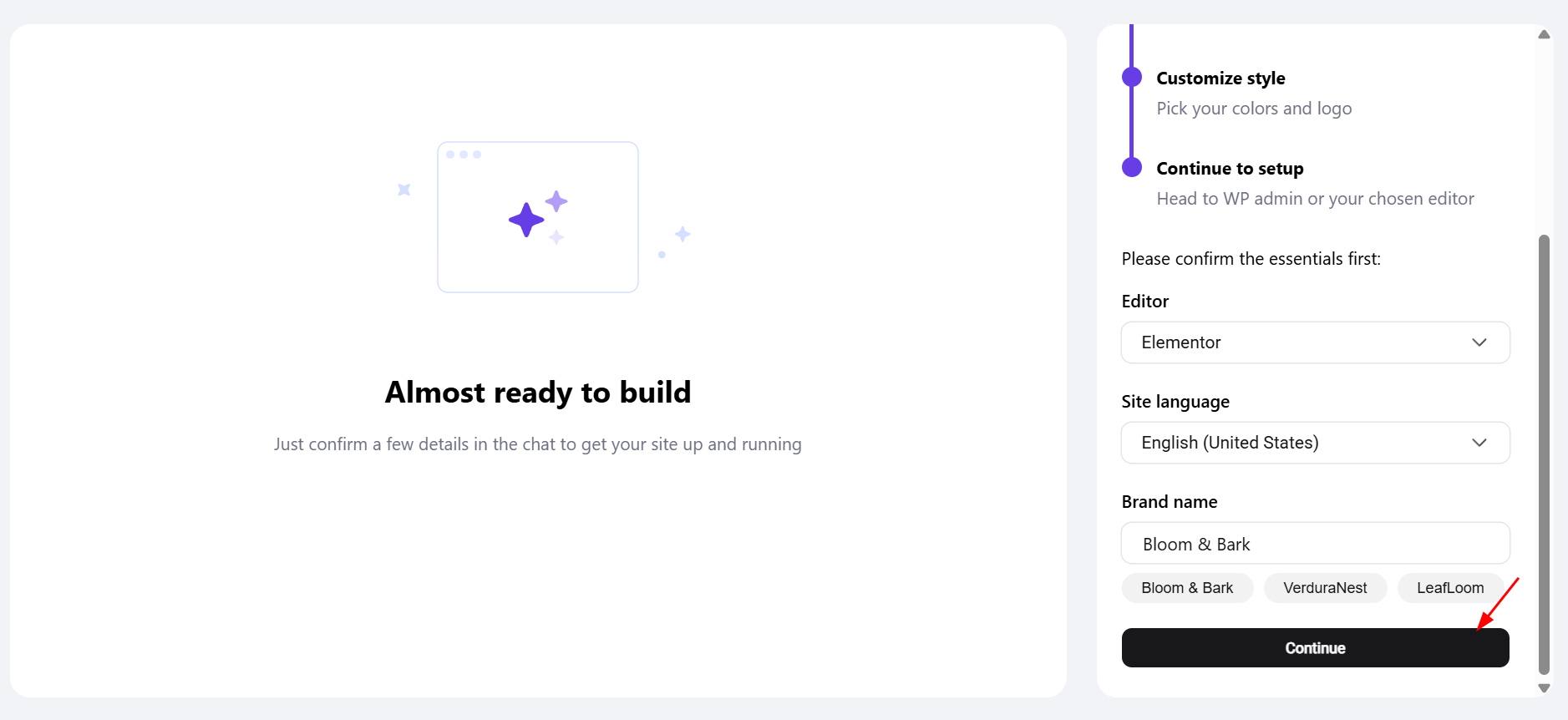
- Confirm your editor, site language, and brand name in the chat, then click Continue.
For the full site creation flow, see How to use Hostinger AI Website Builder for WordPress.
Your site is now live on a temporary subdomain, such as saddlebrown-lobster-974493.hostingersite.com.
Get AI-suggested domain names when connecting a domain
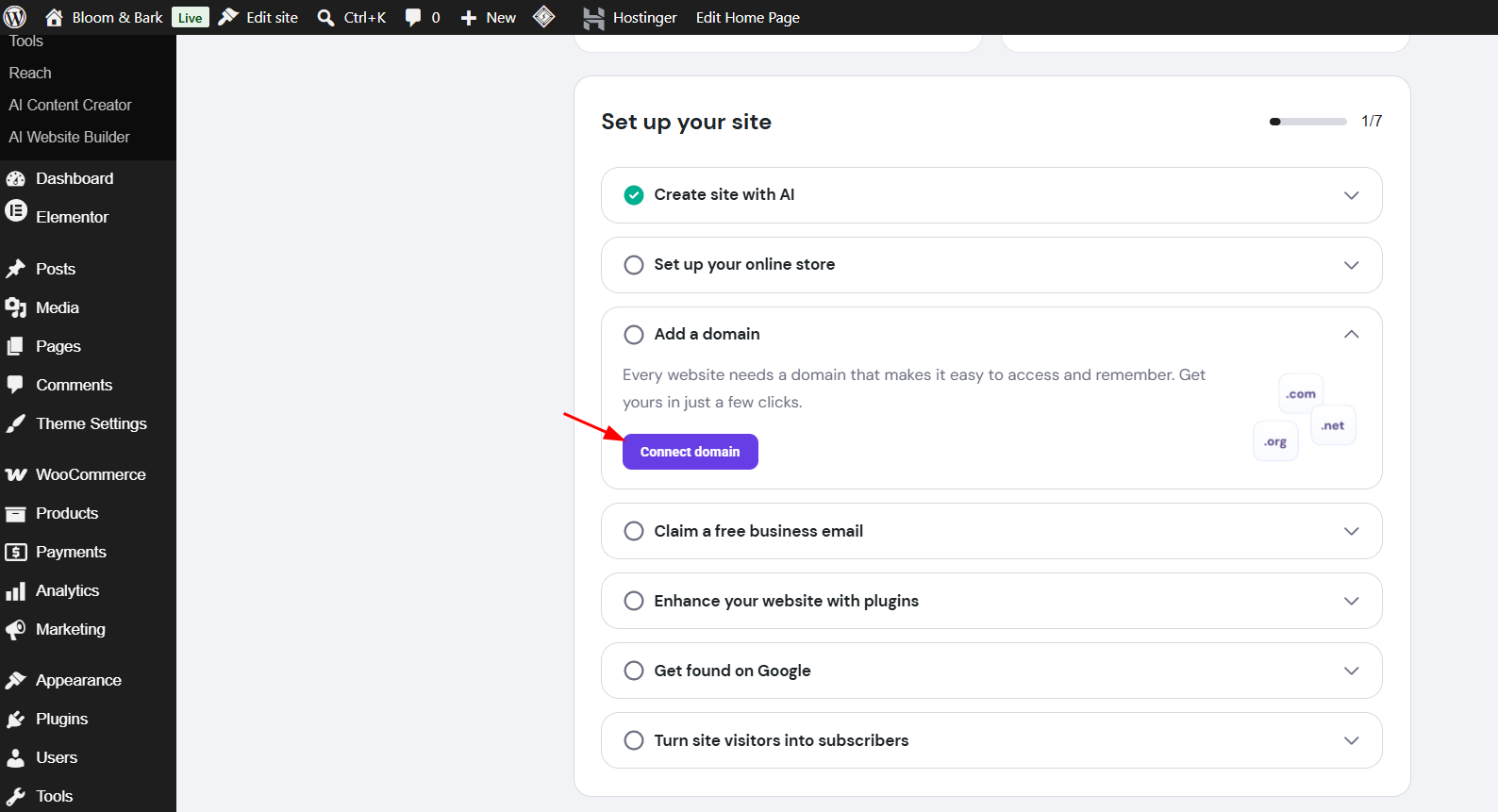
- Open your WordPress dashboard and go to the Set up your site checklist.
- Expand Add a domain and click Connect domain.
- Review the suggested domain names, each labeled with an AI suggestions tag.
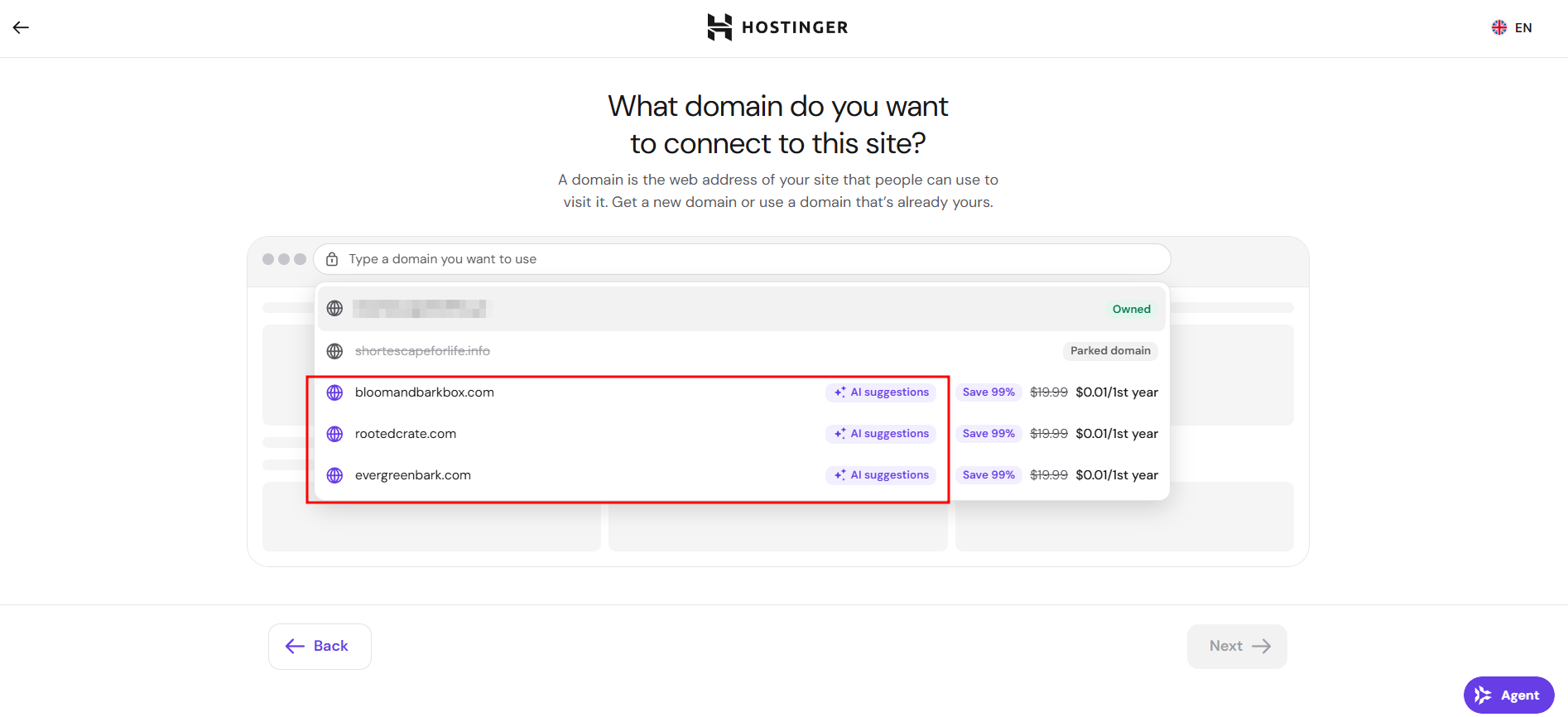
Hostinger AI Website Builder for WordPress generates these suggestions using your site’s title and the original AI generation prompt, so the suggested domains reflect your site’s actual content rather than generic or random names. For example, a site created for a plant subscription box named “Bloom & Bark” surfaces AI-suggested domains such as bloomandbarkbox.com and evergreenbark.com.
Purchase your selected domain
Selecting a domain here doesn’t complete your purchase. Click the domain, then click Next to proceed to checkout, where you can choose a billing period and complete payment.
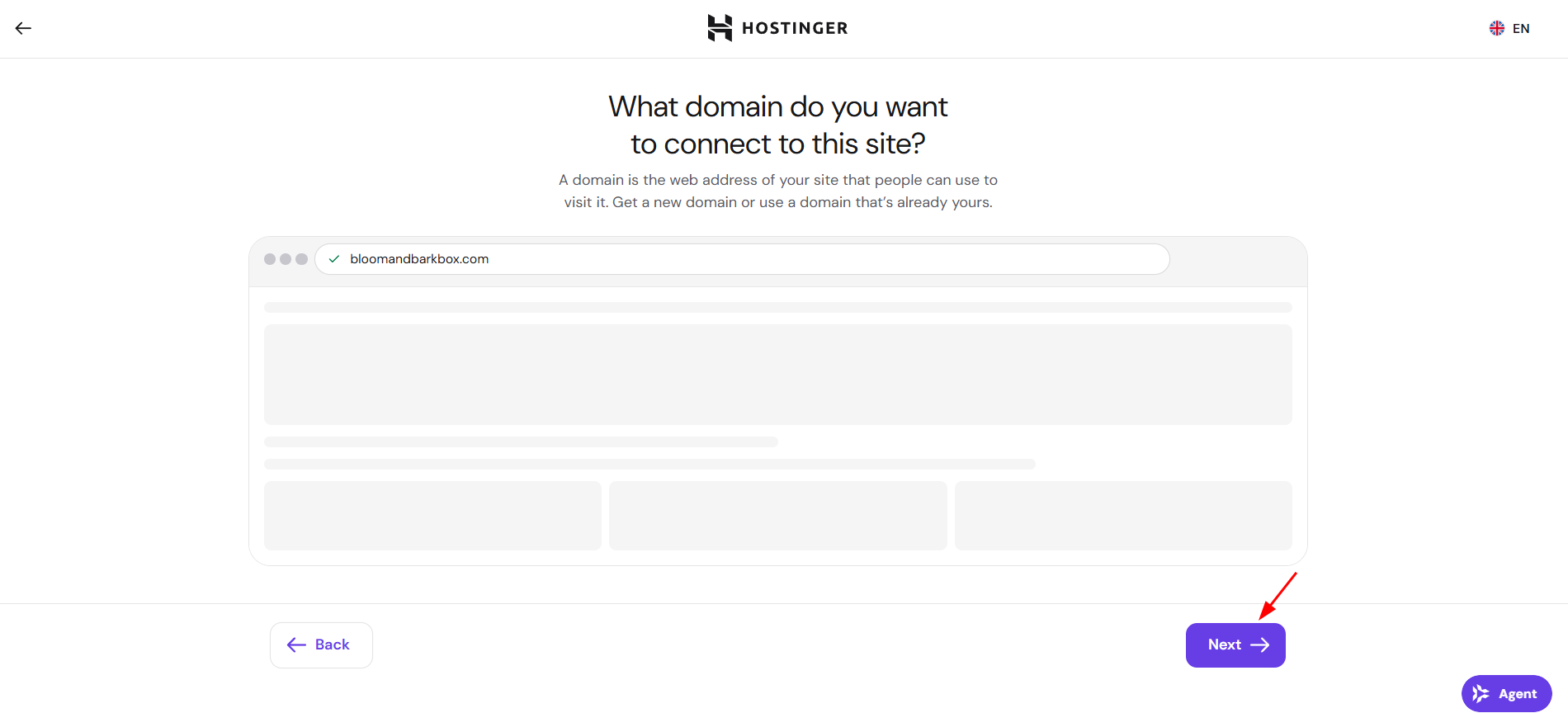
Your domain suggestions now reflect your site’s title and content, making it easier to find and register a domain that matches your website.
NOTE
- AI-suggested domains only appear for sites that were created with a temporary subdomain and have not yet connected a permanent domain.