After deploying a Node.js application on Hostinger, you can edit existing environment variables or add new ones at any time.
Before you start
- If you haven’t deployed your Node.js application yet, see how to deploy a Node.js website in Hostinger.
- You can also add environment variables while deploying the application instead of adding them afterward.
Edit Environment variables
-
Open your Website Dashboard.
-
Navigate to the Environment variables section.
- You can add new or edit existing environment variables there.
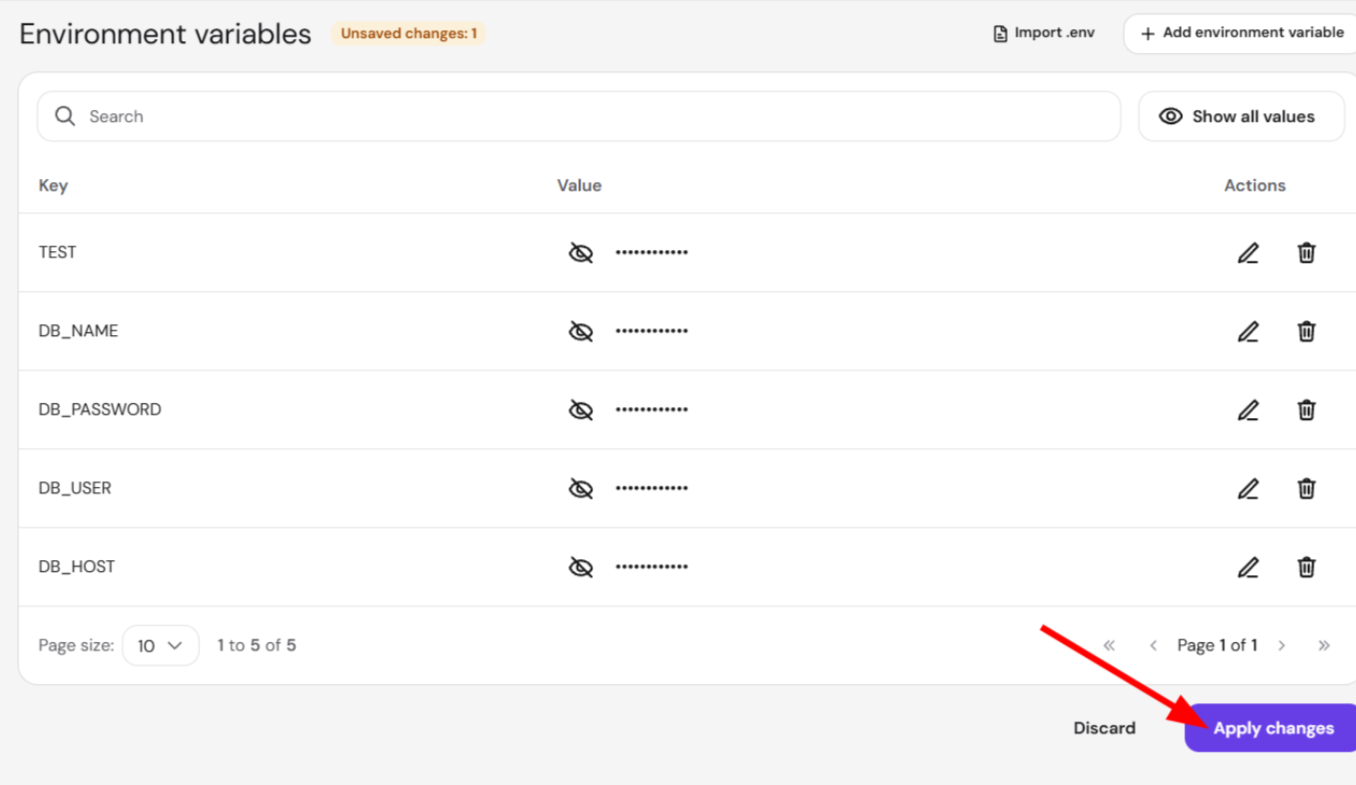
Click Apply changes to save the new variables.
Once your environment variables are applied, your Node.js application runs with the updated configuration, ready to use the new values.
When to update environment variables
You may need to update environment variables when:
- Adding new configuration values
- Updating database credentials
- Rotating API keys or secrets
- Changing environment-specific settings
Keeping your environment variables up to date ensures your Node.js application always runs with accurate, secure configuration, without needing to redeploy the entire project.