Download your domain certificate at Hostinger to have proof of ownership for your registered domain.
Download your domain certificate
At Hostinger, you can download your domain certificate by following these steps:
- Go to the Domains Section > Domain Portofolio on the left side bar of Hostinger dashboard
- You can select the domain name that you want to download the Domain Certificate by clicking on Manage
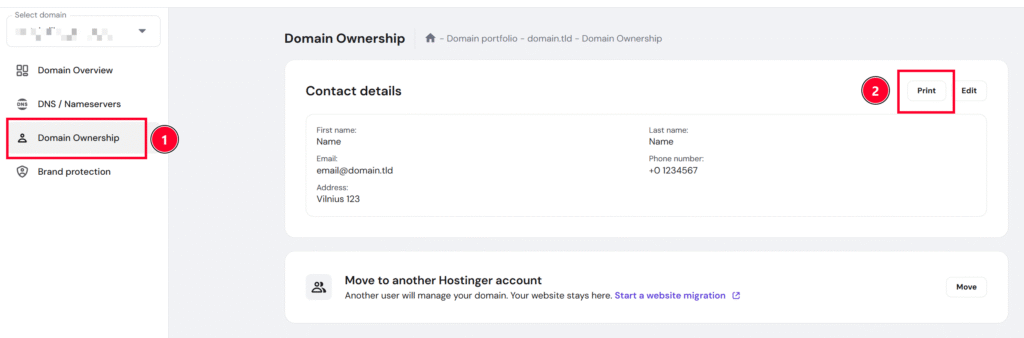
- Once you are in the Manage section, find the Ownership section
- Next to the Edit button, you can, click on Print. You can open and print the downloaded certificate from your end.
NOTE
-
If you wish to use different contact details for the domain certificate, you can update the information by following this article