The Hostinger Reach public API lets you create, update, and organize Reach contacts and segments programmatically and build custom integrations with your own systems. There are four steps to using the Reach public API: generate an API token in the Hostinger dashboard, pass it in the Authorization header, retrieve your Reach profile ID, and call the contacts and segments endpoints.
Before you start
The Reach public API is best for custom and advanced setups. To manage Reach contacts by asking an AI assistant instead, use Hostinger Connector.
Open the Reach public API page in Hostinger Reach
- In the Reach dashboard, click Integrations in the left sidebar.
- On the Reach public API card, click Learn more.

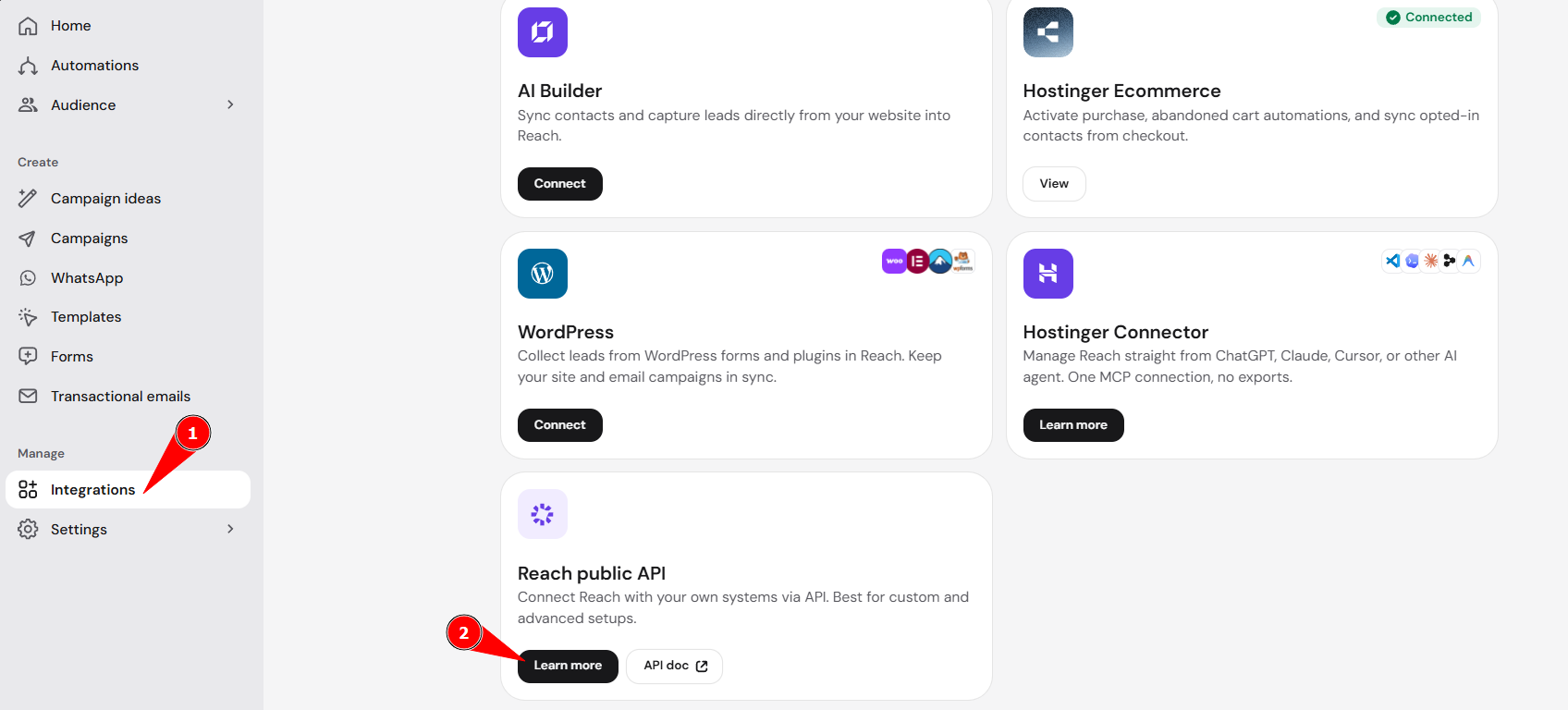
The Reach public API page lists the four setup steps, each with a button that opens the relevant Hostinger dashboard page or API documentation. Click API doc on the card instead to go straight to the API reference.
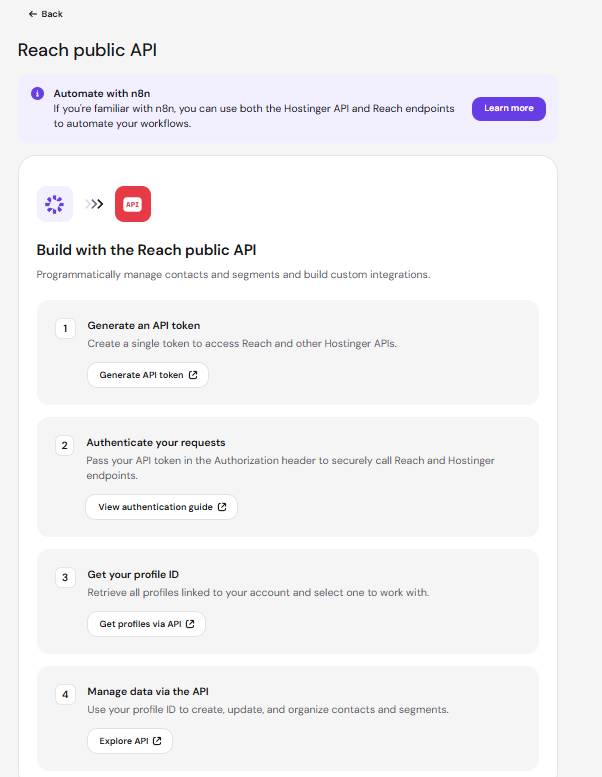
Step 1 – Generate a Hostinger API token for the Reach public API
A single Hostinger API token gives access to the Reach public API and other Hostinger APIs.
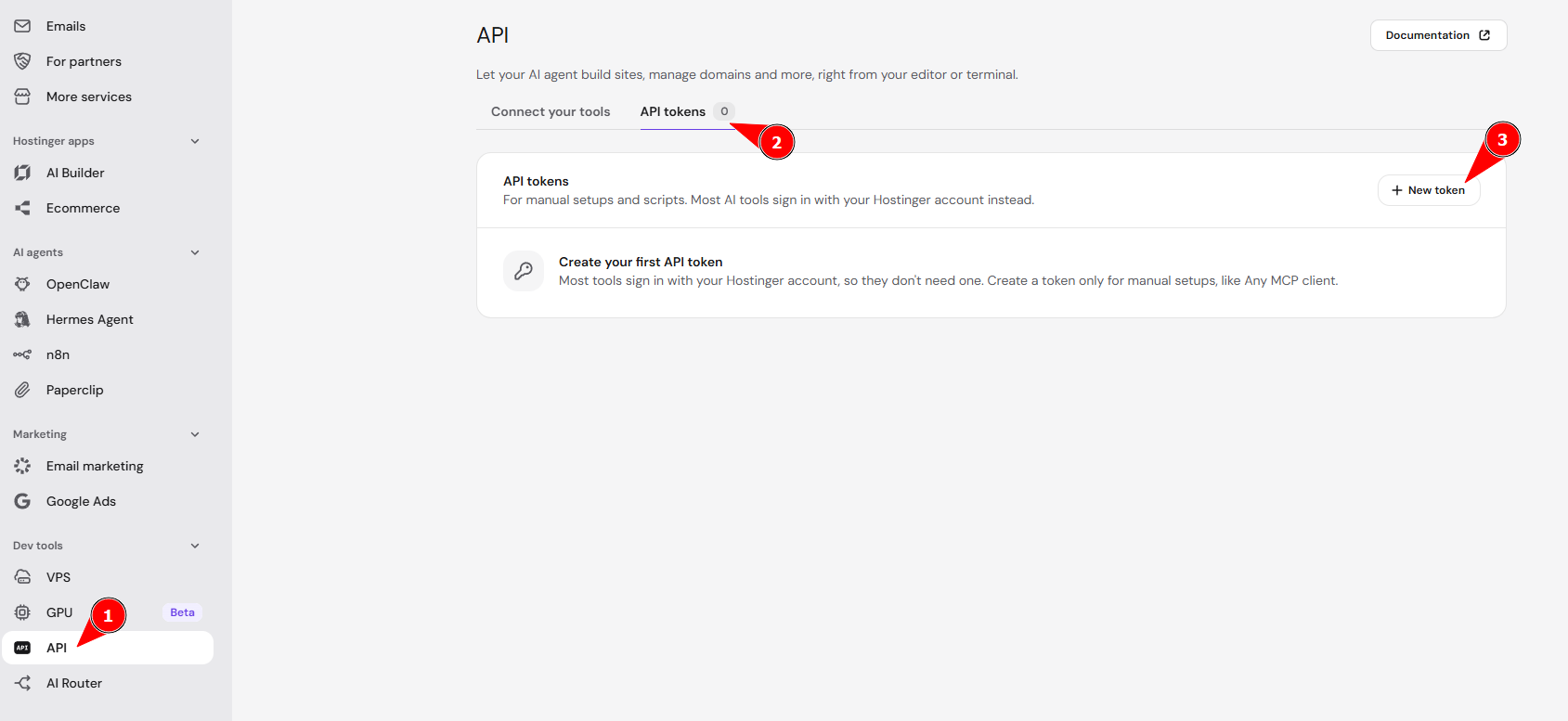
- Click Generate API token. The API page of the Hostinger dashboard opens.
- Select the API tokens tab.
- Click New token and follow the prompts to create your token.

NOTE
- Treat your API token like a password, since it grants access to Reach and other Hostinger APIs.
Step 2 – Authenticate Reach public API requests
Pass your API token in the Authorization header of each request to securely call Reach and other Hostinger endpoints. See the Hostinger API authentication guide for the header format.
Step 3 – Get your Reach profile ID
Retrieve all Reach profiles linked to your account with GET /api/reach/v1/profiles, then select the profile you want to work with. See the Reach profiles endpoint reference for request and response details.
Step 4 – Manage Reach contacts and segments via the API
Use your profile ID to create, update, and organize Reach contacts and segments. See the Reach contacts endpoint reference for POST /api/reach/v1/contacts and related endpoints.
With an API token and your Reach profile ID, your own systems can create and organize Hostinger Reach contacts and segments without manual imports.
NOTE
- Combine the Hostinger API and Reach endpoints in n8n to automate workflows. Click Learn more in the Automate with n8n banner on the Reach public API page for details.