Adding collaborators to your Hostinger Reach plan allows other people to help you create, manage, and optimize your email marketing. This is especially useful if you work with a freelancer, agency, or team member. To add collaborators to your Hostinger Reach plan, open Add Collaborators from the Reach profile menu and grant access through Hostinger dashboard Account Sharing.
What is the collaborators feature?
The Collaborators feature allows you to grant another Hostinger user access to your Reach plan so they can:
- Access your Reach dashboard
- Create and manage email campaigns
- Set up and edit automations
- Manage contacts, segments
- Only for Admin level permissions: manage billing-related actions Such as purchase additional AI credits, upgrade your plan
How to share access to your Reach plan
If you are the owner of a Reach plan, follow these steps to grant access to someone else.
Step 1 – Open the collaborators option
- Log in to your Hostinger Reach dashboard
- Click your profile dropdown in the top-right corner
- Select Add Collaborators

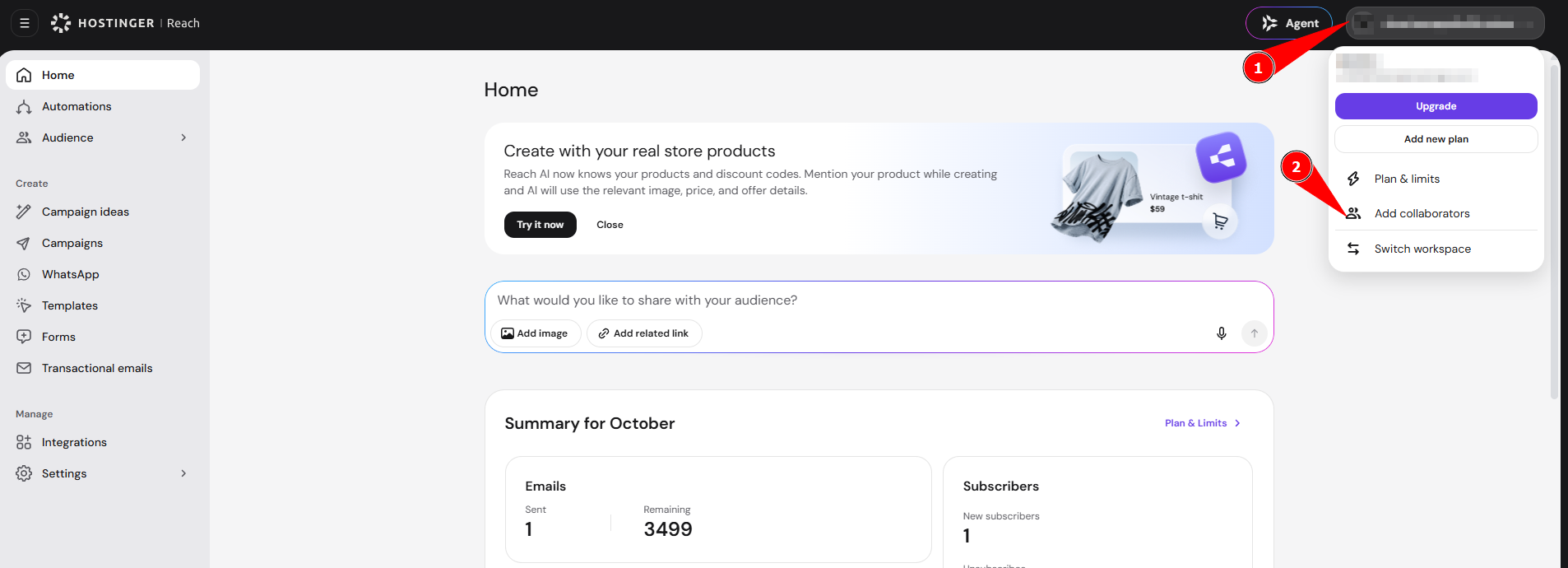
If you are on a free plan, this feature will be locked and you will be prompted to upgrade.
If you are on a paid plan, you will be redirected to the Hostinger dashboard Account Sharing page.
 Step 2 – Enter collaborator details
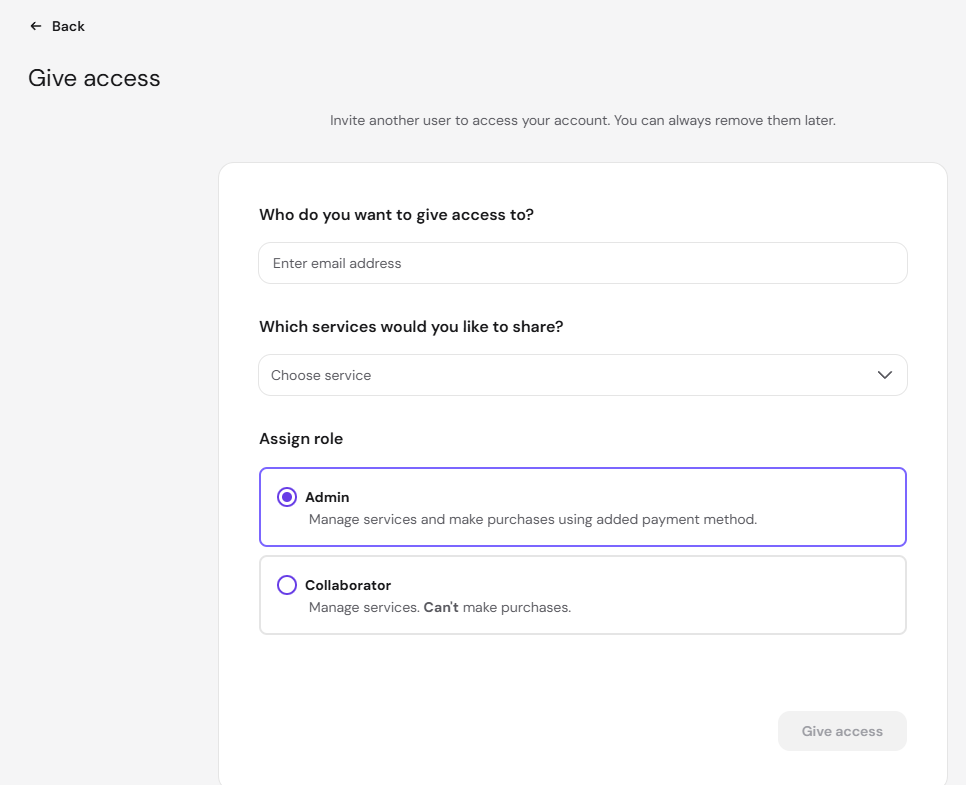
On the Account Sharing page:
- Enter the email address of the person you want to grant access to
- The person should have an active Hostinger account
- Select the permission role
- Choose the services you want to share
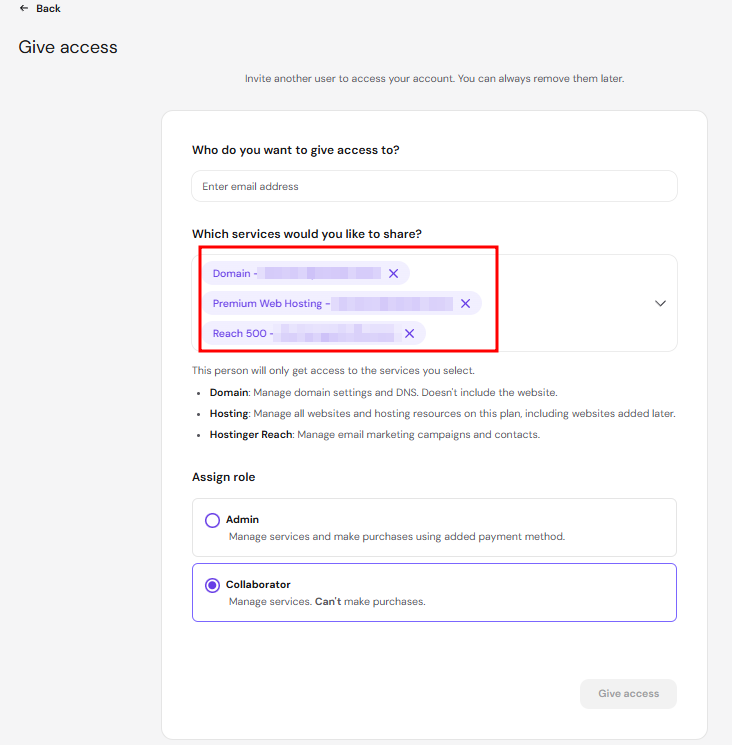
- If you have a domain connected to Reach, enter the domain name to quickly find the correct plan.
- If no domain is connected yet, you’ll see the Reach plan title, which you can select as the managed service.
- Confirm and send the invitation
The invited person will receive an email and must accept the invitation to gain access.
Important: Sharing Website or Domain Access
If your Reach plan is connected (or will be connected) to:
- A Hostinger AI Builder site
- A WordPress website
- A domain
You must also grant access to those specific services separately in Managed services.
Giving access only to the Reach plan does not automatically grant access to connected domains or websites.
Without additional permissions, your collaborator will not be able to:
- Connect domains
- Manage website integrations
- View or manage related hosting services
Make sure to share all relevant services if full setup assistance is needed.
What happens after the invitation is accepted?
Once the collaborator accepts your invitation:
- They log in to their Hostinger dashboard account
- Click Reach in menu
- Select the shared plan
- Enter the Reach dashboard
They will be able to manage the account based on the permission level you assigned.
How to request access to someone else’s Reach plan
If you are a freelancer, agency, or helping a friend manage their Reach account, you can request access directly.
Step 1 – Request access in Hostinger dashboard
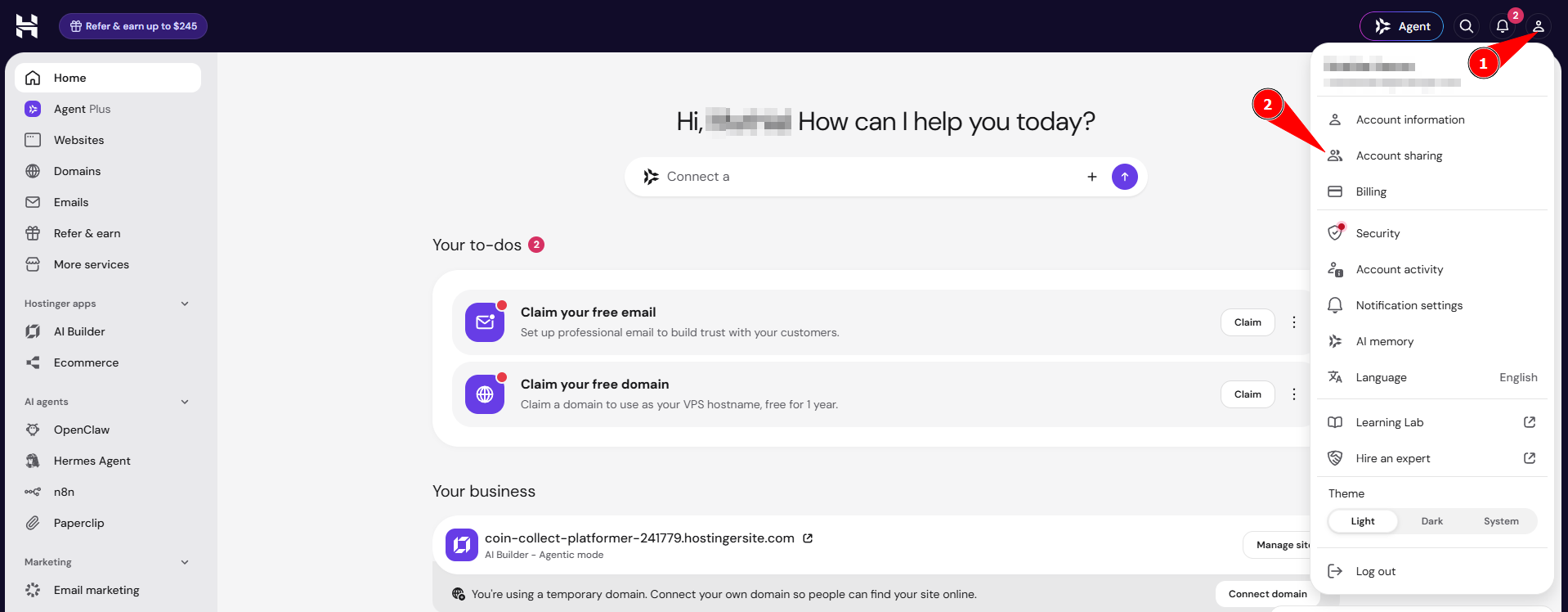
- Log in to your Hostinger dashboard account
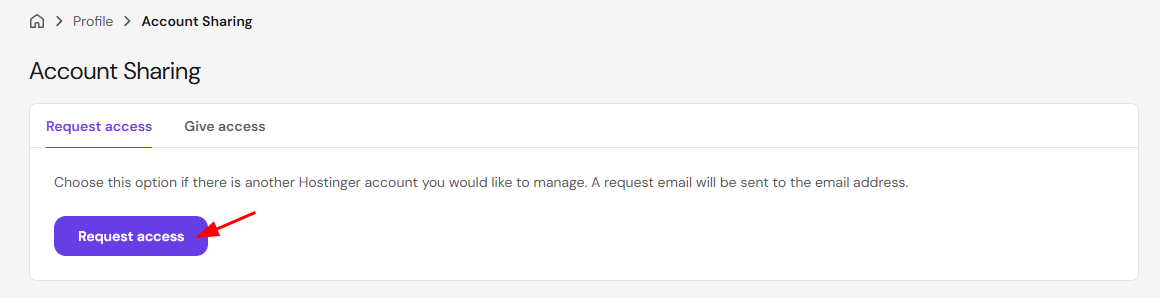
- Click your profile then click Account Sharing

- Click Request Access

- Enter the email address of the account owner
- It must be the email linked to their Hostinger account
- Select the requested permission role
- Send the request
Step 2 – Wait for approval
The account owner will receive an email notification.
Once they approve your request:
- You will gain access to the selected services
- You will be able to impersonate and manage their Reach plan from your own Hostinger dashboard account
Once a collaborator accepts the invitation, they manage your Hostinger Reach plan from their own Hostinger dashboard with the permission level you assigned. Grant access to connected domains and websites separately if the collaborator needs to help with setup.
New collaborators can follow Hostinger Reach: Getting started with your AI email marketing assistant to learn the full Hostinger Reach setup.