Learn how to review, complete, and sync your product listings with TikTok Shop through Hostinger Ecommerce.
Before you start
- If you haven’t connected TikTok Shop yet, see how to start selling on TikTok Shop first.
Which products can I sell?
TikTok Shop supports physical products only. Digital products and other non-physical product types from your store won’t appear in your TikTok Shop product list.
Where can I sell with TikTok Shops?
At the moment only TikTok Shops for Brazil are supported, meaning that only merchants from Brazil are eligible to sell through this sales channel. Support for additional markets is being rolled out — check back for updates on availability in your region.
View your TikTok Shop product list
From Integrations → TikTok Shop, go to Products (or click Manage products from the TikTok Shop dashboard).
Every product from your store catalog is listed here, along with its price, variants, inventory, and TikTok sync status:
- Active: live and available for purchase on TikTok Shop.
- Not synced: not yet sent to TikTok Shop.
- Syncing: currently being reviewed and published by TikTok.
- Inactive: deactivated and not visible to shoppers.
- Sync failed: TikTok rejected the sync; details are usually required.
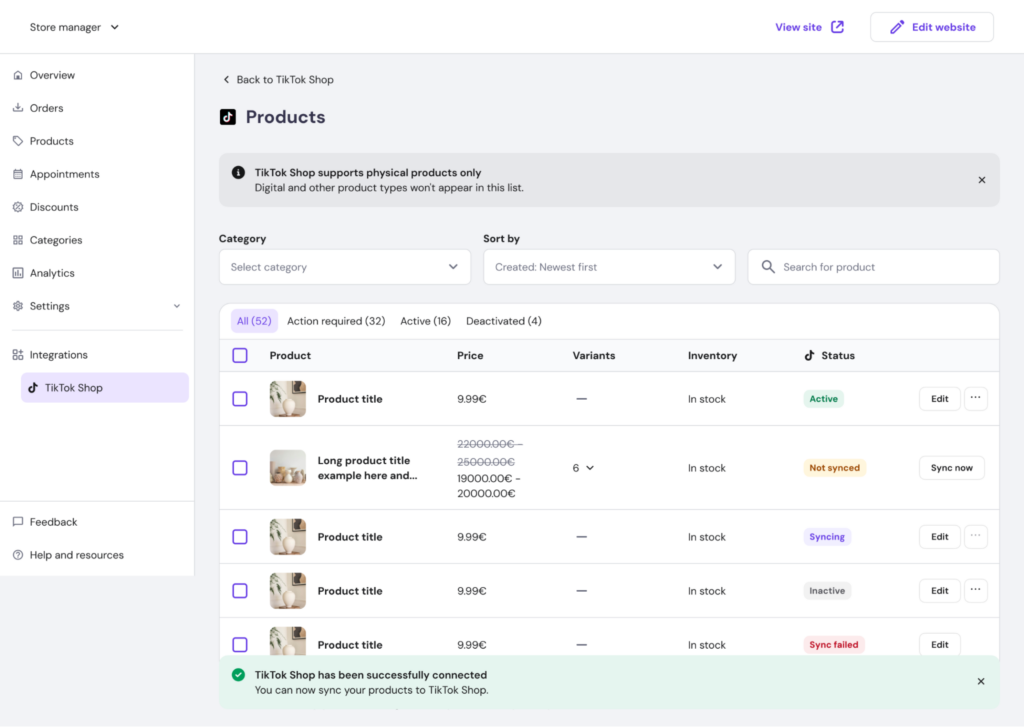
You can filter products by status, search by name, or sort the list, and use the category filter to narrow down large catalogs.
Complete and edit a product
Click Edit next to any product to open its TikTok Shop product page. Core product info — images, subtitle, description, and pricing — is pulled directly from your Ecommerce dashboard and can be updated from Ecommerce Manager via the Edit in Ecommerce Manager links.
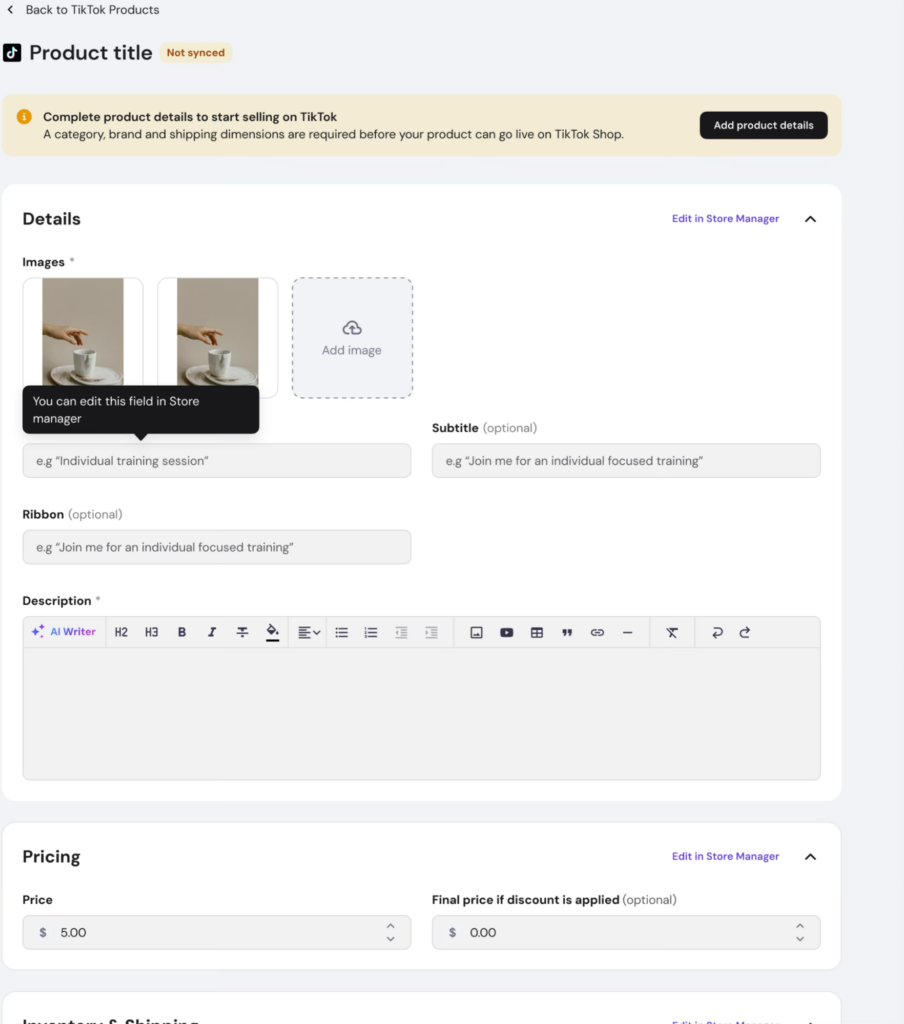
Add TikTok-specific product details
Before a product can go live on TikTok Shop, you need to fill in the TikTok Shop product details section: a product category, brand, and shipping dimensions (weight, length, width, and height). Depending on the category, TikTok may also require specific product attributes, such as materials, pattern, or quantity per pack.
Sync your product
- Once all required fields are filled in, click Save & sync.
- Your product status will change to Syncing while TikTok reviews it. This usually takes a few minutes.
- If it takes longer than expected, you can try syncing again from the product page.
Once TikTok approves the product, its status updates to Active and it becomes visible to shoppers on TikTok Shop.
What’s next?
Products require shipping dimensions before they can sync, see how to manage shipping for details on how shipping works between your Ecommerce and TikTok Shop.