Point a .br domain from Registro.br to a Hostinger cPanel plan by adding the domain to your hosting plan and changing its DNS servers at Registro.br to the Hostinger cPanel nameservers, cdns1.main-hosting.eu and cdns2.main-hosting.eu.
How to point domain from Registro.br to Hostinger cPanel
First, add the website in cPanel so your domain has an active DNS zone, which Registro.br requires.
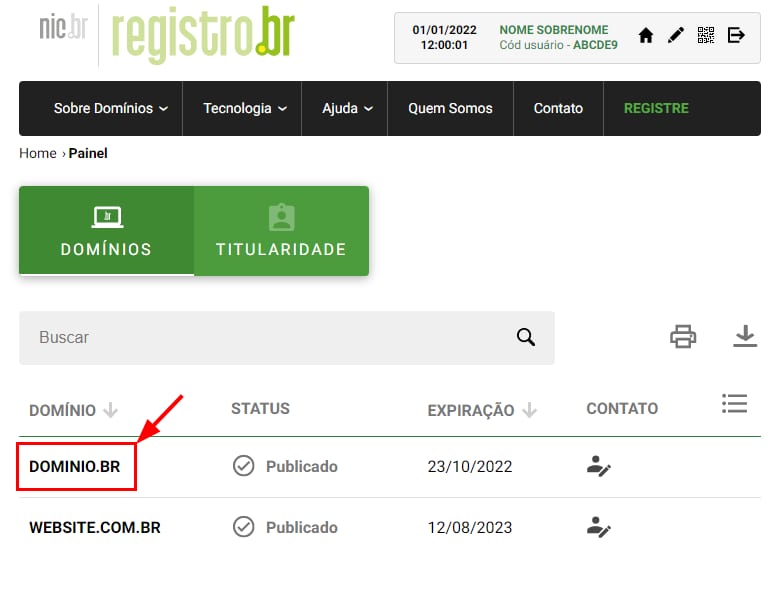
Once your domain is added to your hosting plan, log in to your Registro.br account, and select your domain:
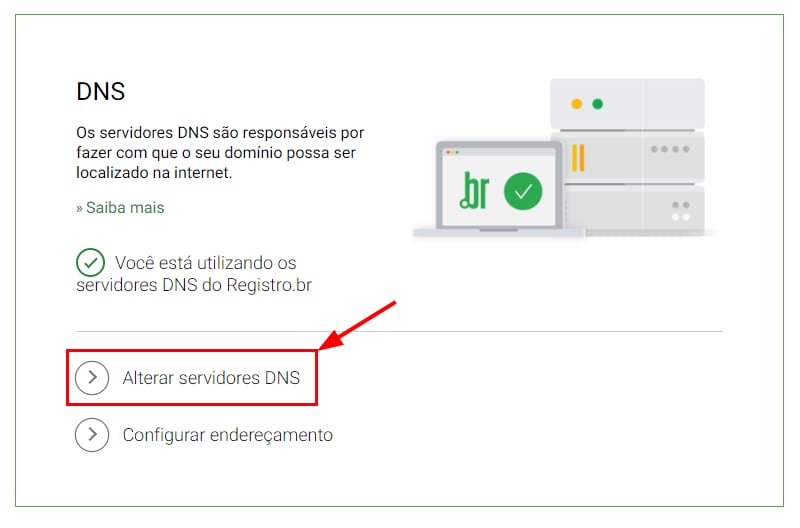
Scroll down to the DNS section and click on Change DNS servers (Alterar servidores DNS):
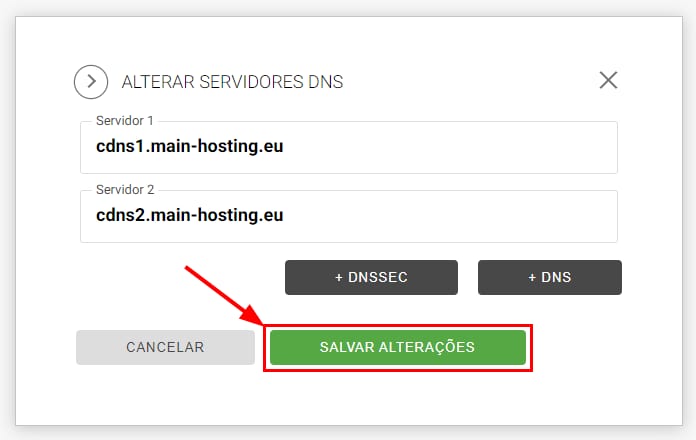
Now, enter Hostinger cPanel nameservers:
-
cdns1.main-hosting.eu
-
cdns2.main-hosting.eu
And click on Save changes (Salvar alterações):
After you specify new DNS records, propagation will start, which can take up to 24 hours to complete.
Once propagation completes, your .br domain points to your cPanel hosting plan at Hostinger. For other Hostinger hosting plans, follow How to point a domain from Registro.BR to Hostinger.
Query Refused Error
If you get the Query refused (Pesquisa recusada) error, reset your domain’s DNS zone.
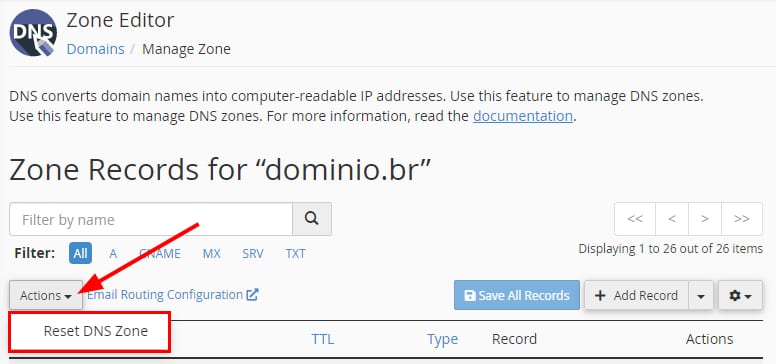
In your cPanel, go to Zone Editor, and click on Manage next to your domain. Next, click on Actions → Reset DNS Zone:
After that, wait a bit and try pointing the domain again.