Duplicate a blog post in Hostinger AI Builder manual mode from the blog management panel.
Duplicate a blog post
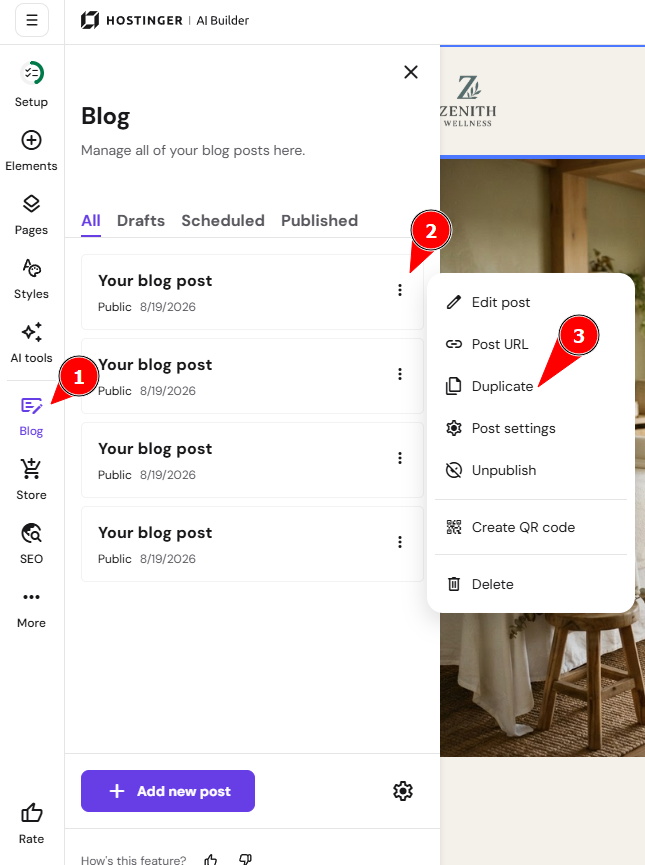
Within the editor, open the blog management panel on the left and find a post that you want to duplicate. Click on the ellipsis button ⋮ near the blog post title and click Duplicate:
Make the desired changes to the blog post: rename it, change its URL, description, author, publication date, and – most importantly – create authentic high-quality content.
Learn more: How to Manage Blog Settings
Finally, update your website for the changes to reflect online.