Edit the title and description of a blog post in Hostinger AI Builder manual mode from its general settings.
Blog post title and description are automatically used as meta title and description
Edit the title and description
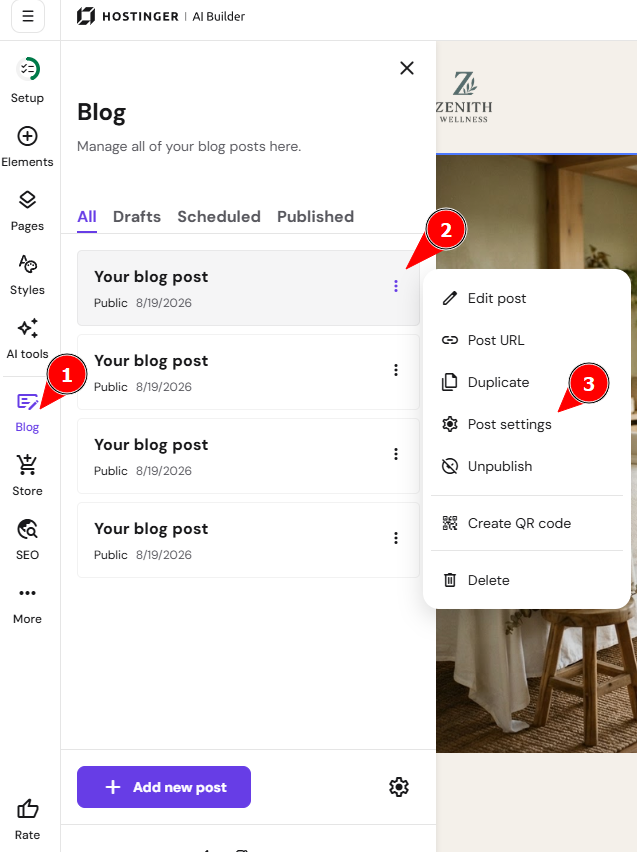
- Within the builder, expand the blog management panel on the left and find a post that you want to edit.
- Click on the ellipsis button ⋮ and open the blog post settings:

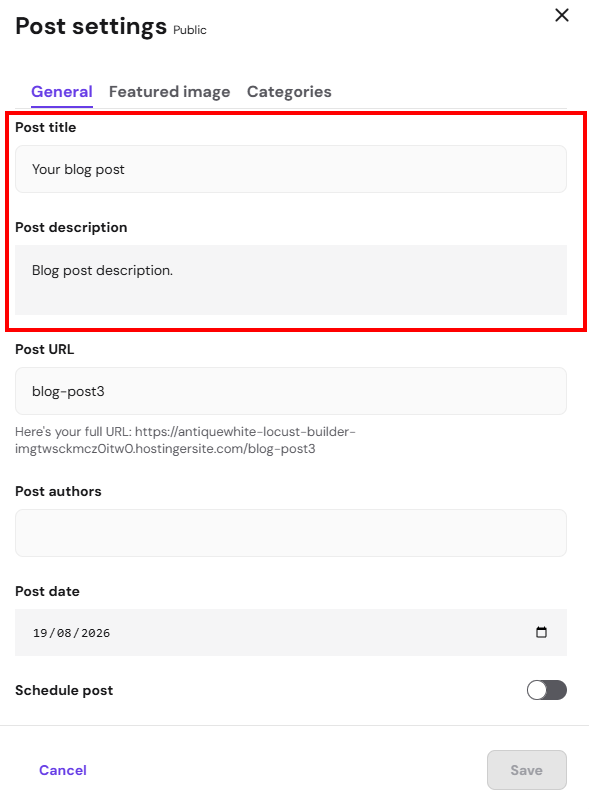
- Change the title and/or description in the General tab:

- Save the changes and update your website for the changes to reflect online.
Your blog post now displays the updated title and description.