Updating the PayPal account for the Hostinger Referral Program changes where your referral commission payouts are sent. To do this, first add the new PayPal account as a payment method in your Hostinger dashboard, then select it as your payout method in the Refer & Earn section.
Step 1 – Add the new PayPal account
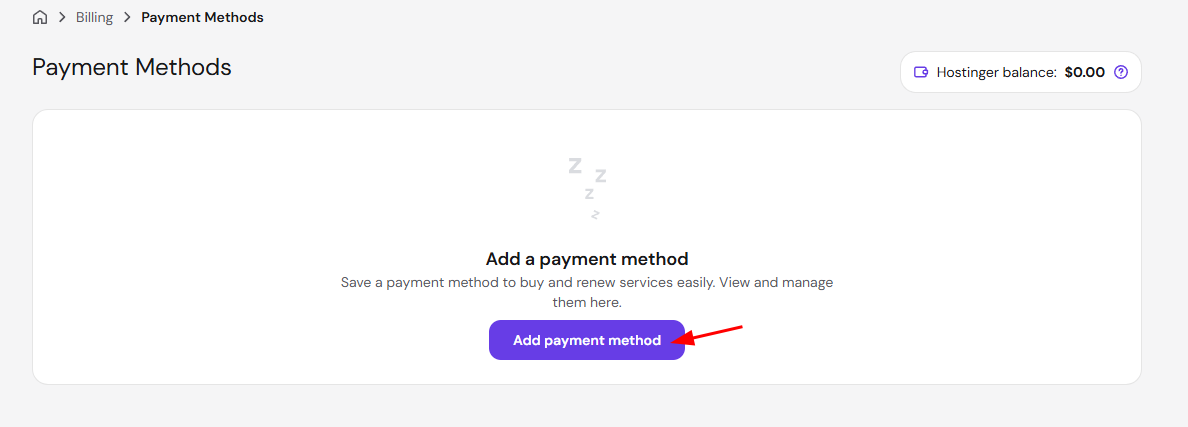
- Go to the Billing → Payment Methods page on your Hostinger dashboard and click on Add payment method:

- Next, choose PayPal and click on PayPal Checkout to link your new PayPal account.
NOTE
-
The PayPal account will only be charged in case you set it as the default payment method or use it to pay manually
Step 2 – Change the PayPal account for referral payments
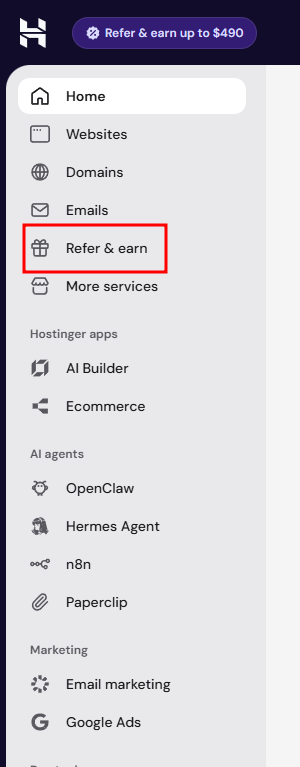
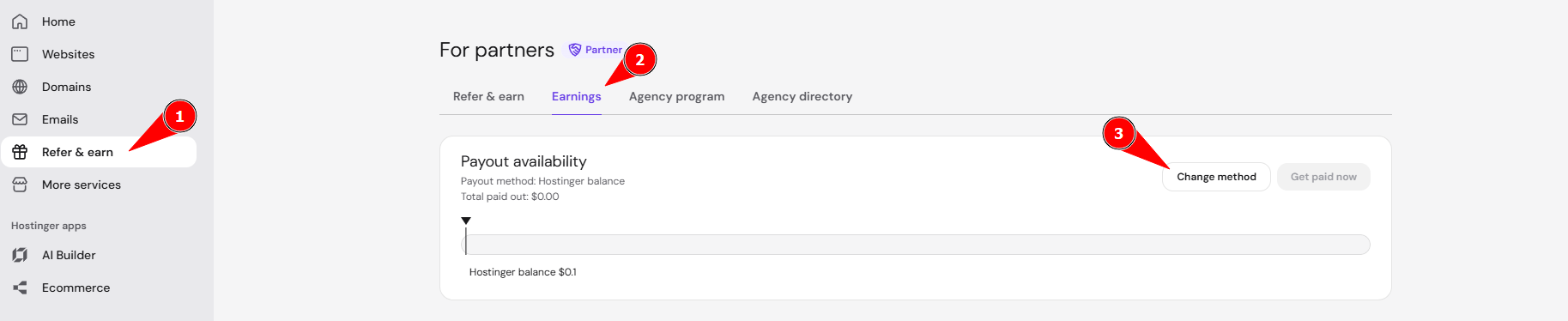
- Go to the Referrals page by clicking the Refer & Earn button:

- Next, select Earnings.
- On the Commission Payout section, click on the Change method button.

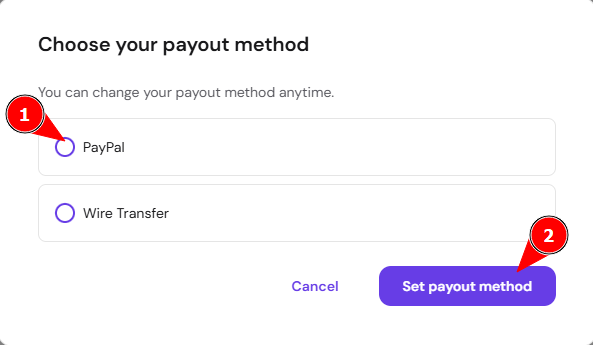
- Choose PayPal and click Set payout method.

On the window that will open, select your new PayPal account and click on Change to confirm. From now on, your commission rewards will be sent to the new payment method, considering the following thresholds:
-
For PayPal, earnings are issued after collecting 50 USD.
-
For wire transfer, earnings are issued after collecting 200 USD.
Your future referral commissions now go to the new PayPal account. See How to use the Referral Program at Hostinger for other details about earning and tracking referral commissions.