Upgrade your Hostinger AI Builder plan to get more AI credits and resources for your agentic mode projects.
Upgrade your plan
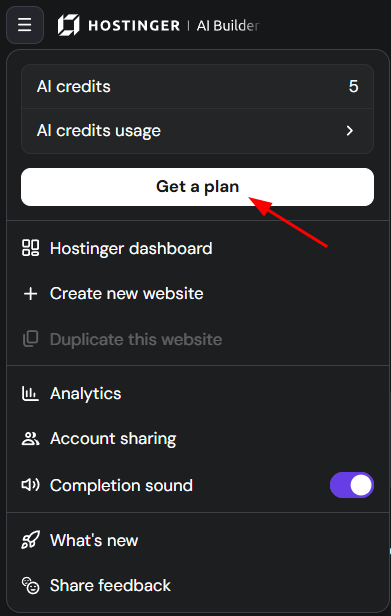
If you’re using our free trial, you are able to upgrade and purchase a plan as well as confirm the upgrade pricing of the Hostinger AI Builder plan by clicking on the Hostinger AI Builder menu and selecting “Get a plan“, as below:
Where you can select a plan to upgrade:
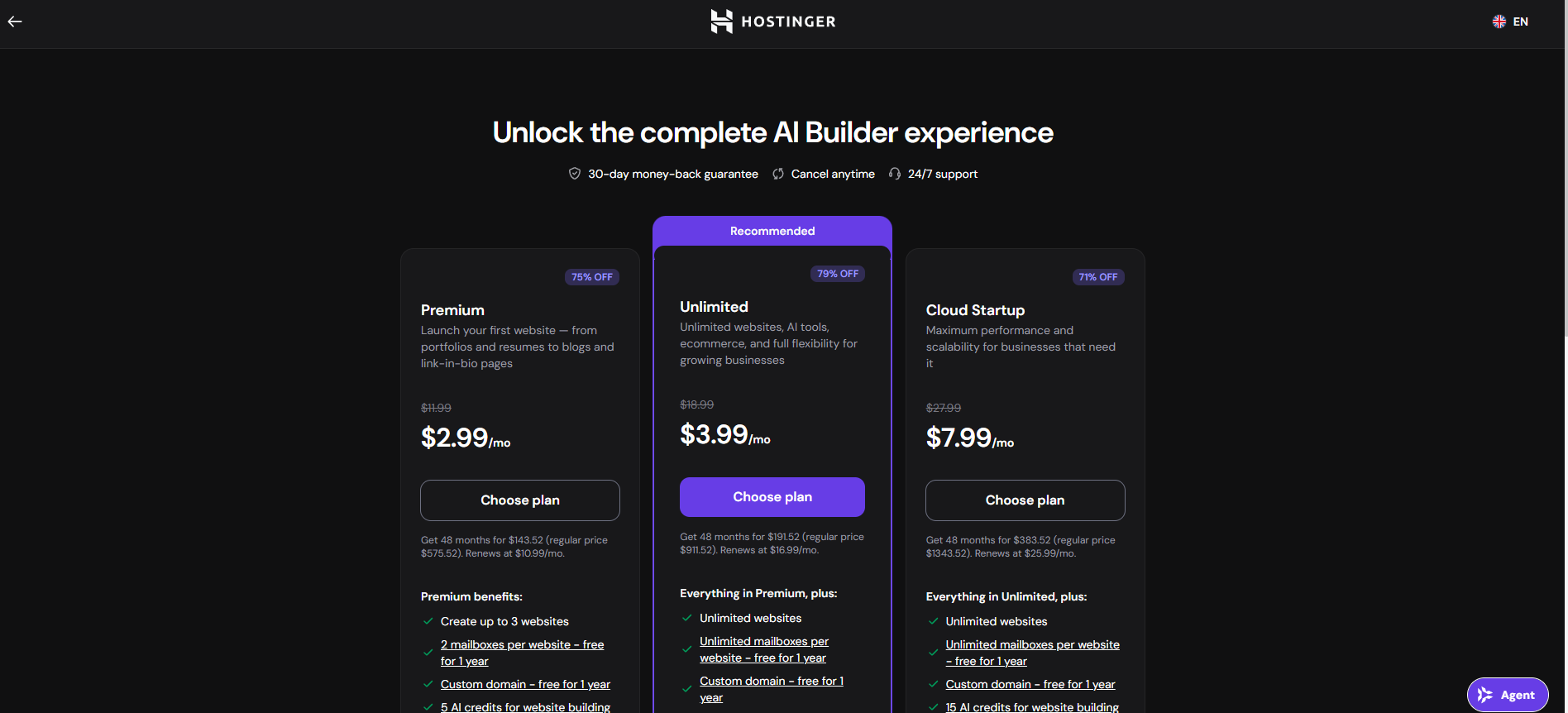
Upgrade to a higher-tier plan for other plan benefits, such as creating more projects or additional email inboxes, rather than for immediate credits.
Reaching credit limits
Before deciding to top up, check your current usage:
- Open your Hostinger AI Builder project.
- Click the menu (top navigation).
- Select AI Credits Usage.
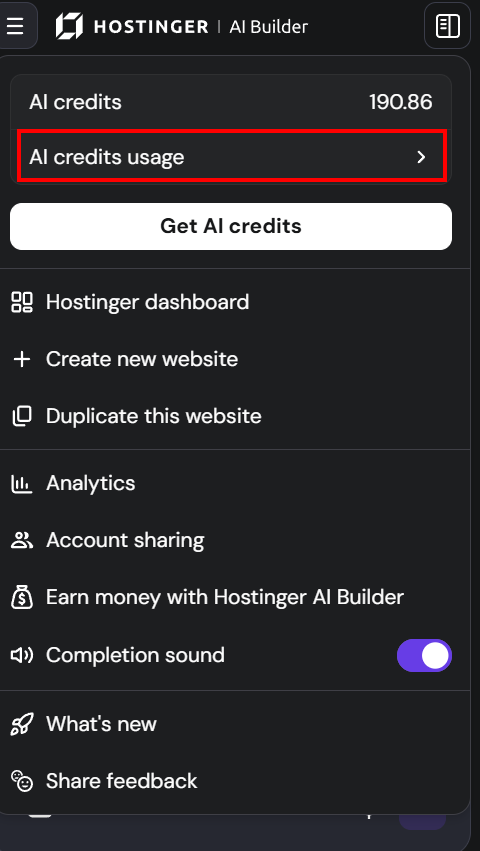
- A modal will open showing your monthly credit balance, next reset date, and a usage chart broken down by the last 24h / 7 days / 30 days. This helps you decide whether upgrading or purchasing a top-up is the right move.
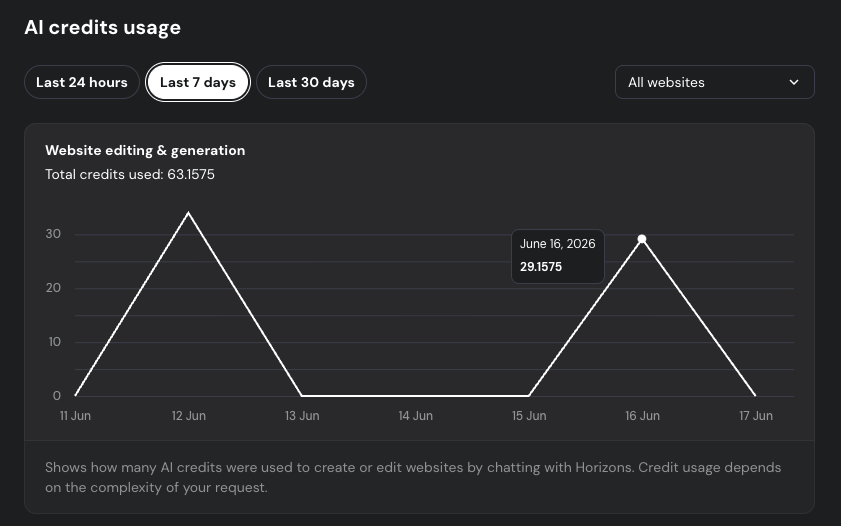
If you reached your plan messages limit, and you need more credits to continue working on your projects, you will also have the option to purchase additional credits without upgrading your plan. 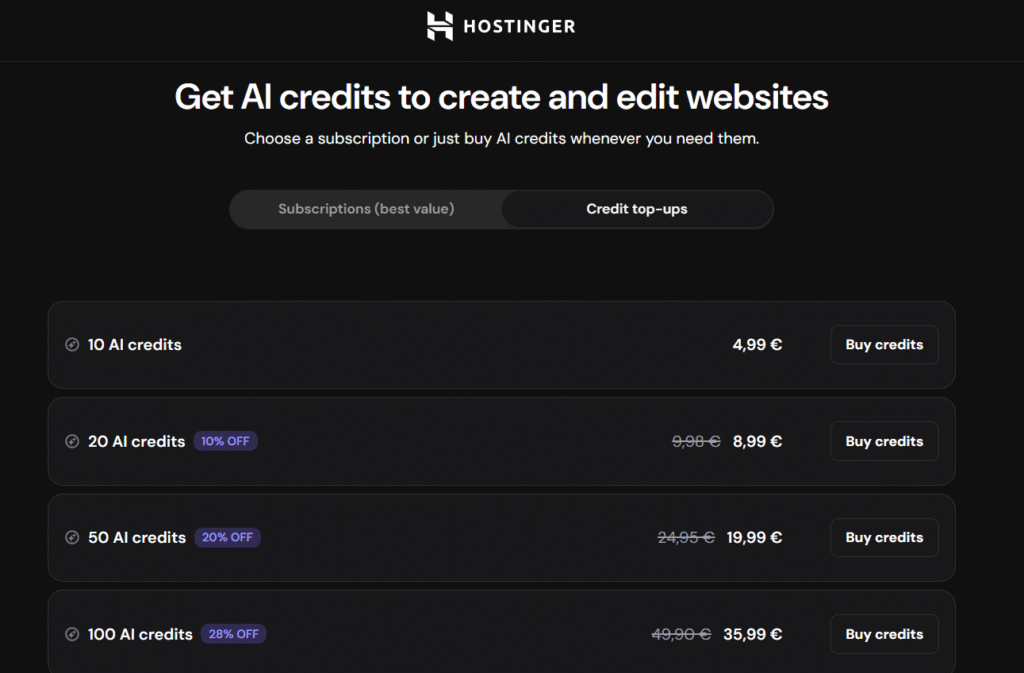
Purchased top-up credits aren’t affected by a plan upgrade. They remain in your balance in addition to the credits from your new plan, and they aren’t applied as a discount toward the upgrade payment.