A domain QR code from Hostinger opens your domain when someone scans it with a phone camera, so people reach your website without typing the address. You can generate and download a domain QR code for any domain registered at Hostinger from its Domain Overview page in Hostinger dashboard. To get one, open the domain’s Domain Overview, select Use it without a site, click Generate QR code, and download the image.
Generate a QR code for your domain in Hostinger dashboard
The domain QR code option is on the Domain Overview page of each domain registered at Hostinger.
- Log in to Hostinger dashboard and select Domains in the sidebar.
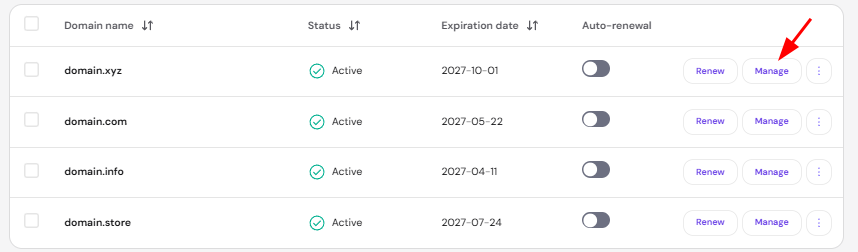
- In the Domain portfolio, click Manage next to the domain you want to share. The Domain Overview page opens.
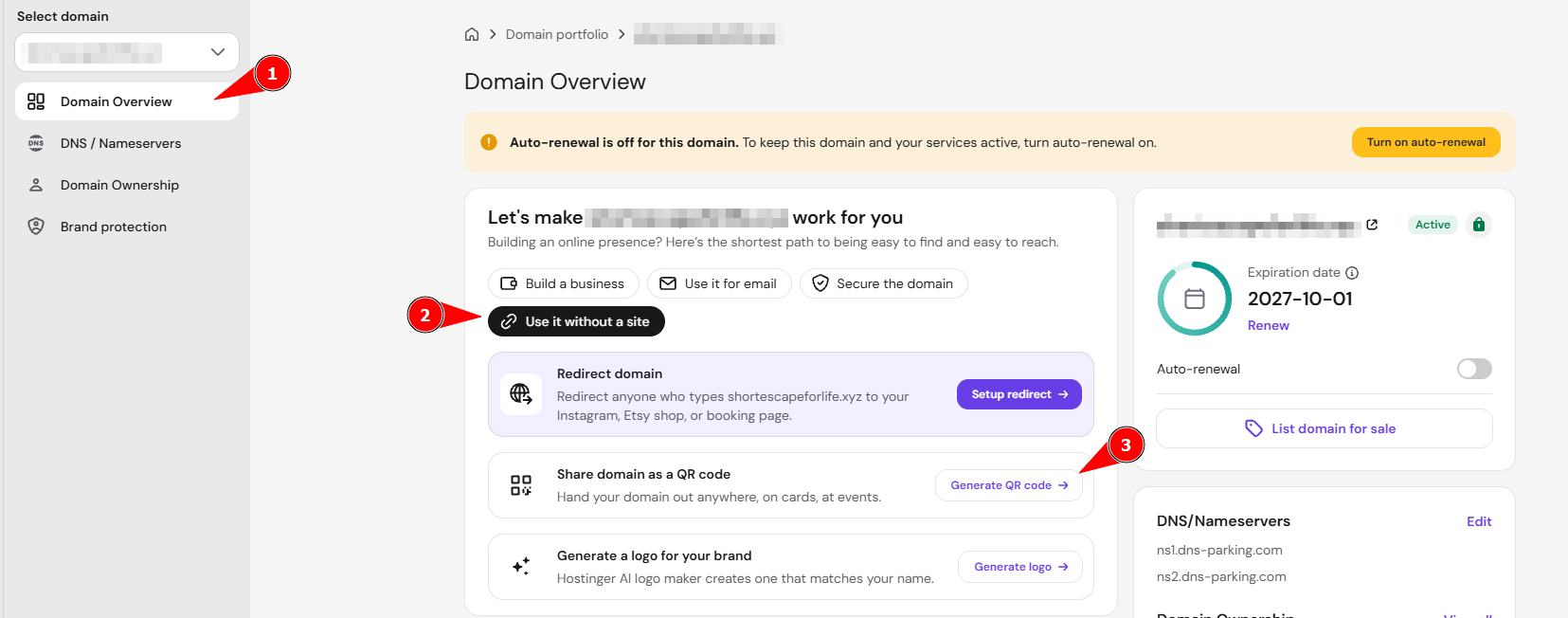
- In the Let’s make domain.tld work for you section, select Use it without a site.
- Under Share domain as a QR code, click Generate QR code. The Download QR code window opens with the QR code for
domain.tld.
- Click Download to save the QR code image to your device.
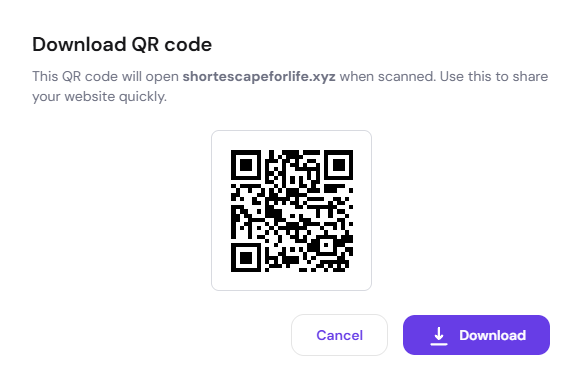
The downloaded QR code opens domain.tld when scanned. You can add it to business cards, flyers, product packaging, or event materials.
Choose where your domain QR code leads
A domain QR code always opens your domain, so visitors see whatever the domain currently loads. Check that your domain points to a live website or a redirect before you print or share the QR code.
- If your domain is connected to a website, the QR code opens that website.
- If you don’t have a website, set up a redirect so the QR code sends visitors to your Instagram profile, Etsy shop, or booking page. See How to redirect a domain without a hosting plan at Hostinger.
To share a single page of a Hostinger AI Builder website instead of the whole domain, see Hostinger AI Builder: How to generate a QR code of a page in manual mode.
Your domain QR code is ready to print or share, and it opens your domain on any phone that scans it. If you change where your domain points later, the same QR code follows the domain, so you don’t need to generate a new one. Learn more about the other settings on the Domain Overview page in How to use the Domains section in Hostinger dashboard.